1. Testing Is a Beacon at Sea
The more complex and larger a project is, the more it demonstrates the value and importance of testing.
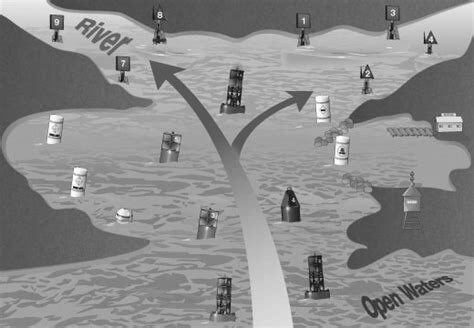
Testing guarantees that the direction is right. Like a beacon appearing at sea while sailing, it can be used to check and correct the course, so the helmsman can stay aware of the situation at any moment and make adjustments.
Testing determines the pace of iteration. With the practice of agile development methods such as Scrum, the rhythm of delivery keeps accelerating. Testing is the guarantee of delivery quality; if testing cannot keep up, agile cannot land.
Testing matters, but it is also a matter of economics. Too little is not enough to guarantee quality; too much makes maintenance costly. You only get a high return on investment by locking down the key points.
Now let’s look at the product that needs testing. KubeSphere is very small, and yet very large. It is small because it is just an application workload on Kubernetes and does not modify native Kubernetes. It is large because it integrates many optional components and provides a whole solution. In day-to-day development, two places concentrate a high density of value: the main repository and the installer. The main repository aggregates every change a developer makes; the installer aggregates the behavior of each component when the user installs it.
By comparison, I think installation needs additional automated testing even more, and is also easier to test. Installation is the first impression of the user experience, and is closer to the user side. Let’s look at the work I did on testing the installer.
2. Using KubeSphere to Test KubeSphere
This is an interesting approach: use KubeSphere to create a new KubeSphere and test itself. It sounds a bit like bootstrapping — creating itself, testing itself. That gave us the first version of automated testing for the installer.
Every day, automated tests ran against three installation modes: single-node, multi-node, and high availability. After installation, it also ran some API- and UI-layer tests; see the document Building an Automated Test System with Kubernetes and Jenkins, plus some dial testing used to verify in real time whether online services are healthy, Service Dial Testing with Jenkins.
Here is the test flow:
- Create a pipeline that creates a cluster
- Run the API automated tests
- Run the UI automated tests, and create a pipeline that creates a cluster on the new machine.
This ran for about half a year. Later, because the installer changed, and after ultimately creating and destroying nearly 500 clusters, it was paused for more than half a year. During the testing period, I also organized the boundaries of testing, such as operating systems, system versions, cloud vendors, and installation modes.
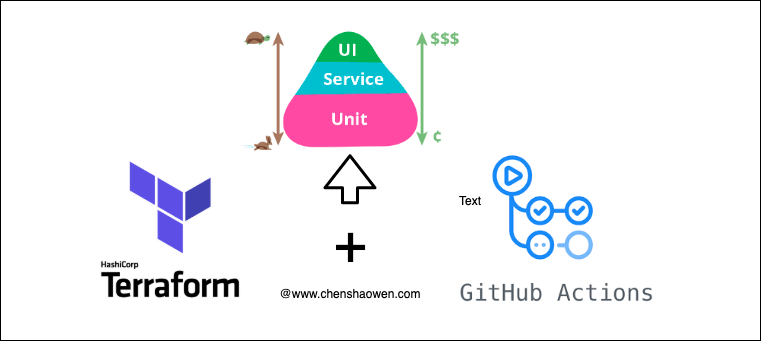
3. Using Terraform and GitHub Actions
In the previous version, cloud hosts were mainly created and deleted through the IaaS API, and then the test software was installed. Recently the installer had a few more problems that affected the user experience, and I thought Terraform and GitHub Actions should make for a very good automated testing approach.
3.1 A Look at the Result
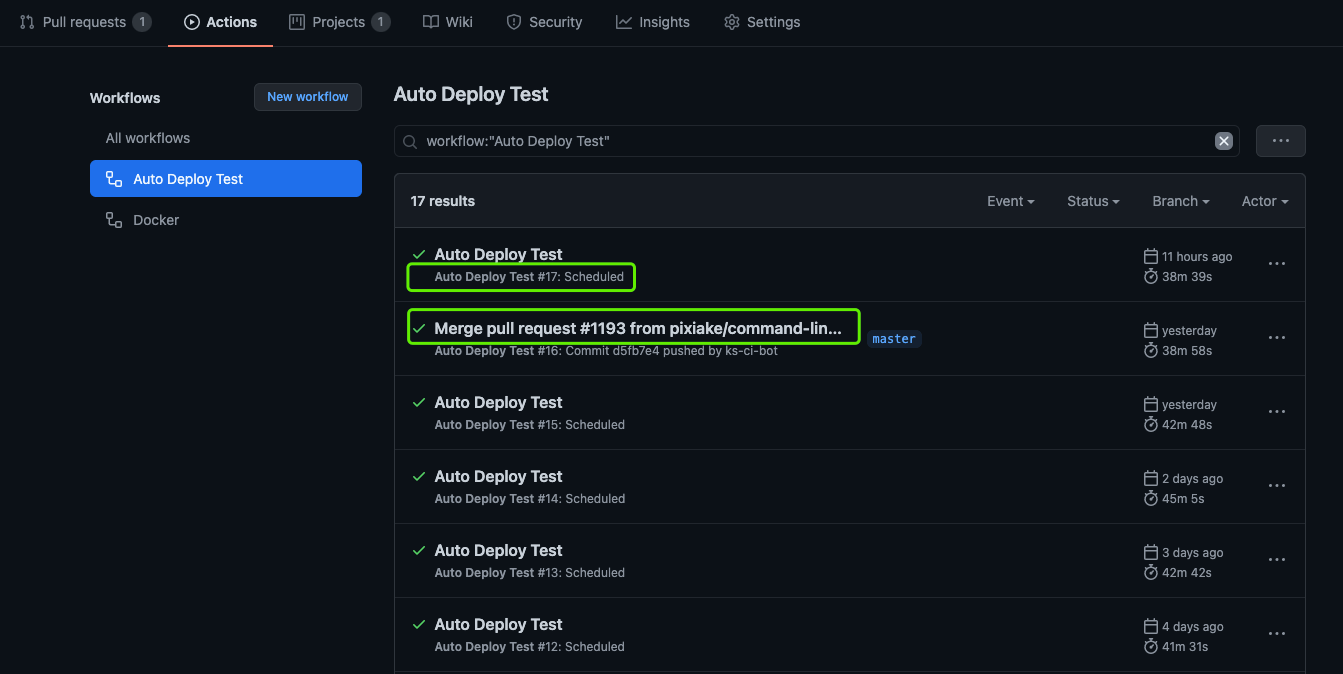
As shown above, there are two execution policies:
- A scheduled run once every morning
- A run on every PR merge
After execution finishes, Actions sends a notification to Slack:
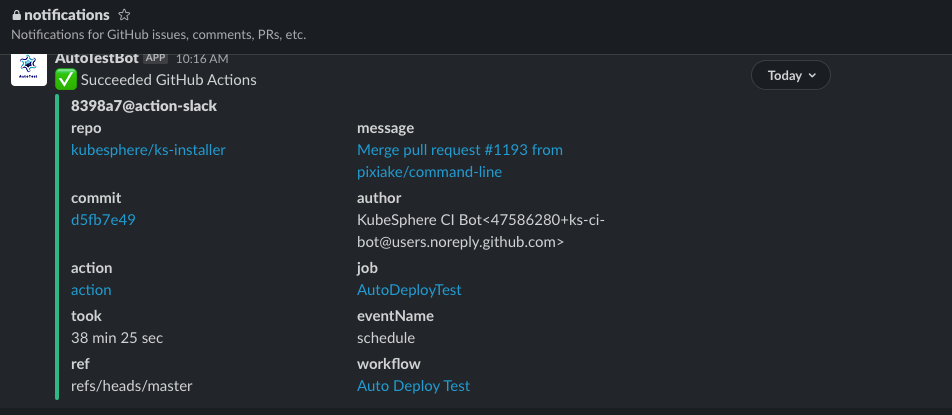
If something goes wrong, you need to go into the Actions log page to see the details.
3.2 Why Terraform and GitHub Actions
What Terraform offers is this: you only describe the resource, and Terraform will call the IaaS API for you and manage the lifecycle of those resources. Below is an example of configuring a traffic-billed EIP:
| |
With the terraform apply and terraform destroy commands, you can create and destroy the described resources at any time. Of course, you can also manage this IaC in a code repository and practice GitOps.
GitHub Actions is the CICD service provided by GitHub. It is free for public repositories, with no time limit. You only need to define the flow in Yaml under the .github/workflows/ directory to use it.
3.3 Committing the IaC Configuration to Prepare for Testing
IaC, Infrastructure as Code, is a philosophy: manage infrastructure the way you manage code. Here the software needs to be reshaped into an IaC description:
- One EIP
- One firewall
- One firewall rule
- One cloud host
- One installation resource
These resources are described using Terraform’s DSL.
The other part is writing the GitHub Actions Workflows. This part is mainly the execution flow:
- Install Terraform
- Initialize the IaaS credentials
- Terraform creates the resources
- Install KubeSphere and check whether it meets expectations
- Terraform destroys the resources
- Slack sends a notification
There is a small trick here: set a timeout for step 4, and set steps 5 and 6 to always, which means that whether it succeeds or fails, the IaaS resources are destroyed to save cost, and the execution result is pushed to Slack.
3.4 How to Configure Slack Notifications for GitHub Actions
First, add the following to the Workflows description file:
| |
The SLACK_WEBHOOK_URL in it is the API address for pushing notifications, and needs to be configured in the Secrets of the Actions page.
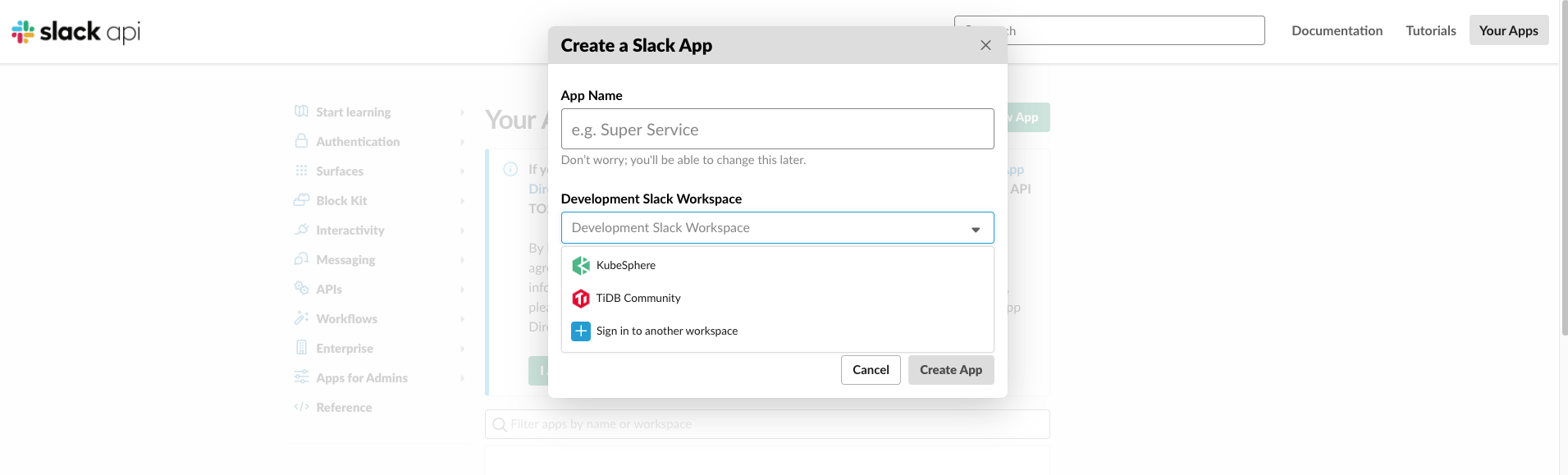
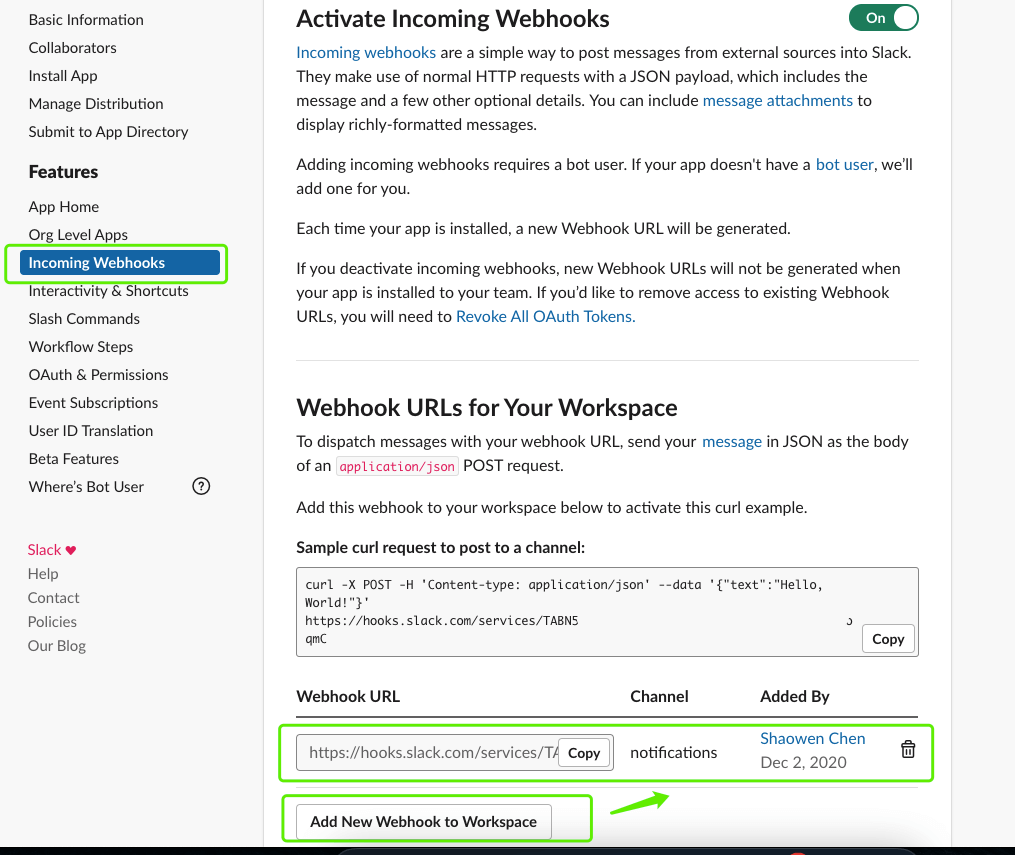
Next, visit Slack’s developer page, create a Slack App, and then obtain the SLACK_WEBHOOK_URL value. The main steps are as follows:
- Open https://api.slack.com/apps?new_app=1, choose a Workspace, and create the app
- Enter the newly created Slack App, click Incoming Webhooks, and after adding a Webhook you can obtain the Webhook URL.
4. Summary
Right now the test cases are relatively simple, and need to be expanded further. Consider combinations of options across different dimensions, and execute them in batches through a matrix.
Actually, the Terraform and GitHub Actions approach is not optimal either. GitHub Actions supports running Kind (running Kubernetes in a Docker container). If it could be integrated with Kind, doing all the automated testing entirely with GitHub Actions would be better.
Another thing is that Chaos-type tools could be introduced, to test system robustness and high availability.
