1. What Skills Are
1
2
3
| openclaw skills list
Skills (7/51 ready)
|
OpenClaw ships with a number of built-in skills, which you can view with openclaw skills list.
The concrete implementations of these Skills can be found at https://github.com/openclaw/openclaw/tree/main/skills. A Skills file mainly describes the Skill’s metadata, when it applies, when it does not apply, and how to configure and use it.
2. Installing Skills with clawhub
ClawHub is the public Skills registry for OpenClaw. By default, Skills are installed into the ~/.openclaw/workspace/skills directory.
1
| clawhub search "huggingface"
|
1
| clawhub install huggingface
|
After installation it may not necessarily be usable; run openclaw skills check to see whether any dependencies are missing.
1
| clawhub update huggingface
|
1
| clawhub uninstall huggingface
|
1
| clawhub inspect huggingface
|
This lists some of the most recently uploaded skills.
3. Adding an MCP Server
1
2
| cd ~
mcporter config add ops-mcp-server --url http://localhost/mcp
|
mcporter automatically discovers MCP Server configurations in the current user, the current directory, and Cursor. Here we place it directly in the current user’s home directory.
1
| mcporter auth ops-mcp-server
|
If it does not succeed, you can edit the ~/config/mcporter.json file directly and add "headers": { "Authorization": "Bearer YOUR_TOKEN" }.
1
| mcporter list ops-mcp-server
|
You should be able to see the details of all the Tools.
- Check whether mcporter is working
1
| openclaw skills list |grep mcporter
|
4. Adding a Skill to Help Use the MCP Server
- Create the skill directory
1
2
3
4
5
6
| skills/
└── ops-mcp-server/
├── SKILL.md # required: YAML metadata + Markdown usage guide
├── bins/ # optional: executables (added to PATH automatically)
├── references/ # optional: reference documents
└── scripts/ # optional: helper scripts (Python, Bash, JS, etc.)
|
Edit the ~/.openclaw/workspace/skills/ops-mcp-server/SKILL.md file to change the skill name, description, usage, and so on.
Edits to SKILL.md take effect immediately, so you can debug and test at the same time.
1
| clawhub publish --name ops-mcp-server --version 1.0.2 ~/.openclaw/workspace/skills/ops-mcp-server
|
1
| ✔ OK. Published ops-mcp-server@1.0.0 (k97025m7pvqv099658egtm76n1821j6h)
|
The Version must be incremented with each update.
5. Using a Custom Skill
1
| openclaw agent --agent main --message "你能执行哪些 sops"
|
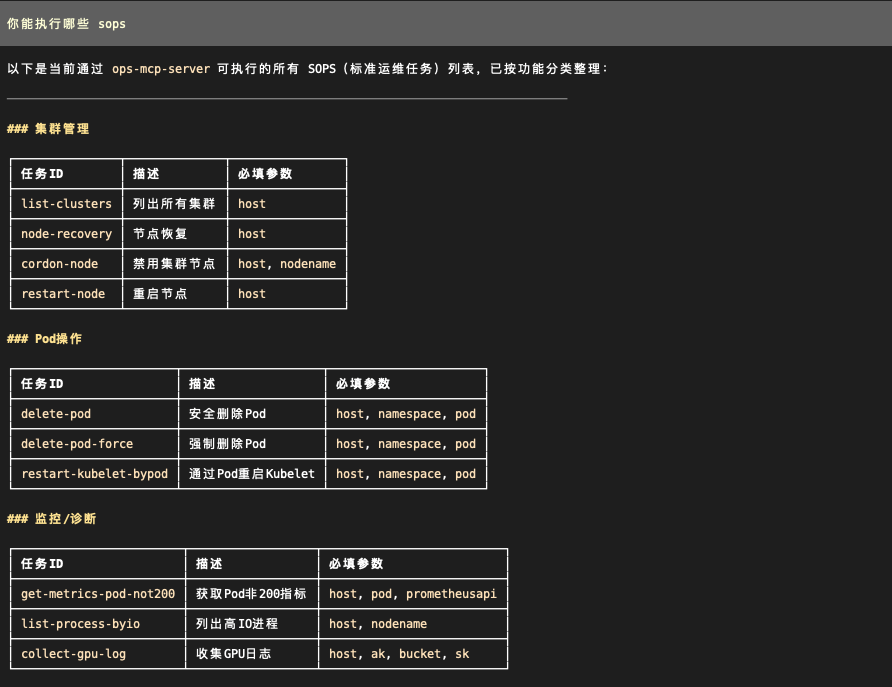
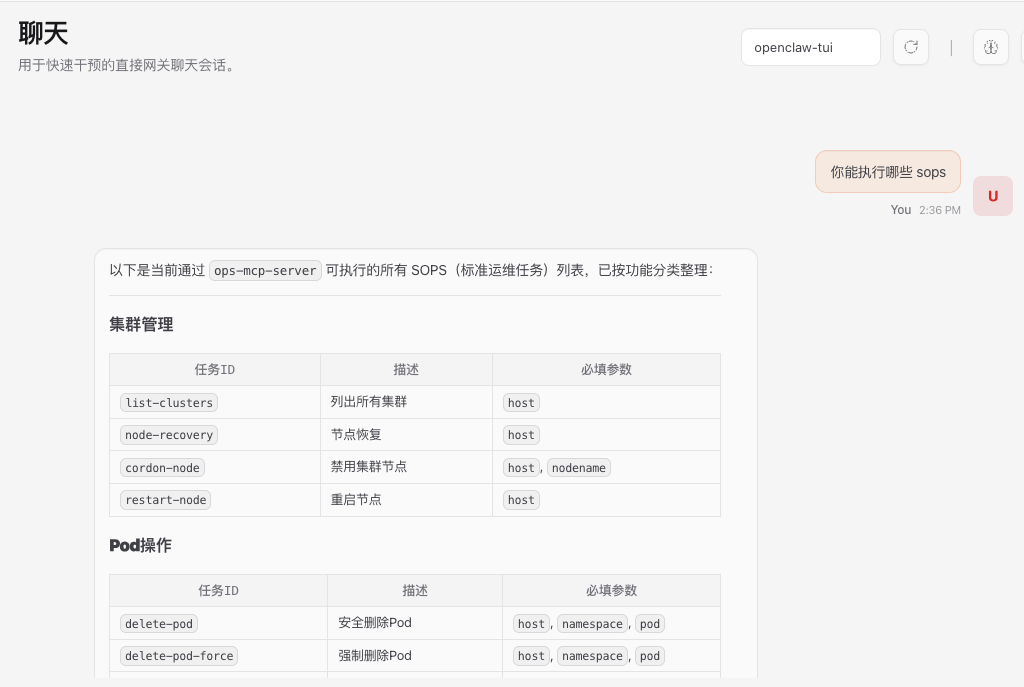
Alternatively, you can type 你能执行哪些 sops directly on the page, and either way the skill is triggered to call the MCP Server.
6. Summary
This post has mainly explained how to integrate an MCP Server into OpenClaw through Skills, covering the following parts:
- Install mcporter and configure the MCP Server
- Create a Skill that uses mcporter to describe MCP capabilities
- Upload it to ClawHub so other users can use it
Of course, a Skill can also be a pure Prompt, or a script or executable plus some documentation.
6. References
