1. On the Aesthetics of CICD Tools
In the document A Software Product Is the Output of a Team’s Capability, I mentioned that a software product is the delivery vehicle for a solution, and that its quality depends on the team’s understanding of the core problem. Only with a deep understanding of the domain can the delivered product have a chance of being good. CICD is a very broadly applied domain, and in different scenarios there are always people thinking about reinventing the wheel, making it hard to unify.
Although I have no concrete data, I believe the contributors to these tools (including Users, Committers, and so on) overlap. That is because they all care about one class of problem: task orchestration.
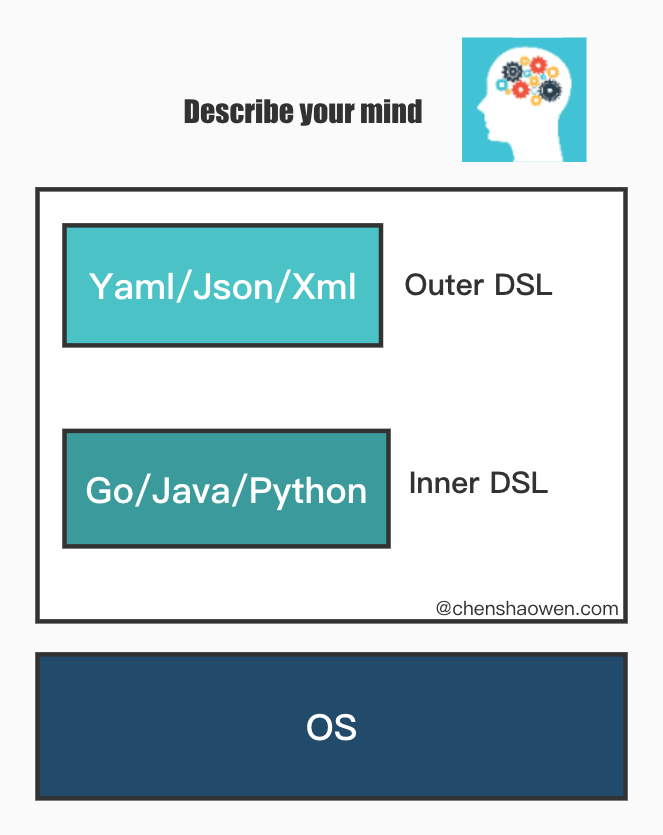
Task orchestration tools can be abstracted into the figure below.
A good CICD tool should have the following characteristics:
- Outer DSL easy to learn and master - User
- Inner DSL efficient and easy to maintain - Developer
- Ecosystem, with many reusable atoms - Ecosystem
With UDE you can score a CICD tool.
Jenkins’ Outer is the Jenkinsfile written in Groovy, and its Inner is Jenkins, written in Java. Neither U nor D is good — Jenkins is hard to maintain — but its plugin ecosystem is enormous, which gives E a big boost.
GitLab CI’s Outer is the .gitlab-ci.yml descriptor written in Yaml, and its Inner is a parsing engine written in Ruby, with a Runner written in Go. U is very good, and quick to get started with; I have written some documentation before too, GitLab. D is not great: Ruby’s performance is mediocre, and fewer and fewer people know it. E is rather poor: although there are templates similar to Jenkins shared libraries that provide atom-level reuse, the cross-team reuse rate is very low, which is not conducive to building a community ecosystem.
Finally there is Tekton. Keep reading, and I believe you will find the answer.
2. What Tekton Is

Tekton’s predecessor was Knative’s subproject build-pipeline, mainly used to add pipeline functionality to Knative’s build module. It later spun off on its own, and Tekton’s goal is to be a general-purpose CI/CD tool. This is a common product incubation mechanism.
Currently, the CICD tools with high market share in private clouds all support Kubernetes to some degree, for example Jenkins and GitLab CI. But these tools treat Kubernetes as merely one aspect of their extensibility, whereas Kubernetes, as new infrastructure, needs a native CICD solution.
On the other hand, JenkinsX, a subproject of Jenkins, has also started using Tekton as its default CI engine. Tekton, implemented with CRD + Controller — the first-class citizens of cloud native — undoubtedly has a chance to become the mainstream orchestration engine of cloud native.
3. Composition and Principles
3.1 Related Components
- Tekton Pipelines
Defines Tekton’s CRD resources. These are described in detail below — Task, TaskRun, Pipeline, and so on — and are used to define data structures.
- Tekton Operator
Adopts the Operator pattern, using a Controller to watch CR data and execute the relevant actions; it is the core of the orchestration engine.
- Trigger Trigger
A pipeline trigger; it can trigger a pipeline after a GitHub push or a PR merge.
- Tekton CLI
Tekton CLI is a command-line tool for interacting with Tekton.
- Tekton Dashboard
The web graphical interface for Tekton Pipelines.
- Tekton Catalog
A community-maintained library of Tasks and Pipelines that lowers the barrier for users and improves reuse.
- Tekton Hub
The web graphical interface for Tekton.
3.2 Core Objects
- Task
Task defines a task template containing a series of Steps. Each Step represents an action, such as running a command or pushing an image. Below is an example:
| |
- TaskRun
TaskRun is an execution instance of a Task. It references a Task via taskRef and describes the execution parameters. Below is an example:
| |
- Pipeline
Pipeline fully defines a pipeline and can contain a series of Tasks. Below is an example:
| |
- PipelineRun
PipelineRun is an execution instance of a Pipeline. It references a Pipeline via pipelineRef and describes the execution parameters. Below is an example:
| |
- PipelineResource, described in the documentation as not yet having reached the Beta stage and currently at Alpha
PipelineResource defines the inputs and outputs of a Task, including types such as Git, Pull Request, Image, Cluster, and Storage. Below is an example:
| |
These custom variables can be used in a Task; below is an example using $(resources.inputs.test-cluster.name):
| |
- Run, currently at Alpha
| |
This lets users implement their own Controller to read the configuration in the Yaml and execute the relevant actions. Here the Controller is watching changes to CRs of type Example.
3.3 How It Works
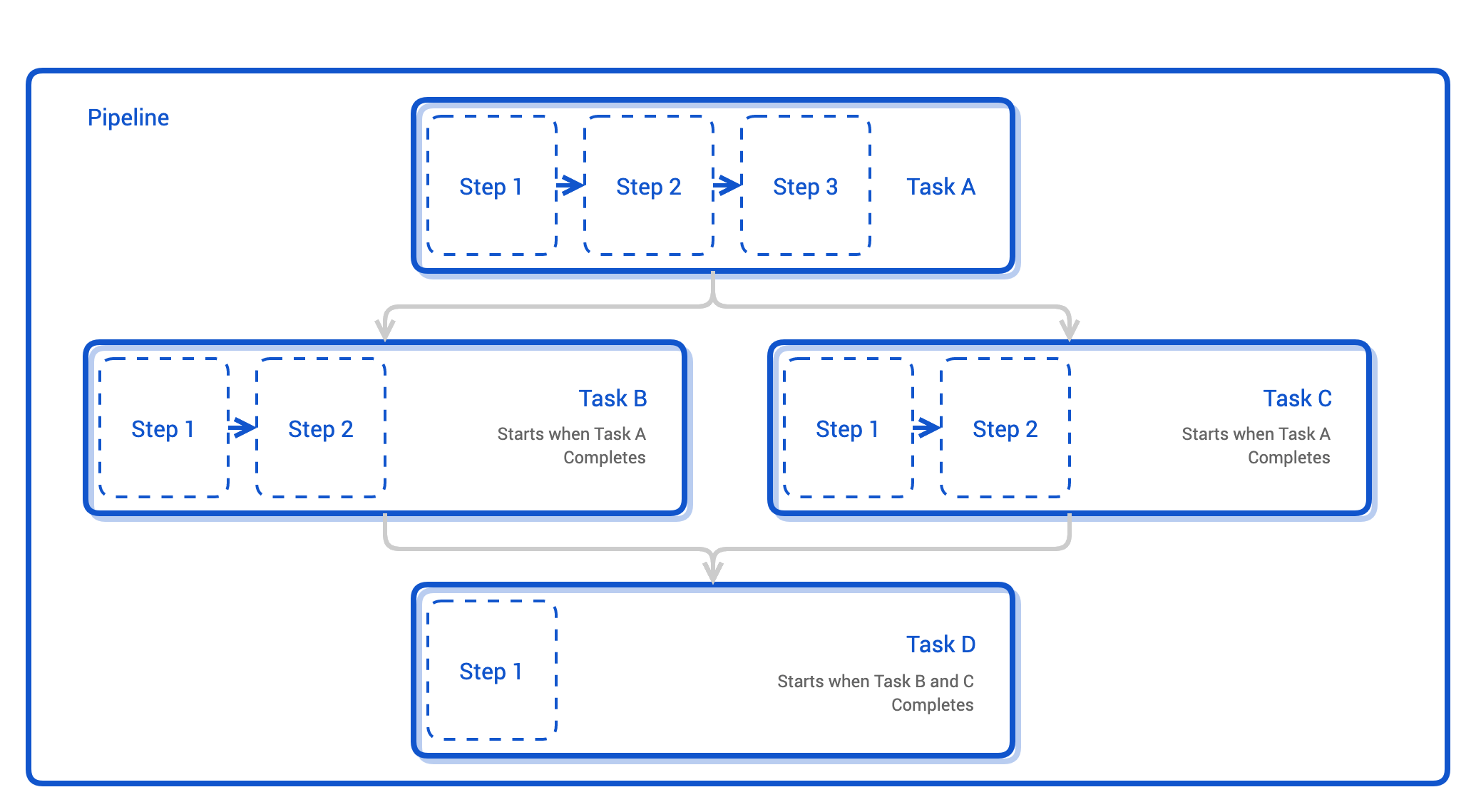
The figure above is a schematic of a Pipeline. A Pipeline is usually composed of multiple Tasks, which execute in series or in parallel. Each Task in turn contains several Steps, and Steps execute serially.
At the same time, a Pipeline also defines inputs and outputs — typically a Git repository as input and an image as output. At runtime, the Pipeline object serves as a template that a PipelineRun references in order to create a running instance. As shown below:
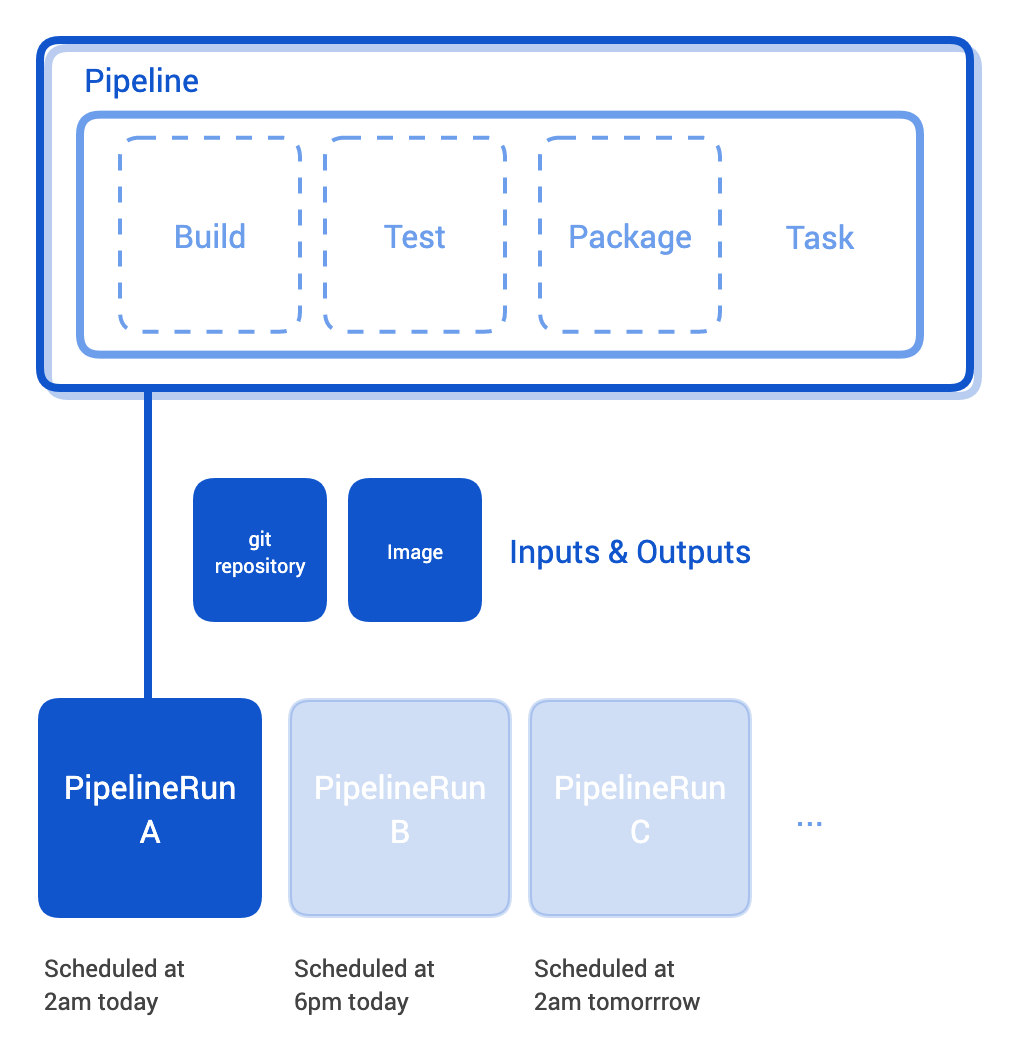
The PipelineRunController watches PipelineRun objects, builds all the Tasks in a PipelineRun into a directed acyclic graph, and creates TaskRuns. The TaskRunController watches changes to TaskRun objects and, based on the Task referenced by the TaskRun, creates a Pod to run the Steps.
4. A Big Game of Chess
I have been following Tekton for some time. At first I just thought it was about orchestrating a few Pods, passing some parameters around, and getting a result at the end — nothing novel, and writing lots of Yaml was quite a hassle.
Recently I worked through a few questions, and only then did I start writing about Tekton. Let’s take a look together at what I figured out.
4.1 task - Building a Developer Ecosystem
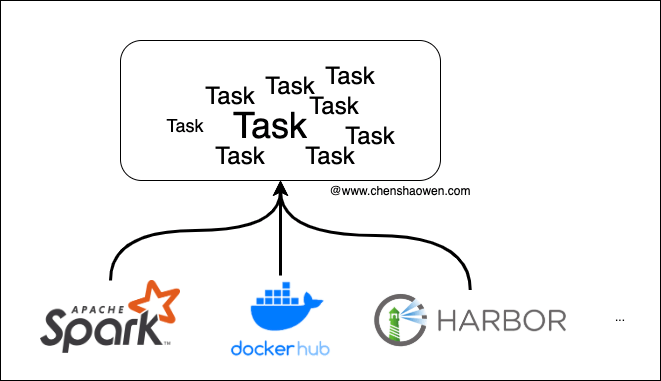
task is the atom that makes up a Tekton Pipeline; orchestrating these atoms lets you create processes quickly.
Users do not need to write these tasks themselves; they can be provided by other individual developers or vendors. Similar to GitHub’s Actions marketplace, a task marketplace lets vendors promote their products while users can directly obtain reusable Tasks. For example, Cloud Native Buildpacks provides a Task.
4.2 pipeline - Building a User Ecosystem
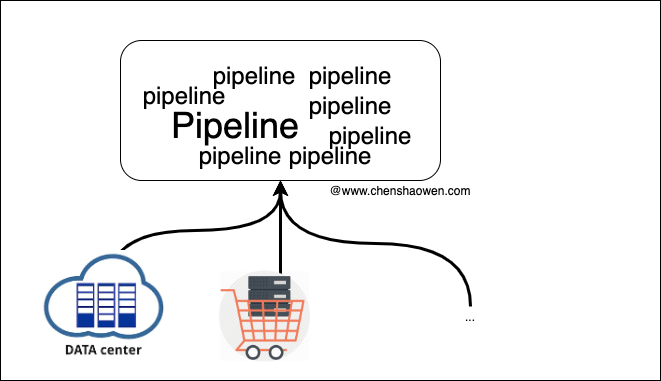
The use cases for pipeline should not stop at chaining processes together. A pipeline can carry a solution. If you are familiar with Infrastructure as Code (Iac for short), it will be easy to understand.
By orchestrating Tasks, a solutions engineer writes Yaml to produce a Pipeline, takes it directly to a Kubernetes cluster and runs the kubectl apply command, then fills in parameters to create a PipelineRun — and a great many things can be done. A few examples:
- Set up a shopping system
- Clean up storage
- Back up Etcd
- Deploy Wordpress
- Restart services
- Elastic scaling
- …
There is a lot a pipeline can do, and it is very easy to deliver. For some managed clusters, the product experience will be even better: once you select a pipeline, you can handle a matter with a single click.
