1. Who Needs SonarQube
Code review is an indispensable part of high-quality software development. It helps developers spot bugs in the code in time and improves code quality and maintainability.
The dimensions of code review include language conventions, code style, and soundness of design. Checking these things by hand consumes a great deal of effort and time.
Code quality analysis tools were born for this. They free developers from repetitive, tedious review so they can focus on feature design and implementation. Code formatting, syntax conventions, program bugs, and similar checks are all handed over to the code quality analysis tool.
For projects hosted publicly on GitHub and elsewhere, plenty of SaaS services are available, such as Code Climate and Codacy. Usually they integrate directly with GitHub and offer free code quality analysis.
But inside a corporate intranet there is no external network and the code is sensitive, so we need a code quality analysis tool that supports private deployment. SonarQube is an open-source code quality analysis tool that can be deployed privately.
2. What SonarQube Is
SonarQube is an open-source code quality management system. Its features:
- Supports more than 25 programming languages, including Java, C/C++, C#, PHP, Flex, Groovy, JavaScript, Python, PL/SQL, COBOL, and more
- Provides reports on duplicate code, coding standards, unit tests, code coverage, code complexity, potential bugs, comments, and software design
- Provides a history of metrics
- Supports integration with Maven, Ant, Gradle, Atlassian Bamboo, Jenkins, Hudson, and more
- Supports IDE integration
- Supports external tool sets such as JIRA, Mantis, LDAP, and Fortify
- Supports extension plugins
3. Installing SonarQube
SonarQube consists of two parts:
- SonarQube, the server-side platform
- sonar-scanner, the client that analyzes code and reports results
3.1 Server-Side Installation
Here we run SonarQube with docker-compose.
Create the file docker-compose.yml :
| |
In the directory containing the file, create an empty directory postgres , then run the command:
| |
3.2 Client-Side Installation
Taking OS X as an example,
| |
4. Testing a Project
When using SonarQube you need to supply some required parameters, such as the address of the SonarQube Server and the location of the source code.
There are two ways to supply these parameters:
- Via the command line
A Python project:
| |
- Via a configuration file
Create the configuration file sonar-project.properties :
| |
Run the command:
| |
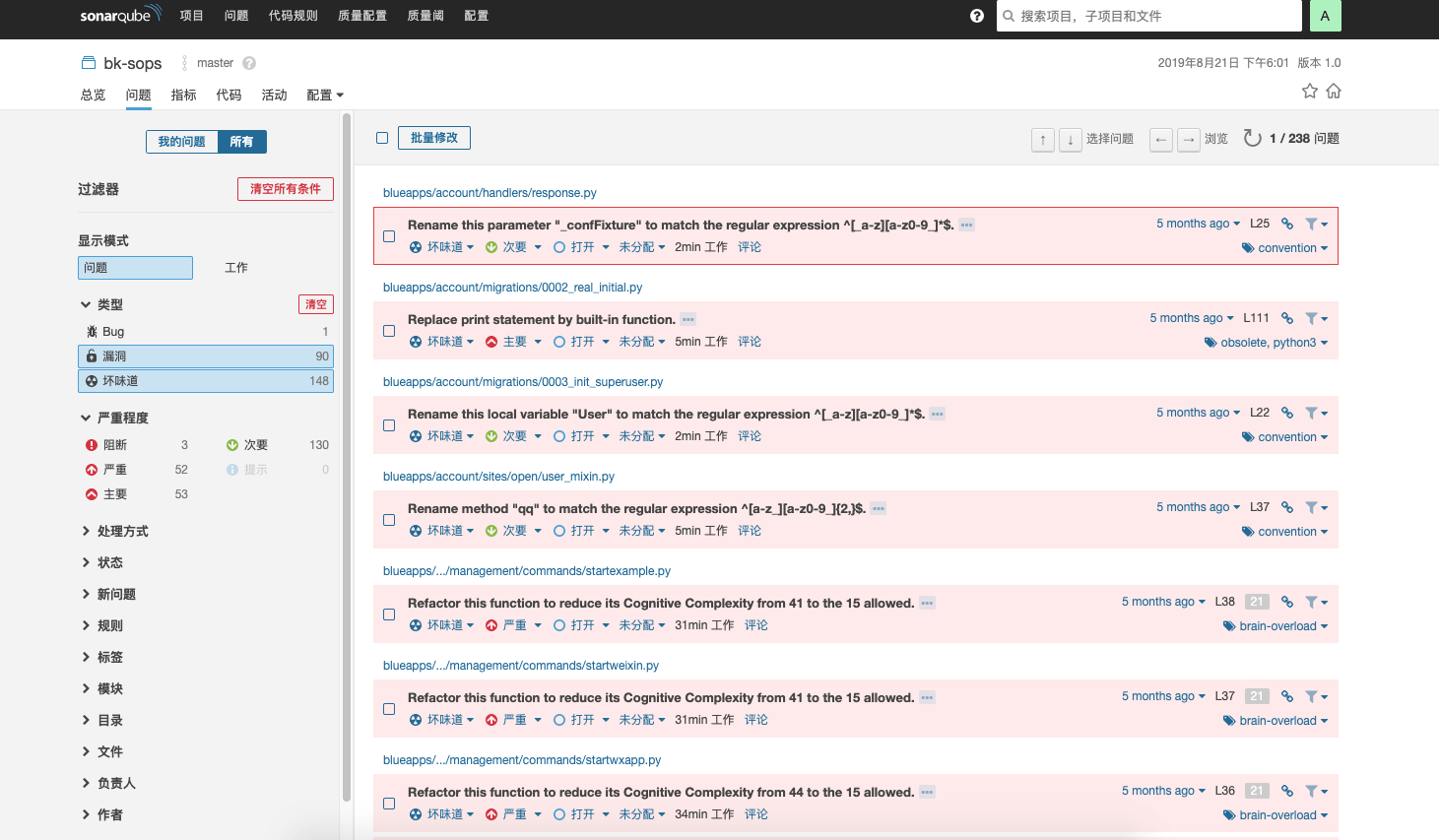
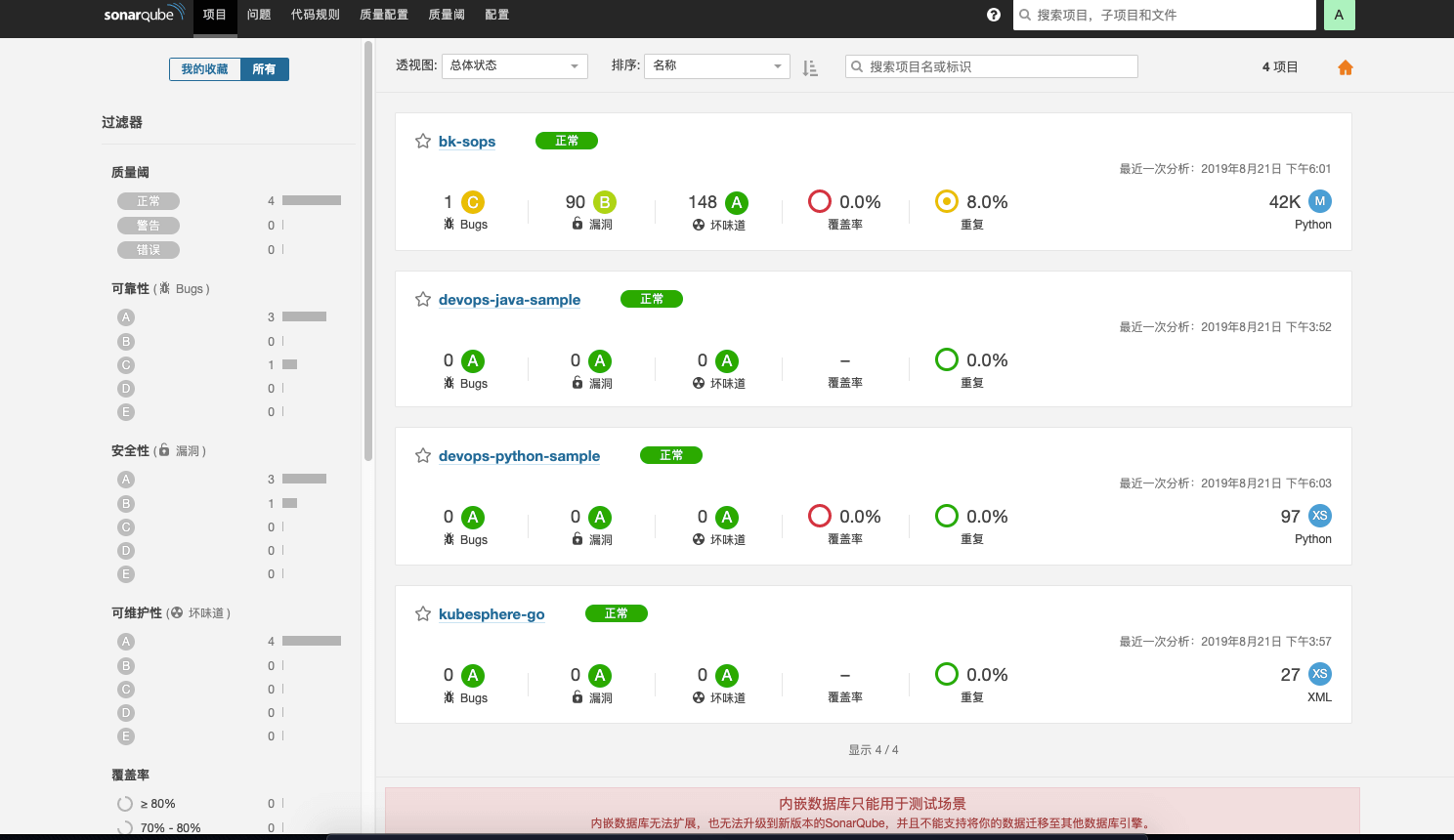
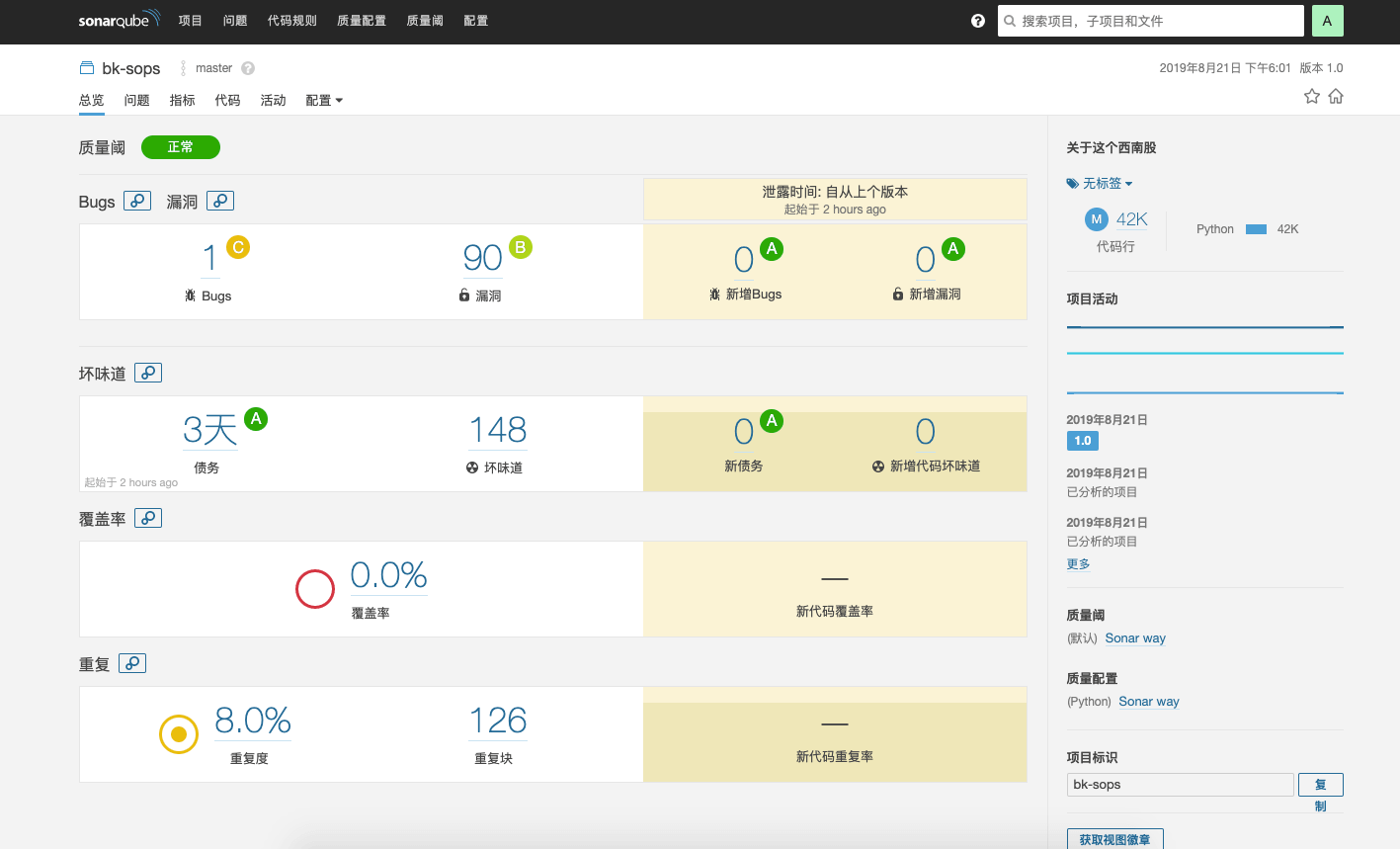
Now let’s look at SonarQube’s analysis pages:
Home page
Project page
Defect display