This post mainly explains why the service discovery feature is needed and compares several service discovery tools. It also puts service discovery with Etcd, Confd, and Nginx into practice on CentOS.
1. Service Registration and Discovery
1.1 Why Service Registration and Discovery Are Needed
With the rise of microservices, a large number of interfaces have been turned into services. When a new microservice joins or a microservice’s information changes, how does the provider notify the surrounding systems, and how do the consumers learn about these changes?
This is where service registration configuration and service discovery come in.
- Service registration configuration — the stored information includes at least the host and port of the services that are running
- Service discovery — allows other users to discover the information stored during the service registration configuration stage.
1.2 Comparison of Several Service Discovery Tools
| Feature | Consul | Zookeeper | Etcd | Euerka |
|---|---|---|---|---|
| Service health check | Service status, memory, disk, etc. | (weak) long connection, keepalive | Connection heartbeat | Configurable |
| Multi-datacenter | Supported | — | — | — |
| KV storage service | Supported | Supported | Supported | — |
| Consistency | raft | paxos | raft | — |
| cap | ca | cp | cp | ap |
| Interface (multi-language capability) | Supports http and dns | Client | http/grpc | http (sidecar) |
| Watch support | Full/supports long polling | Supported | Supports long polling | Supports long polling/mostly incremental |
| Self-monitoring | metrics | — | metrics | metrics |
| Security | acl /https | acl | https support (weak) | — |
| spring cloud integration | Supported | Supported | Supported | Supported |
Note:
- C, strong consistency (Consistency)
- A, availability (Availability)
- P, fault tolerance for network partition failures (Partition Tolerance)
Consul is a distributed coordination system developed in the Go language. It provides good support for managing service discovery, its HTTP API also binds well with different languages, and it supports cross-datacenter applications. Its downside is that it is relatively new, making it suitable for users who like to try new things.
ZooKeeper is feature-complete, has an active community and a large user base, offers good wrappers for all typical use cases, and supports bindings in different languages. Its downsides are that the whole application is relatively heavy, depends on Java, and does not support cross-datacenter deployment.
Etcd is a more lightweight distributed coordination application, better suited to some lightweight applications, and Etcd also provides an HTTP API operation interface. It is worth noting that Kubernetes adopted Etcd as its configuration center.
Eureka is a RESTful service open-sourced by Netflix, mainly used for service registration and discovery. Eureka consists of two components: the Eureka server and the Eureka client. The Eureka server acts as the service registration server. The Eureka client is a Java client used to simplify interaction with the server, to act as a round-robin load balancer, and to provide failover support for services.
2. Etcd
2.1 Introduction
Etcd is a distributed key-value storage system that uses the Raft algorithm to maintain consistency. Similar products include Zookeeper and Consul. Compared with Zookeeper, Etcd is lighter and easier to operate. At the same time, Etcd supports TLS communication and has high-performance write capability.
2.2 The Raft Algorithm
Many distributed systems adopt the Paxos protocol, but the Paxos protocol is hard to understand and differs considerably between real-world implementations. So Etcd chose Raft as its consensus protocol. Raft was proposed by Diego Ongaro and John Ousterhout in In Search of an Understandable Consensus Algorithm. While sacrificing very little availability and achieving similar functionality, it makes major optimizations over Paxos and is much simpler and easier to understand than Paxos.
It focuses on solving two problems:
Leader Election
Raft first elects a Leader through leader election, and all subsequent consistency maintenance is done by the Leader, which simplifies the consistency problem. Raft guarantees that there is only one Leader at a time, and a node is elected Leader only if more than half of the nodes vote for it. When the Leader goes down, a new Leader will be elected.Log Replication
To maintain state, the system records a log of all operation commands. After the Leader receives an operation command from a client, it appends it to the end of the log. The Leader then sends AppendEntries RPC requests to all the other nodes in the cluster, and each node replicates the command through a two-phase commit, which ensures that most of the nodes complete it.
3. Etcd + Confd + Nginx
When deploying an application, once the service is running it registers the relevant key-value information with Etcd through an interface. After Confd detects a change in Etcd’s key-value data, it immediately triggers a program to generate a new Nginx configuration file from a template.
Nginx first performs an offline syntax test. If there is no problem it overwrites the original configuration and then reloads; if the test fails it does not overwrite the original configuration. The whole process is safe and controllable.

3.1 Installing and Configuring Nginx
- Installation, using CentOS as an example
| |
The directive include /etc/nginx/conf.d/*.conf; loads the files with a .conf extension in the conf.d directory into Nginx.
3.2 Installing and Configuring Confd
Download the Linux build of Confd directly from GitHub, then move the executable to the /usr/sbin/ directory.
| |
3.3 Installing and Configuring Etcd
- Installation, using CentOS as an example
| |
- Configuration file location, /etc/etcd/etcd.conf
| |
- Start the service
| |
3.4 Installing and Configuring Confd
- Create the configuration directory
| |
Create a .toml configuration file under conf.d
/etc/confd/conf.d/app1.toml
| |
| |
Create a .tmpl template file under templates
/etc/confd/templates/subdomain.conf.tmpl
| |
Nginx template configuration
/etc/confd/templates/subdomain-nginx.conf.tmpl
upstream {{getv "/subdomain"}} {
{{range getvs "/upstream/*"}}
    server {{.}};
{{end}}
}

server {
    server_name  {{getv "/subdomain"}}.example.com;
    location / {
        proxy_pass        http://{{getv "/subdomain"}};
        proxy_redirect    off;
        proxy_set_header  Host             $host;
        proxy_set_header  X-Real-IP        $remote_addr;
        proxy_set_header  X-Forwarded-For  $proxy_add_x_forwarded_for;
   }
}
Watch for changes to Etcd’s key-value data
| |
3.5 Registering a Service
You can insert the subdomain and upstream data into Etcd either with the etcdctl command or through the HTTP API that Etcd provides. The following uses etcdctl as an example:
| |
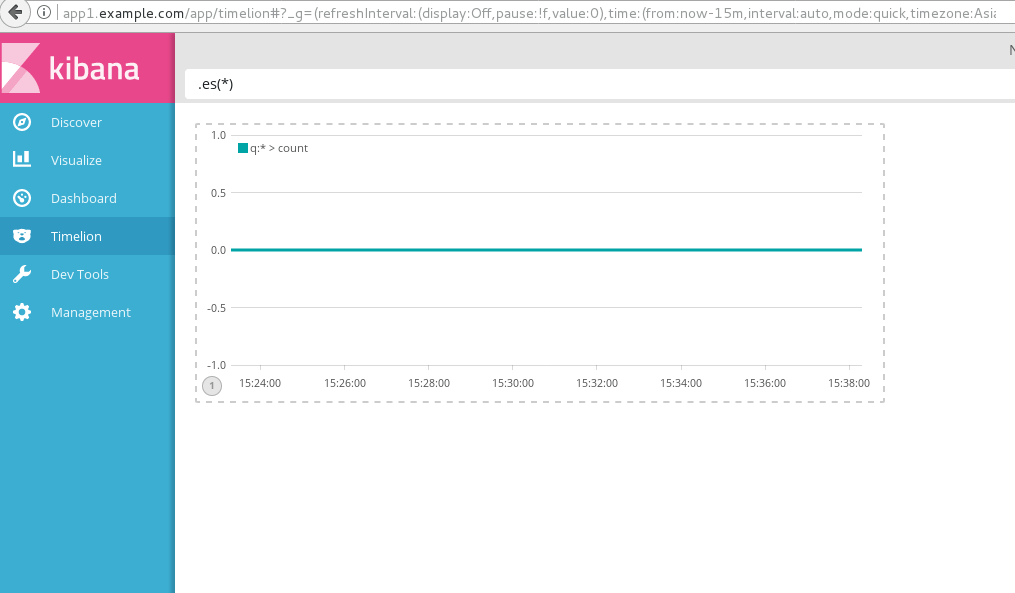
Because the ELK service is started on local port 5601, visiting http://app1.example.com opens Kibana.
If you need Nginx to perform load balancing, you can configure multiple key-values under upstream. You also need to create two files, app2-nginx.toml and app2.toml, in the /etc/confd/conf.d directory; for their contents you only need to change app1 to app2 in app1-nginx.toml and app1.toml.
| |
