I wrote about this in an earlier post, How to Install a GPU Driver on CentOS. This one looks at how to run TensorFlow with Docker.
1. Check Which TensorFlow Version the Current CPU Supports
On a CPU that does not support AVX instructions, running TensorFlow > 1.15 fails with Illegal instruction (core dumped).
Run the check:
1
2
3
| cat /proc/cpuinfo | grep avx
flags : fpu vme de pse tsc msr pae mce cx8 apic sep mtrr pge mca cmov pat pse36 clflush mmx fxsr sse sse2 syscall nx rdtscp lm constant_tsc rep_good nopl xtopology eagerfpu pni pclmulqdq ssse3 fma cx16 pcid sse4_1 sse4_2 x2apic movbe popcnt tsc_deadline_timer aes xsave avx f16c rdrand hypervisor lahf_lm abm 3dnowprefetch fsgsbase bmi1 hle avx2 smep bmi2 erms invpcid rtm rdseed adx smap xsaveopt arat
|
If there is any output, it is supported. The common CPU architectures SandyBridge, IvyBridge, Haswell, Broadwell, Skylake, and CasecadeLake all support AVX instructions, with the exception of Westmere.
2. Running in GPU\CPU Mode
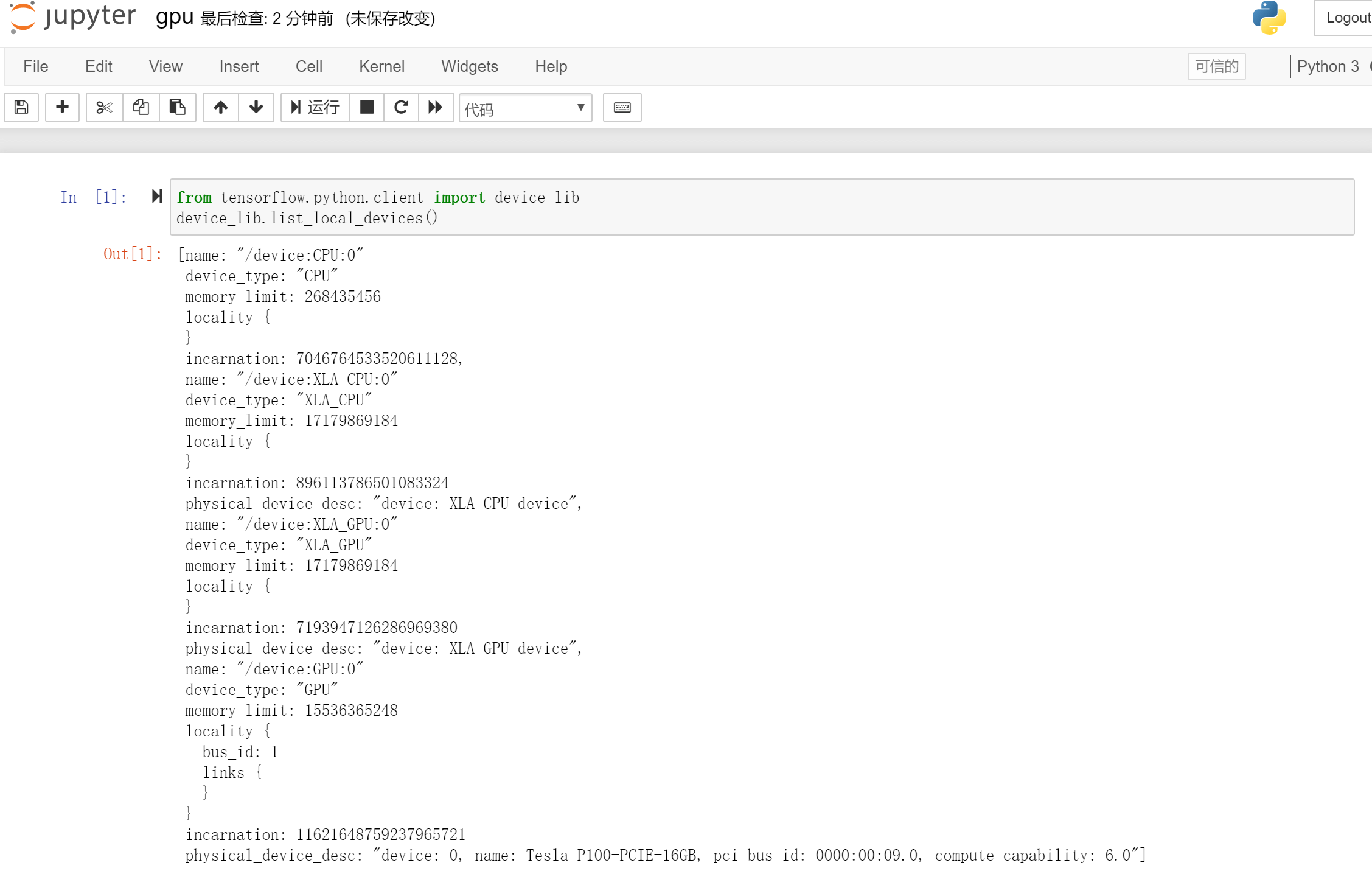
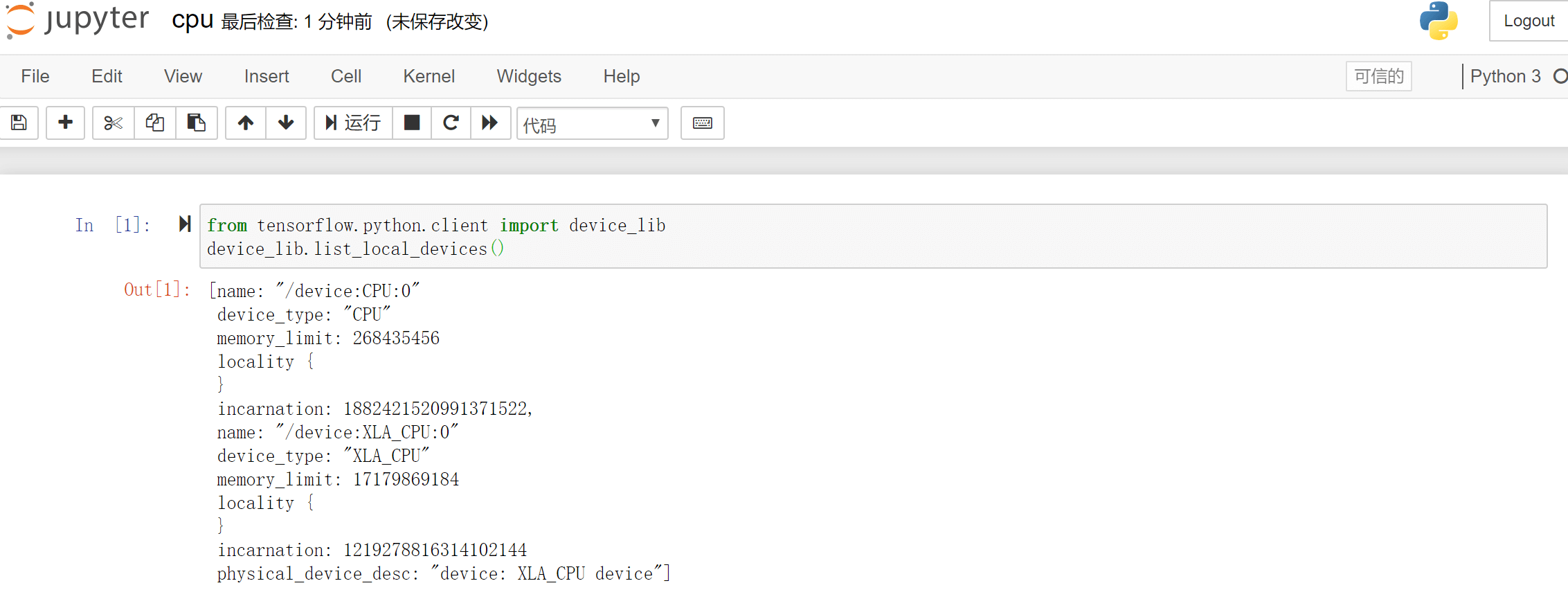
Use the following script to inspect the devices in the runtime environment:
1
2
| from tensorflow.python.client import device_lib
device_lib.list_local_devices()
|
Start two versions of Jupyter separately.
1
2
| mkdir ~/notebooks
docker run --security-opt apparmor=unconfined --security-opt seccomp=unconfined --name tf-gpu -d --runtime=nvidia --rm -it -v $(realpath ~/notebooks):/tf/notebooks -p 8881:8888 tensorflow/tensorflow:latest-gpu-jupyter
|
Check the login key; the returned token value is the login key.
1
2
3
4
5
6
7
8
9
| docker exec -it tf-gpu cat /root/.local/share/jupyter/runtime/nbserver-1-open.html
<!DOCTYPE html>
<p>
This page should redirect you to Jupyter Notebook. If it doesn't,
<a href="http://0.0.0.0:8888/tree?token={{token}}">click here to go to Jupyter</a>.
</p>
</body>
|
1
2
| mkdir ~/notebooks
docker run --security-opt apparmor=unconfined --security-opt seccomp=unconfined --name tf-cpu -d --rm -it -v $(realpath ~/notebooks):/tf/notebooks -p 8882:8888 tensorflow/tensorflow:latest-jupyter
|
Check the login key; the returned token value is the login key.
1
2
3
4
5
6
7
8
9
| docker exec -it tf-cpu cat /root/.local/share/jupyter/runtime/nbserver-1-open.html
<!DOCTYPE html>
<p>
This page should redirect you to Jupyter Notebook. If it doesn't,
<a href="http://0.0.0.0:8888/tree?token={{token}}">click here to go to Jupyter</a>.
</p>
</body>
|
3. References
