1. About Prow
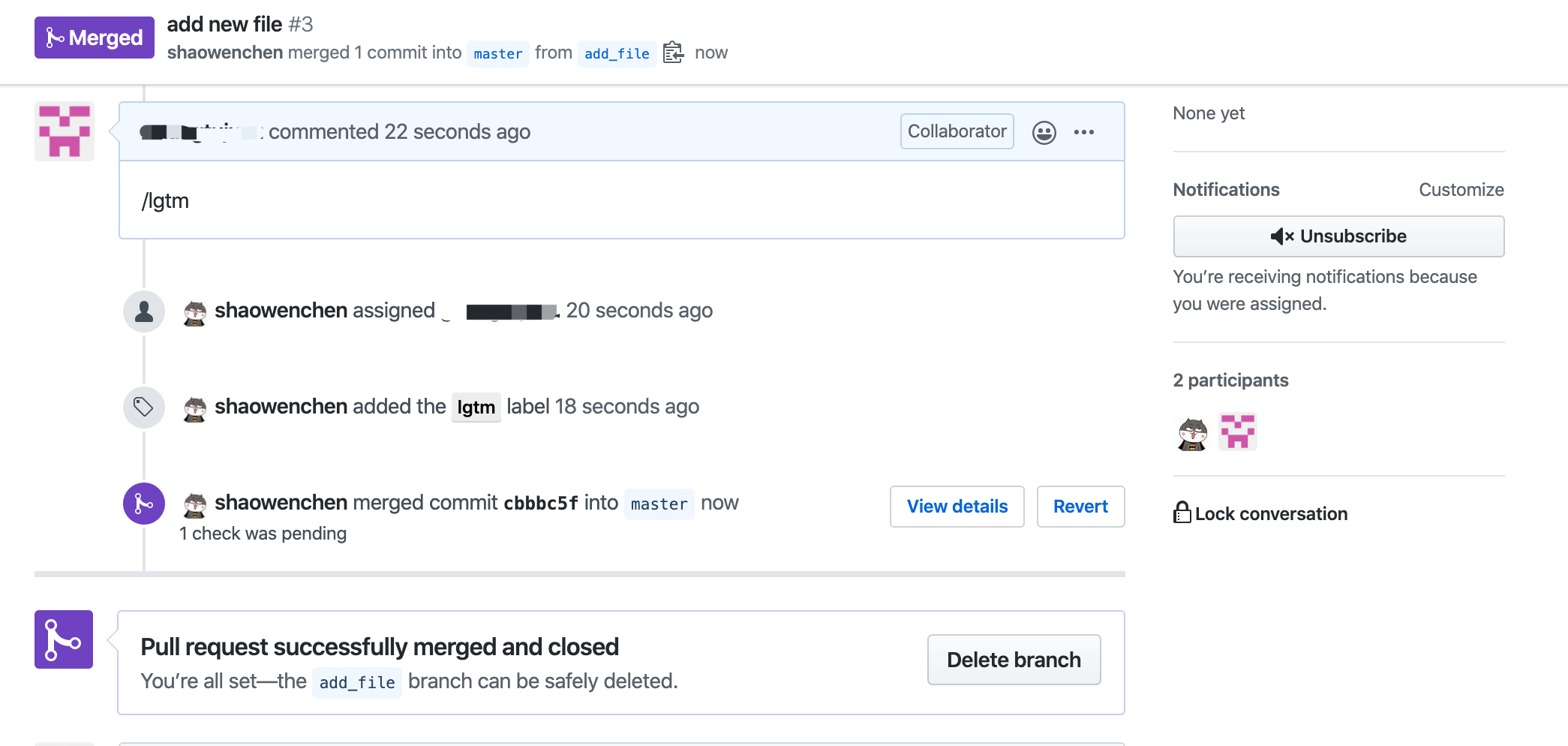
In the GitHub repositories of well-known projects such as Kubernetes and Istio, we often see an xxx-bot user adding labels to issues and merging PRs. That bot account is driven by Prow.
Prow is a project of the Kubernetes Testing Special Interest Group and is currently part of kubernetes/test-infra. Prow is a CI/CD system that runs Jobs driven by various events on top of Kubernetes.
Besides running Jobs, Prow can also automate GitHub in the following ways:
- Policy configuration, permission control, and so on
- Chat-ops commands in the form of /label
- Automatic PR merging
With Prow, we can automate the R&D workflow, greatly improving the development experience.
2. How It Works
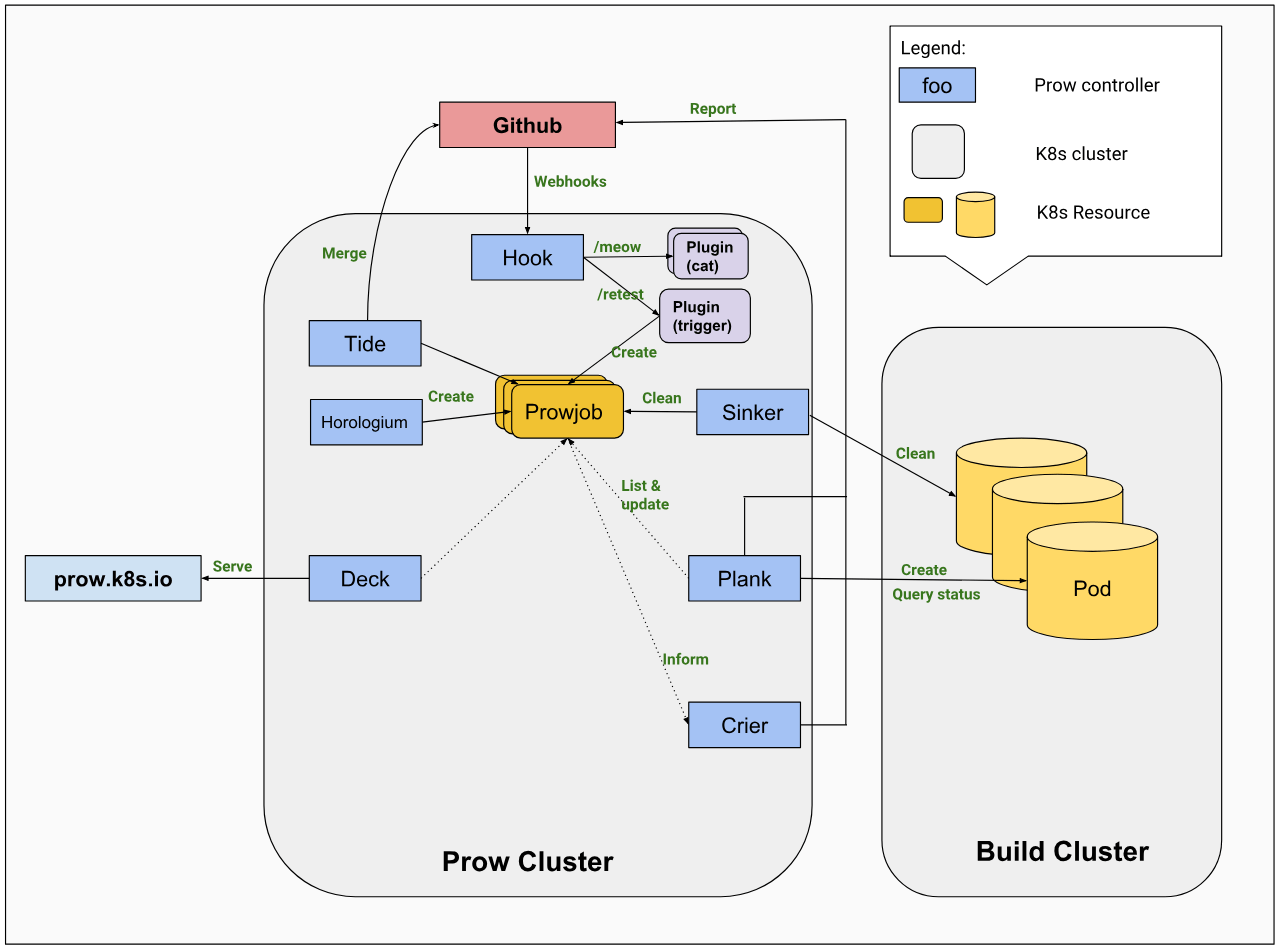
Prow uses a microservices architecture. The core components are as follows:
- hook is the core stateless service, responsible for listening to GitHub Webhooks and dispatching them to the specified plugins
- plank is the controller, responsible for managing the lifecycle of jobs
- deck is the system’s Dashboard
- horologium is used to create periodic Jobs
- sinker periodically cleans up useless Jobs
Workflow:
In an issue, comment /assign @someone. GitHub sends that event to Prow via a Webhook. The event reaches the hook component and is then passed to the various PlugIns. By parsing the body data of the event, the PlugIn decides whether a ProwJob needs to be created. A ProwJob is a CRD for a Job. Finally the Job runs, assigning the relevant content to someone and turning text into action.
About plugins:
In the prow/plugins repository, we can find some built-in plugins. Of course, we can also customize Prow’s behavior through plugin extensions.
3. Deploying Prow on a Kubernetes Cluster
- Prepare a bot account
In production, an account like xxx-bot is usually dedicated to Prow’s actions, to distinguish them from human operations. If you are only testing, a personal account is fine too.
Add the bot account as a repository administrator.
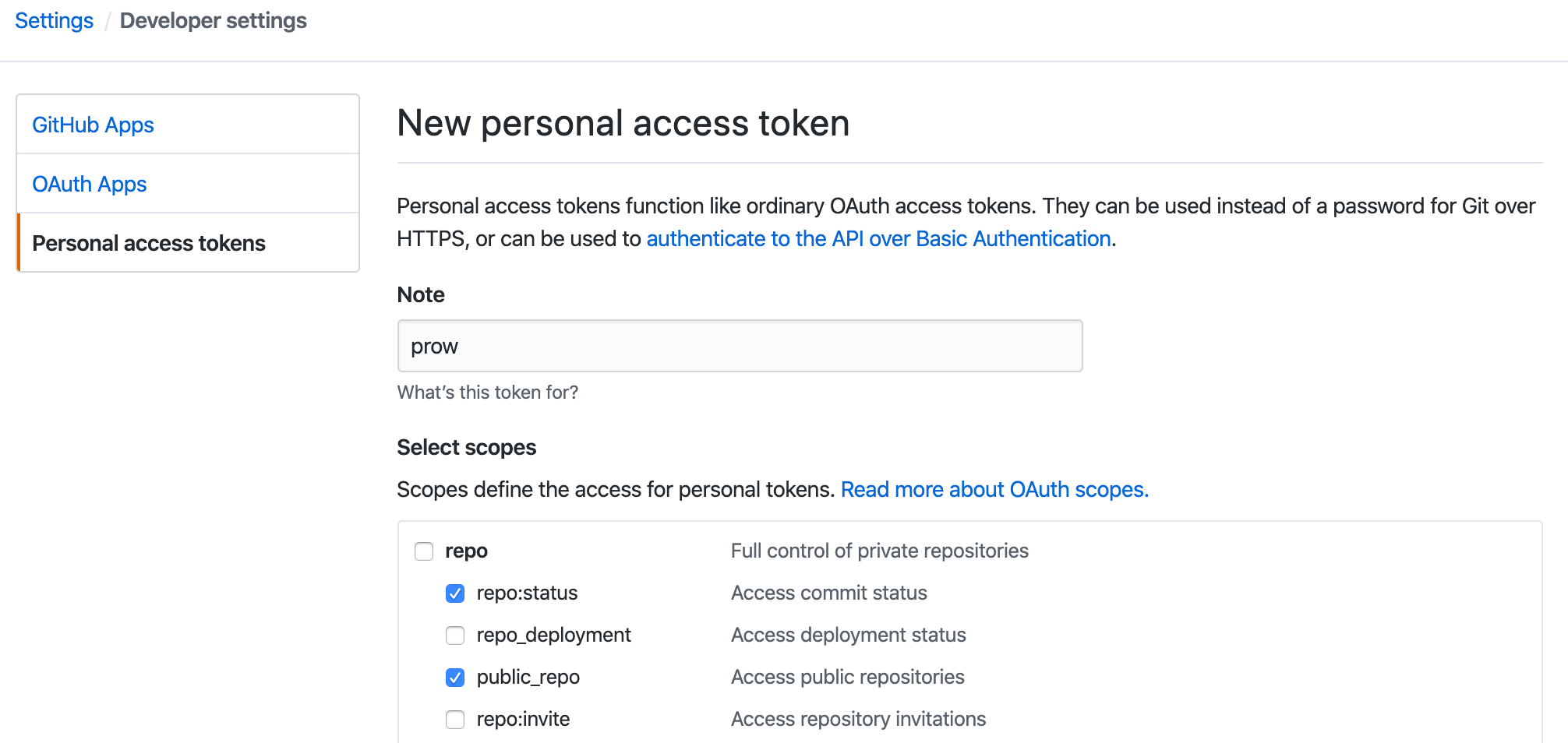
- Generate a token for GitHub access
Log in to the bot account, and on the settings/tokens page, create a new token: xxxTokenxxx , checking the repo:status and public_repo permissions.
- Create a cluster secret using the GitHub token
| |
- Generate an hmac in the cluster for GitHub Webhook authentication
| |
View the hmac value; it will be used in the GitHub Webhook configuration.
| |
- Deploy Prow
| |
- Check whether all Pods are Running
| |
- Check the ports the services are accessed on
| |
Since this is only for testing, no Ingress is configured; below we configure it in the form of ServiceIp + NodePort, where ServiceIp is the IP of the host where it is deployed.
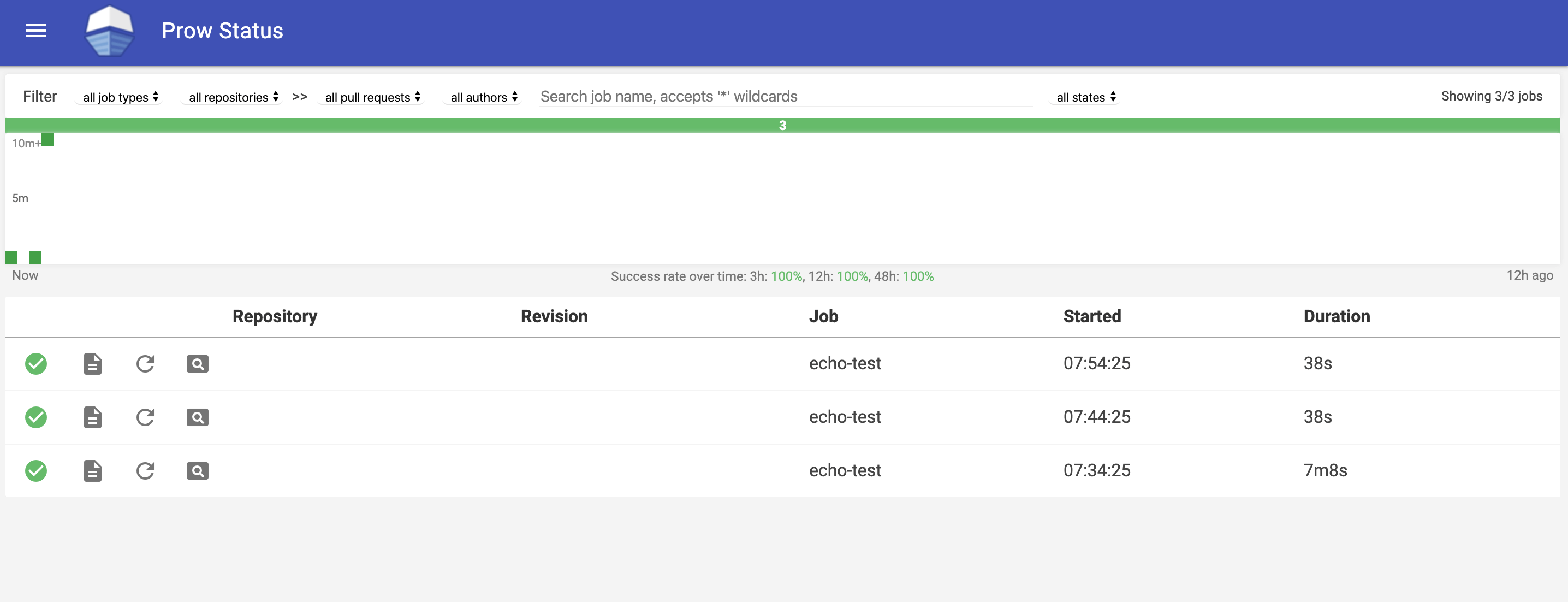
- View the page
Visit the Dashboard provided by the deck component: http://ServiceIP:32284/
4. Configuring a New Repository
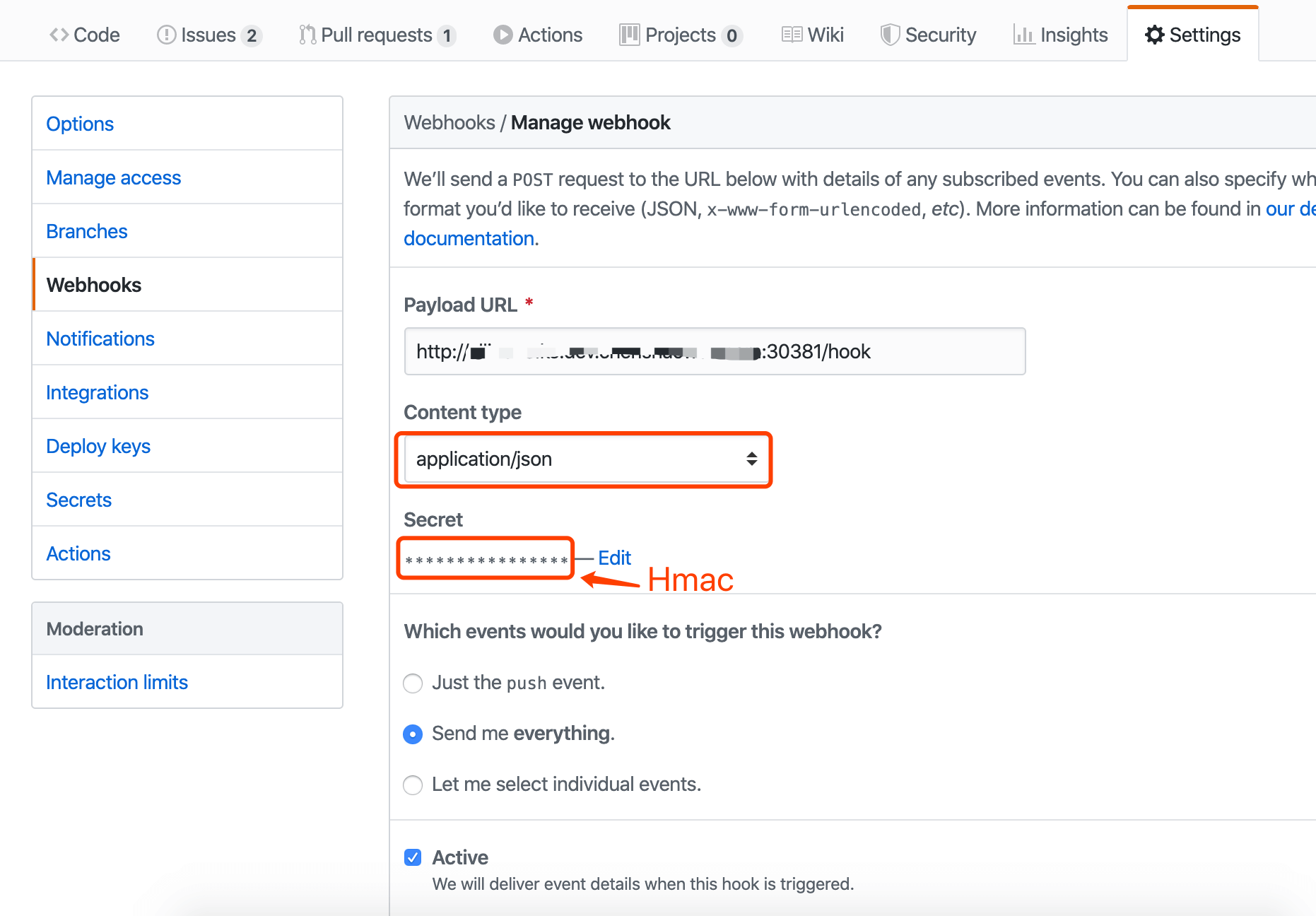
- Add a Webhook configuration to the GitHub repository
The Payload URL needs to include the /hook route. The Content Type needs to be application/json. The Secret is the xxxHmacxxx value generated above.
- Add an OWNERS file to the GitHub repository
The OWNERS file is used to declare the approvers and reviewers of a module, and it is used in the PR flow. Every directory can be controlled with OWNERS; here we add this file in the repository root and commit it. The someone user in it will be able to merge PRs by commenting /lgtm . The rule defined in Prow here is that when both the /lgtm and /approve labels are present, the PR will be merged. But there is a special case: an approver can omit /approve and merge the PR directly with /lgtm , and a PR submitted by an approver will have /approve added to it.
OWNERS file:
| |
- Enable the specified plugins
Create the plugin description file plugins.yaml , using the shaowenchen/prow-test repository as an example here. If there are multiple repositories, they can be listed under plugins following yaml syntax.
plugins.yaml file
| |
Run the command:
| |
- Configure Tide
Tide is used for merging PRs; multiple repositories can be added under the repos field following yaml syntax. prowjob_namespace is used to configure the namespace in which components such as deck and tide query prowjobs. If you are not deploying in default , it needs to be configured. Without this configuration, you will see the error cannot list resource "prowjobs" in default namespace.
config.yaml
| |
Run the command:
| |
- Custom labels (optional)
Through a /xxx xxx comment, you can add labels to issues or PRs, provided that the relevant size labels have already been created in the repository. If you need custom labels, you can refer to the built-in labels to define your own labels.yaml .
Run the command:
| |
- The checkconfig tool
Clone Prow’s code repository kubernetes/test-infra/prow and use the Go command to run the built-in commands.
| |
| |
5. Usage Test
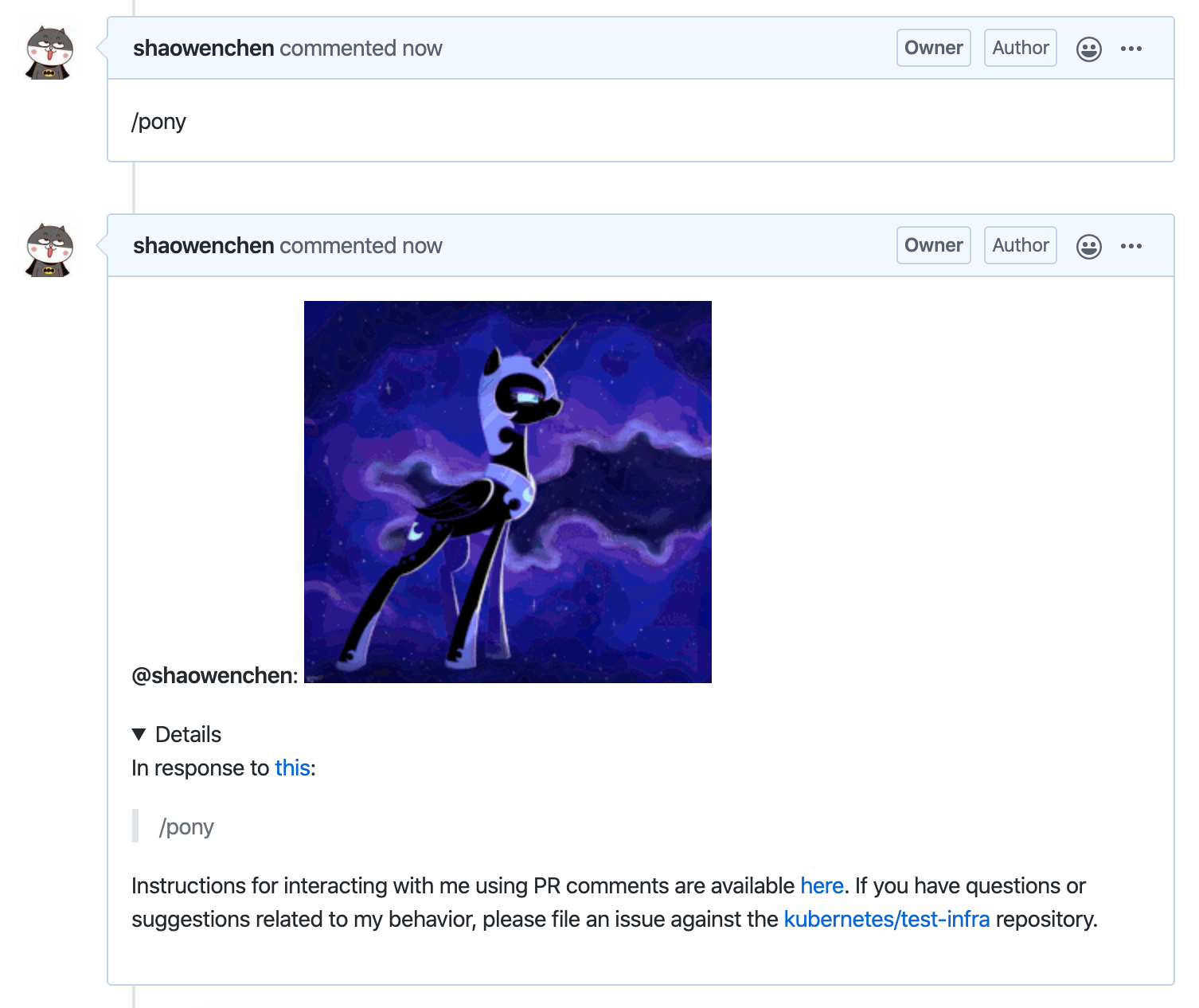
- Pony plugin test
- Tide PR merge test