1. Using Ops from Cline
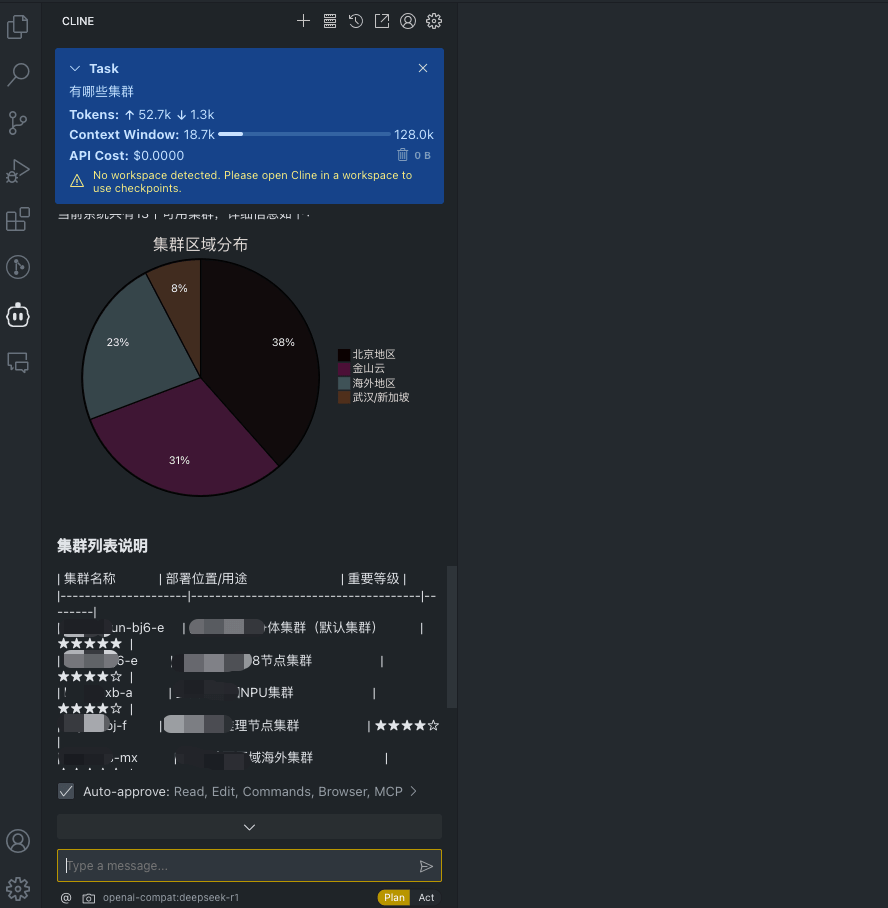
- Query which clusters exist
- Get the details of a node
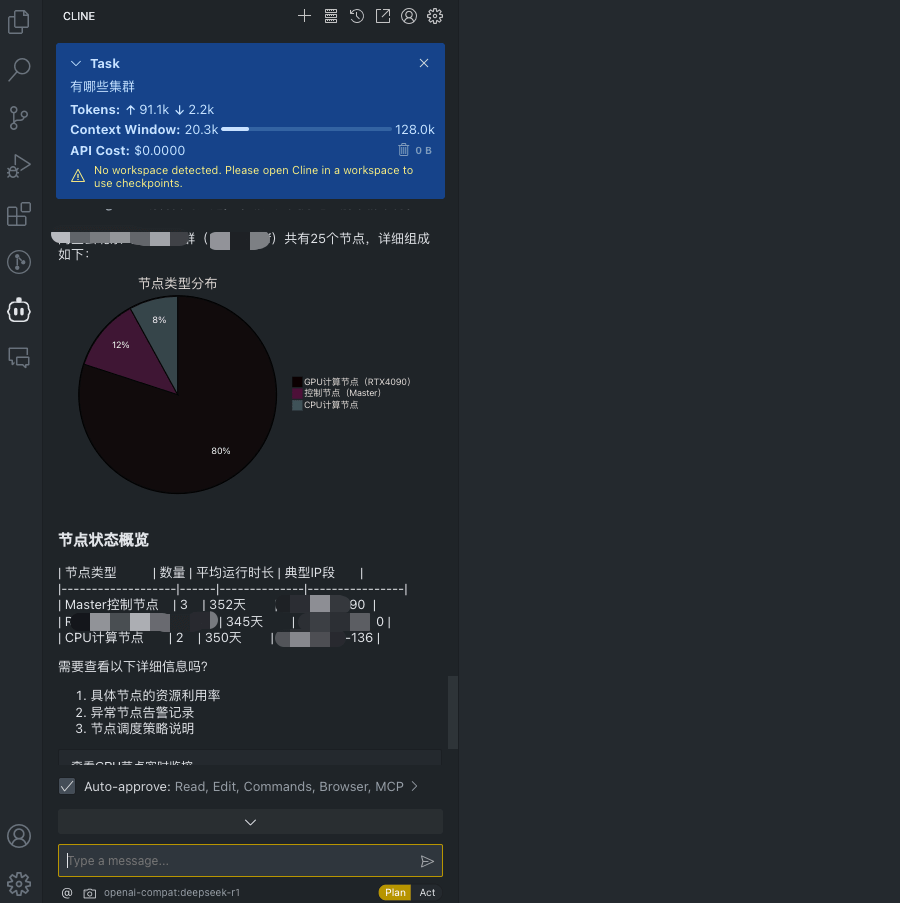
The case is very simple, but the data is real, which shows that Cline is already able to connect to Ops for operations tasks. More complex cases still need more testing. The specific approach might lie in: providing certain Workspaces as context information, setting custom instructions to reinforce certain characteristics, and so on.
2. Configuring Ops MCP in Cline
2.1 Prerequisites
- Using Cline requires you to prepare a model API yourself
- OpsController\OpsServer has already been deployed with Helm
If you have not deployed the Ops service yet, please refer to https://www.chenshaowen.com/ops/.
2.2 Upgrade Opscli to the Latest Version
MCP has two export methods, stdio and sse. stdio is supported by executing commands directly on the local machine, while sse requires the server to provide interface support.
opscli copilot has already connected to the Ops Server, and the latest version of Opscli already supports the subcommand opscli mcp for exporting the MCP protocol.
Only Opscli needs to be upgraded; the other services can stay on their previous versions.
| |
Because my domain is blocked in the Wuhan region, users who cannot upgrade normally should go to https://github.com/shaowenchen/ops to download the latest version.
2.3 Cline Configuration
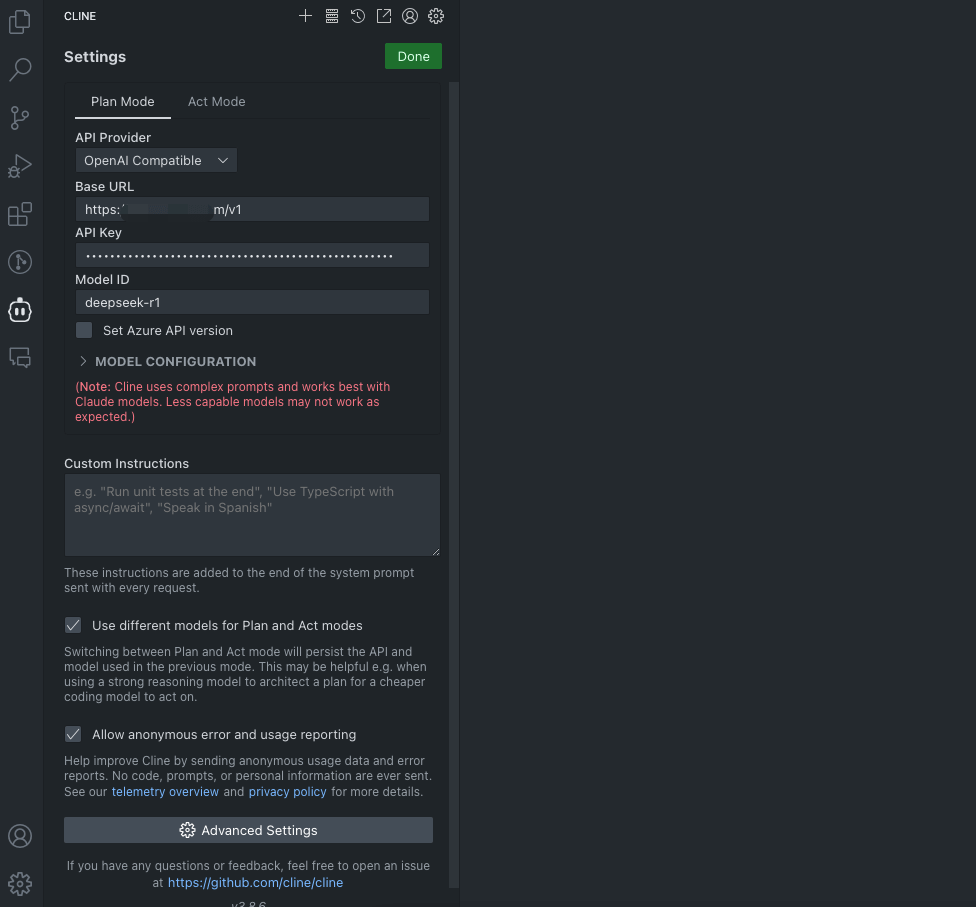
- Configure model access
- Add the MCP Server
| |
opscli mcp needs to fetch all the Pipelines from OpsServer as available functions to provide to Cline.
- View the MCP Server
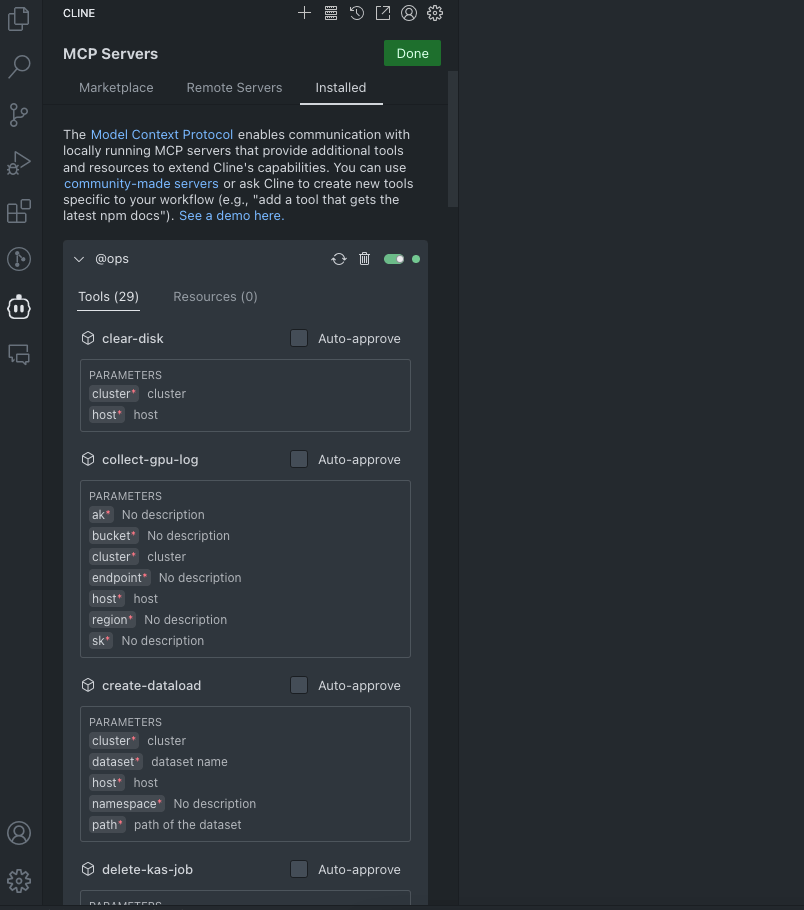
At this point you should see a list of Ops-related Tools, which shows that opscli mcp has already fetched the data from OpsServer.
2.4 Cursor Configuration
Cursor’s configuration is much the same as Cline’s, except that Cursor does not need a model service configured; instead you need to buy a membership.
In addition, some of Cursor’s models do not support Agent, so if you select a model manually, it may result in the MCP Server’s services being uncallable.
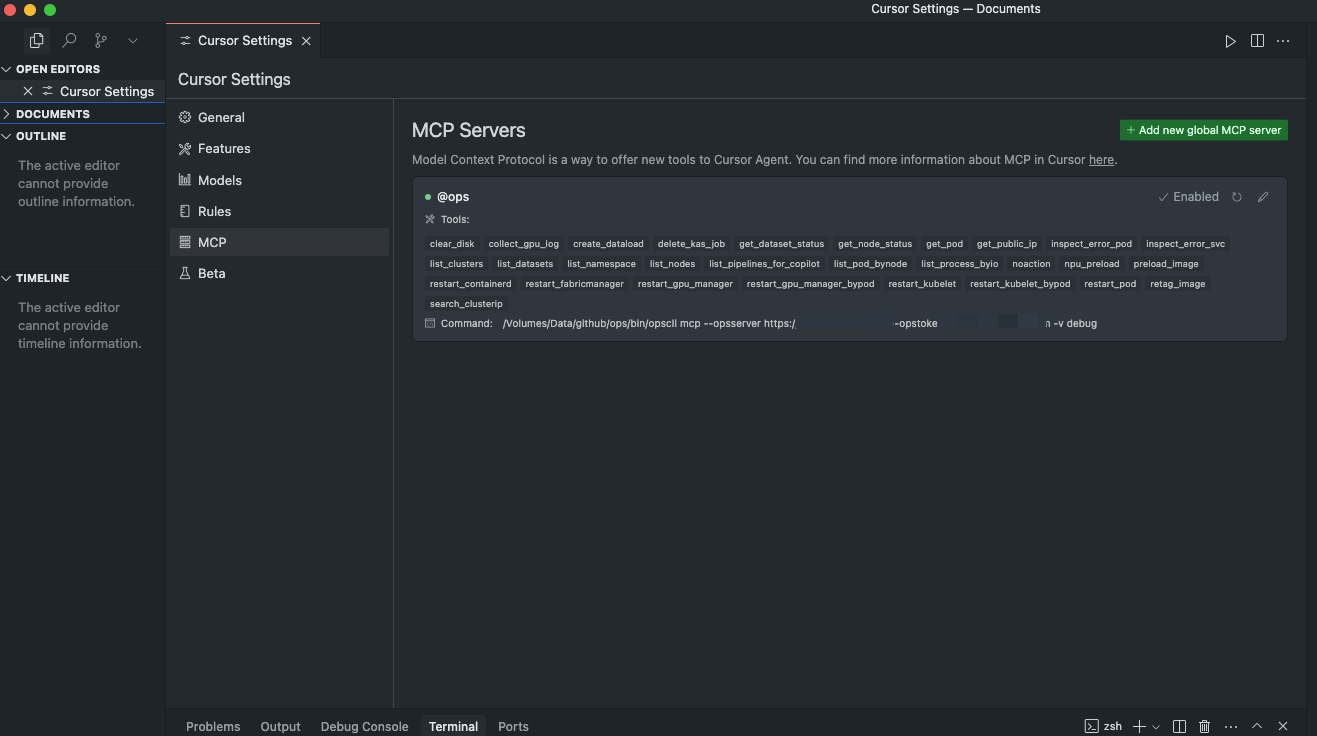
As shown above, after successfully registering the MCP Server in Cursor, you can also see a list of available Tools.
3. Copilot vs MCP
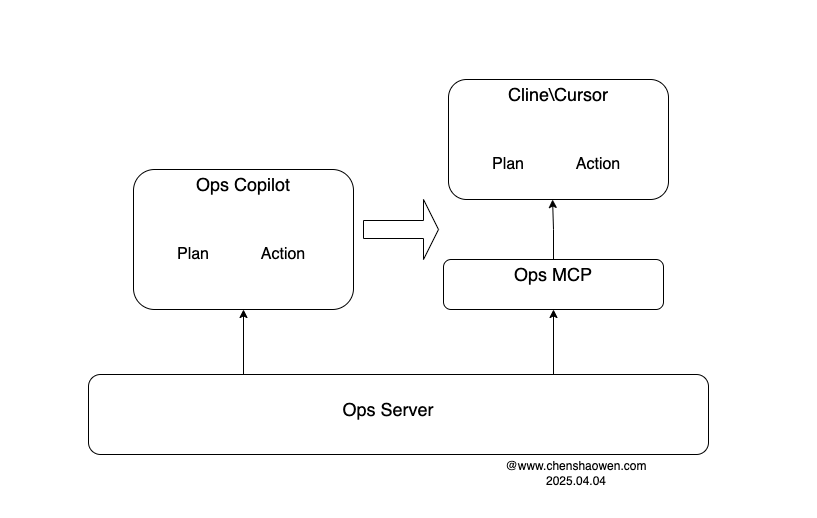
In the earlier Ops Copilot, we had to plan for ourselves how to handle the user’s input: how to make the LLM draw up a plan, how to execute it, how to remember, and how to handle the current context information.
After exporting via MCP, all of the above work is handed over to products like Cline\Cursor, which help Ops users analyze operations problems, execute operations actions, and set breakpoints for confirmation at the appropriate points.
For Ops users, Cline\Cursor undoubtedly provides a better product experience; for Ops developers, the MCP export can greatly reduce the workload and difficulty of developing a Copilot.
4. Follow-up Plans
- Exporting MCP through stdio is never quite convenient; OpsServer’s SSE needs to catch up
- Although Cline\Cursor provides a very good product experience, these are currently not service-oriented components, so they are inconvenient to integrate with various frontends, OA systems, and so on. They are worth studying, but in the end everything still has to land in Ops Copilot
