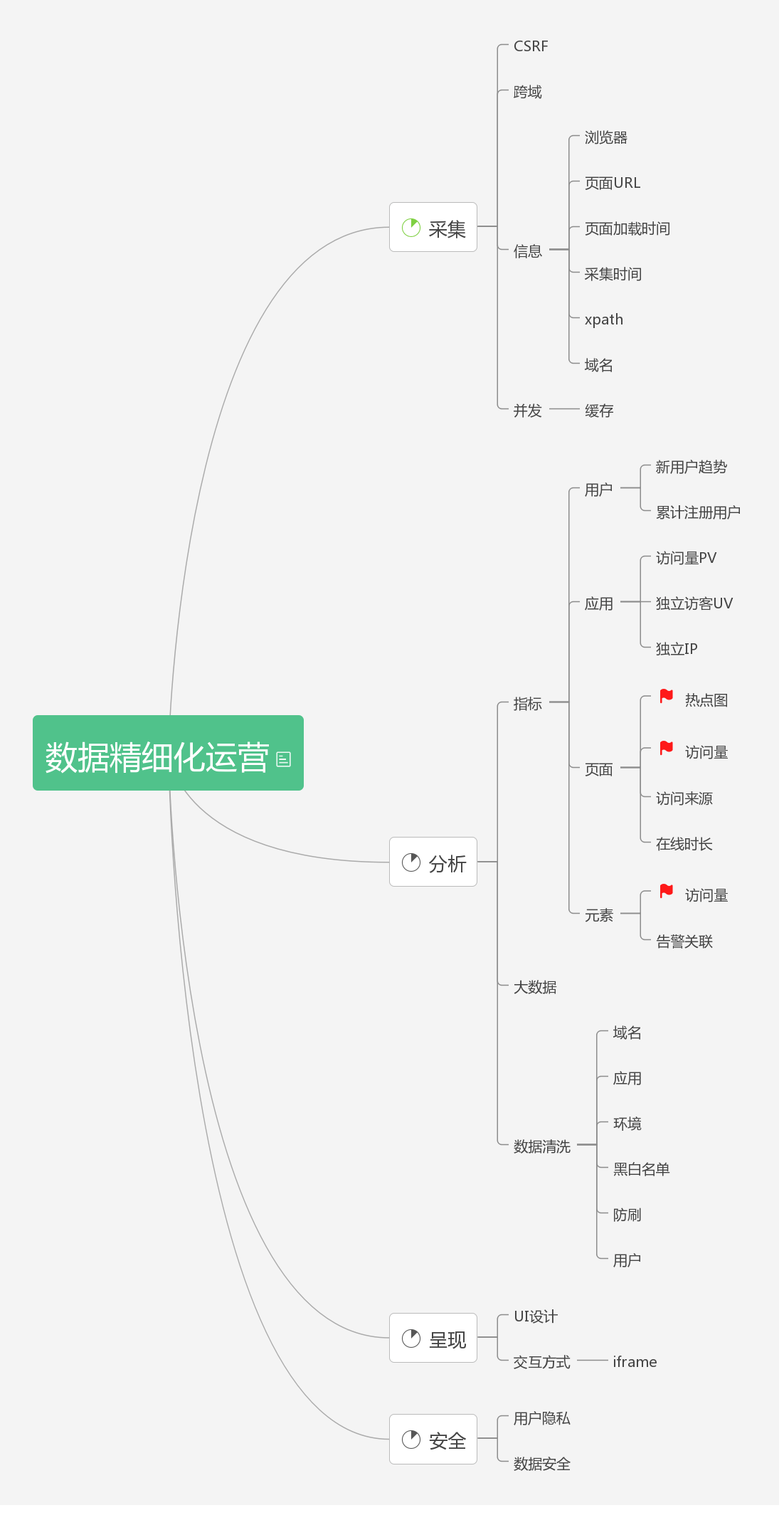
1. Terminology
- xpath: There are two approaches, the exact path and the approximate path. Exact path: body>div[0]>div[3]>ul>li[5]>a[0], walking up from the clicked element all the way to the root node and recording every node along the way. Approximate path: body>div.header>div.nav>a[23], which on top of the former omits from the upward path any node that is not on the whitelist.
- Instant event: a click, for example.
- Continuous event: page scrolling, for example.
- Full-volume logging: reporting every event collected on the page.
- Tracking: embedding code to record user behavior.
- Click tracking: a data point is recorded after the user performs an active action such as clicking, refreshing, or touching. For example: the user clicks the “Register” button, and a log entry is sent to the server.
- Impression tracking: a data point is recorded when the tracked data is displayed. Page impression: a data point is recorded when a page is displayed. Partial impression, for example: a user browses the home page, finishes the first screen, still wants more, and turns the page; at that point an impression log is sent, meaning the content of the second screen was seen by the user.
2. Frontend Tracking
2.1 Code-based Tracking
Embed data collection code directly in the code, capture user behavior data, and upload it.
- Pros: data collection is accurate and well targeted, and data processing is convenient.
- Cons: the tracking code is highly invasive, the data collected is narrow, and when requirements change the code needs substantial modification.
2.2 Visual Tracking
Through a visual tool, anchors are configured on the backend and delivered to the client in real time to take effect, and the frontend automatically parses the configuration and uploads data — Mixpanel, for example.
- Pros: easy to get started, configurable to your own needs, and no need to modify code by hand.
- Cons: the functionality covered is limited; not every control interaction can be customized through this approach.
2.3 Codeless Tracking
The technical approach of codeless tracking was proposed as early as 2013. Once codeless collection is integrated on the client, it collects as much data as possible — you do not even need to think about where to place tracking points, and no configuration is required. When tracking data is needed, you simply filter out the relevant data.
- Pros: codeless tracking solves the data backtracking problem. You do not need to know the requirements in advance; just collect as much data as possible first.
- Cons: high demands on data transmission and storage.
3. Backend Tracking
Backend tracking means embedding code on the server side to collect data.
3.1. Frontend vs. Backend Tracking
Backend tracking:
- Little impact on user experience, and few dependencies on the client’s network and other environment.
- User behavior cannot be well correlated with the data.
- Data integrity is guaranteed, and business data is secure.
Frontend tracking:
- Can obtain information related to the frontend interface design
- Lightweight, debugging-friendly, and good extensibility and maintainability
4. Codeless Tracking
4.1 Advantages of Codeless Tracking
- Little code intrusion: apart from network and CPU overhead, it has almost no impact on the client.
- Low communication cost: no need to communicate with all kinds of people about where to place tracking points or how to collect.
- More comprehensive data: collects user behavior data full-volume-log style and defers the analysis, avoiding oversights caused by missing tracking points.
4.2 Codeless Tracking Solution Design
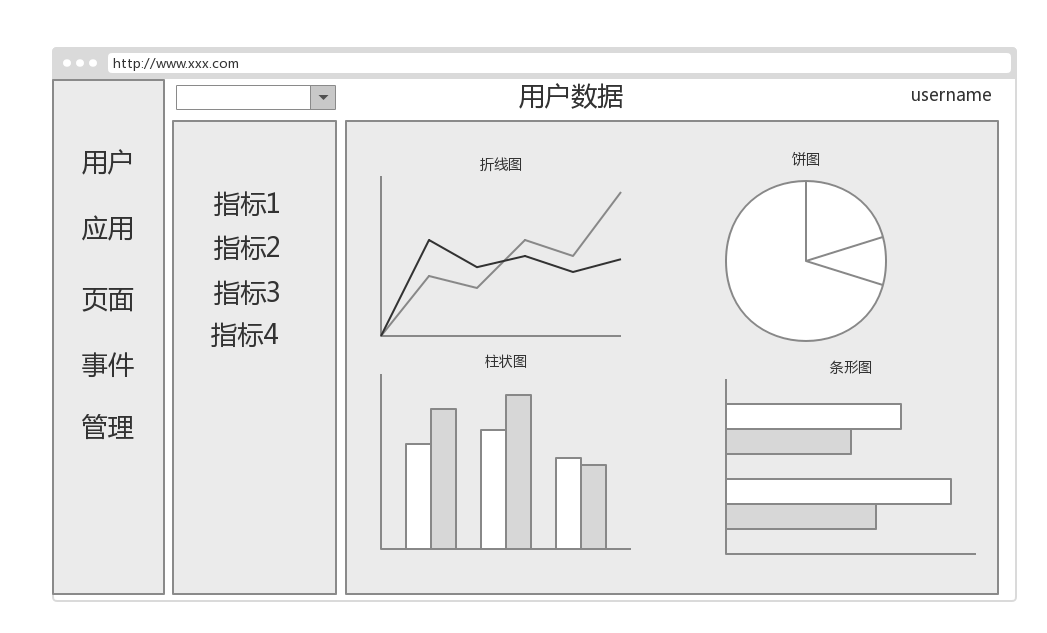
The codeless tracking design plan plans the project mainly along three aspects — data collection, analysis, and presentation — and four dimensions: user, application, page, and element. It compares horizontally the tools provided by teammates in the group, points out existing projects that might be merged in, and at the same time exposes the project’s risks, offering guidance for the project.
- Design plan
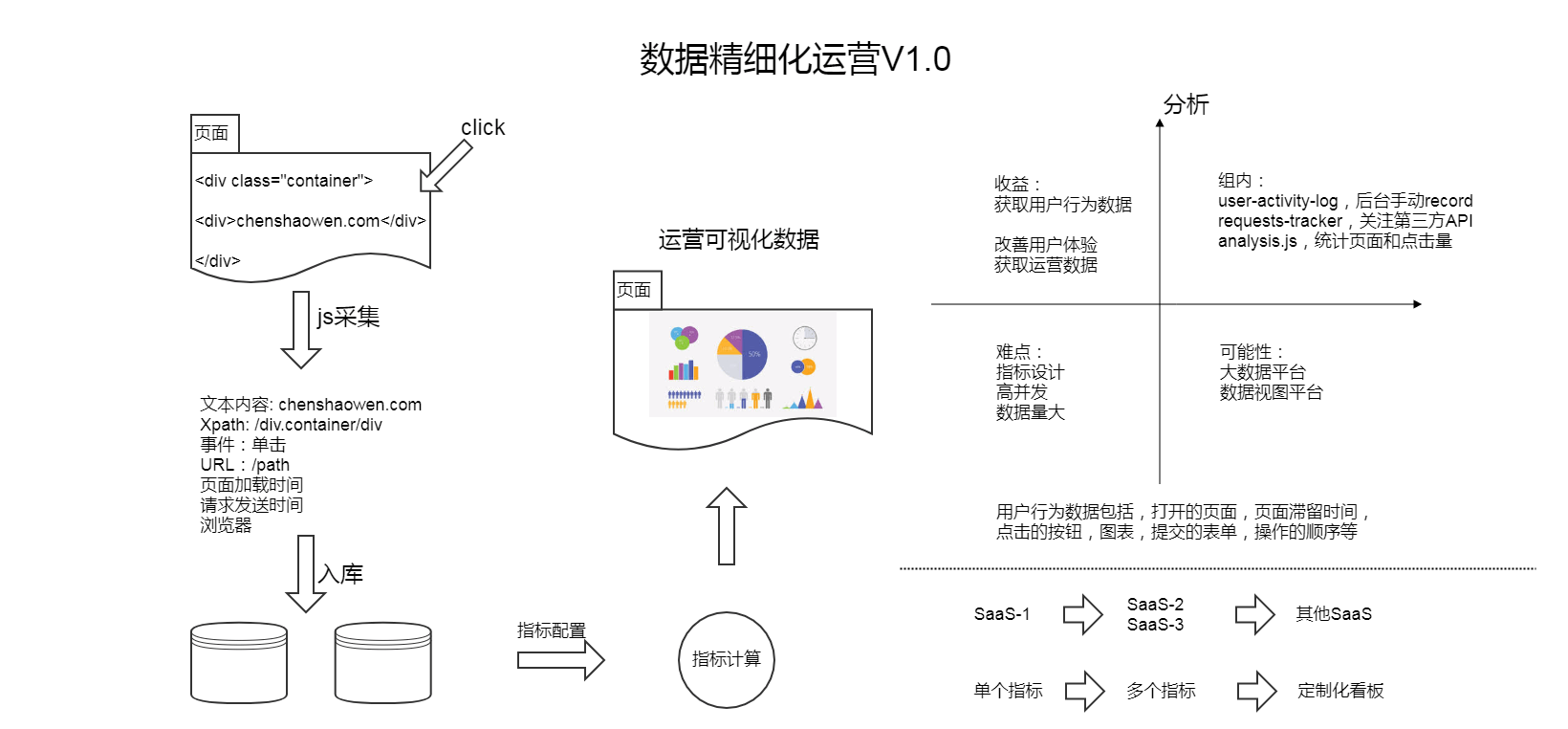
- Processing flow
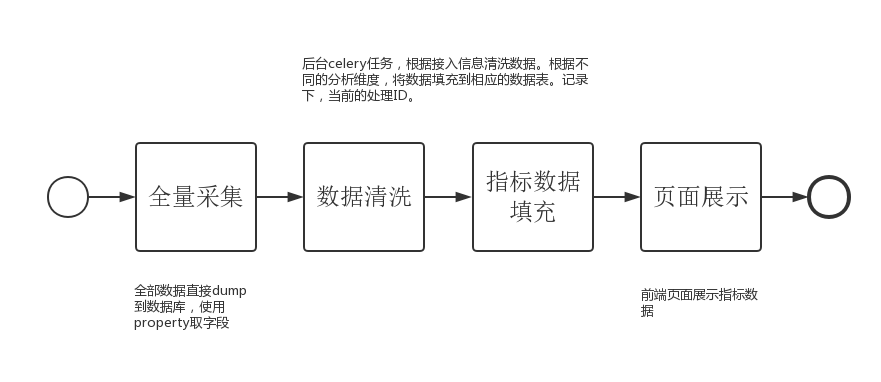
- Data flow
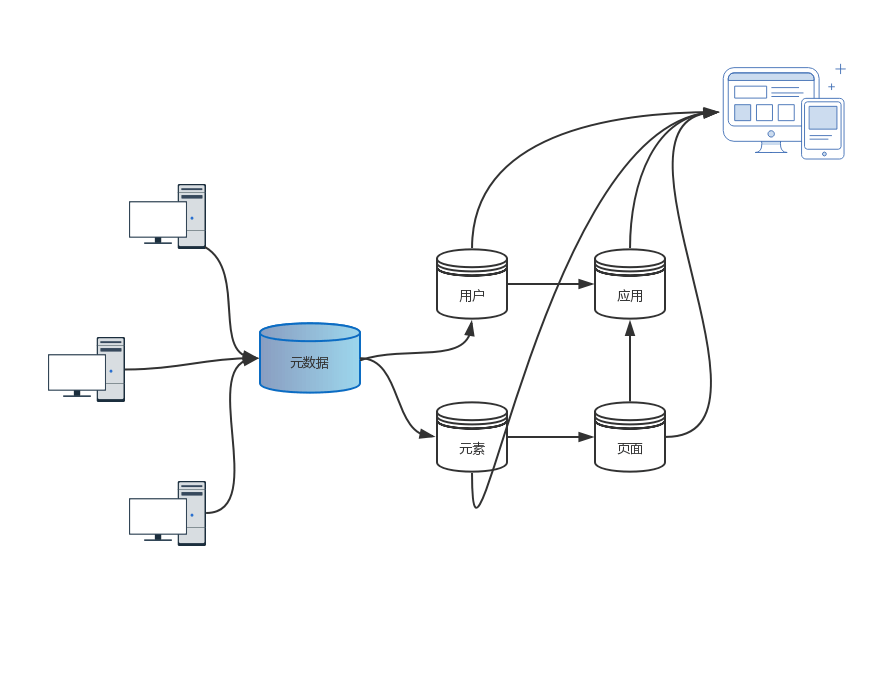
- Frontend prototype
- Focus areas