1. Introduction to Jenkins X
Relying on its massive plugin ecosystem, Jenkins currently holds most of the enterprise CICD engine market share. But in the cloud native era, Jenkins has also exposed many problems: a single point of service, disk storage, memory usage, and so on.
Around Kubernetes, Jenkins X offers a DevOps approach better suited to the cloud native era. Jenkins X is not a distribution of Jenkins; more precisely, Jenkins X is a tech stack for application release and deployment.
On the development side, through the jx command, developers can create repositories, generate application scaffolds, run pipelines, and release and deploy, ultimately running on Kubernetes. Jenkins X gives developers a very consistent development experience.
On the deployment side, through the capabilities provided by Terraform, clusters can be created directly on mainstream cloud providers. In addition, Jenkins X Environment also provides support for multiple environments; by defining promotion rules between environments, applications in each environment can be conveniently released, rolled back, and migrated. Jenkins X brings great convenience to operations staff.
In one sentence, Jenkins X is a one-stop cloud native DevOps tech stack.
2. Architecture and Principles
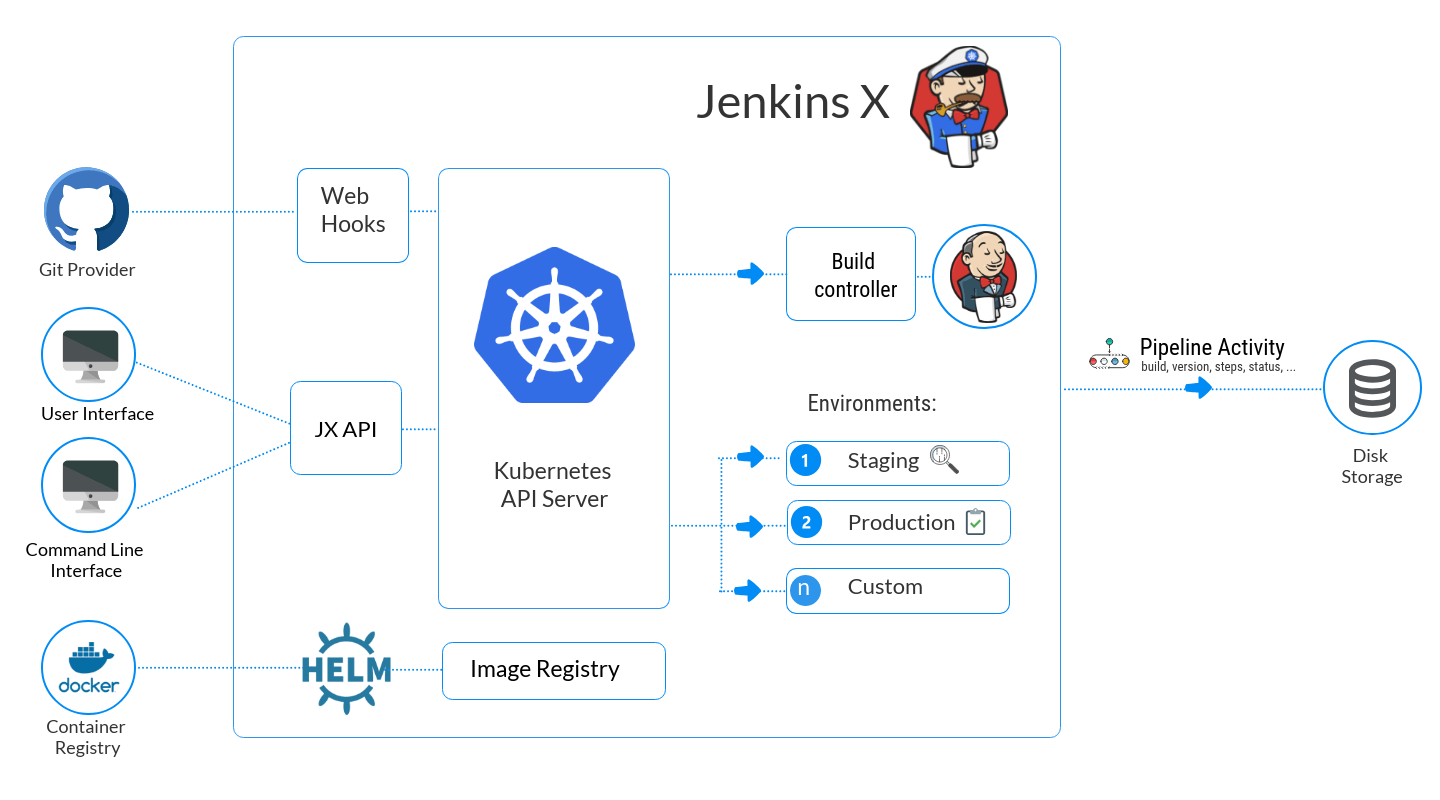
Design architecture:
Conceptual model:
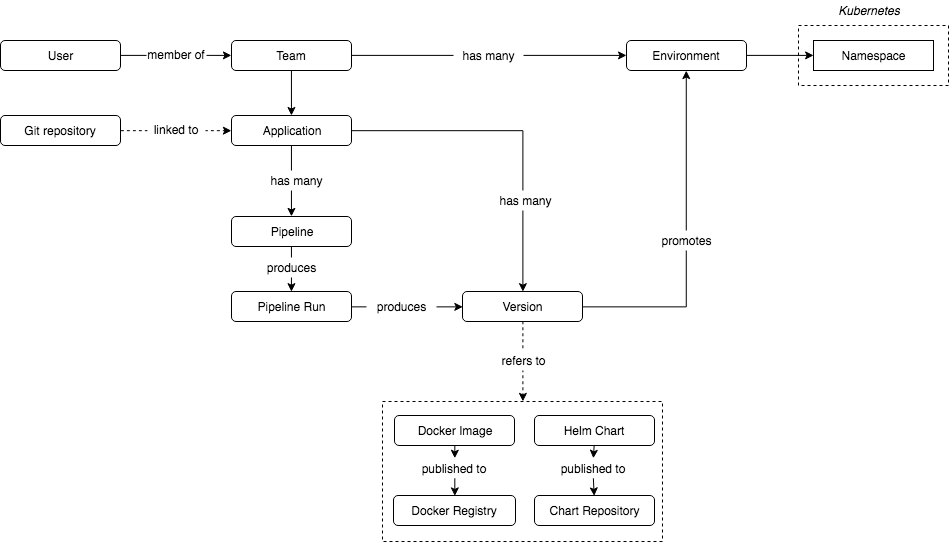
The two images above come from the Jenkins X official website. Through these two images you can quickly understand what Jenkins X is doing and what it wants to do. Jenkins X targets multi-environment, multi-version, multi-person teams, providing Kubernetes-based application development and deployment services.
The image below provides an overview of the related components:
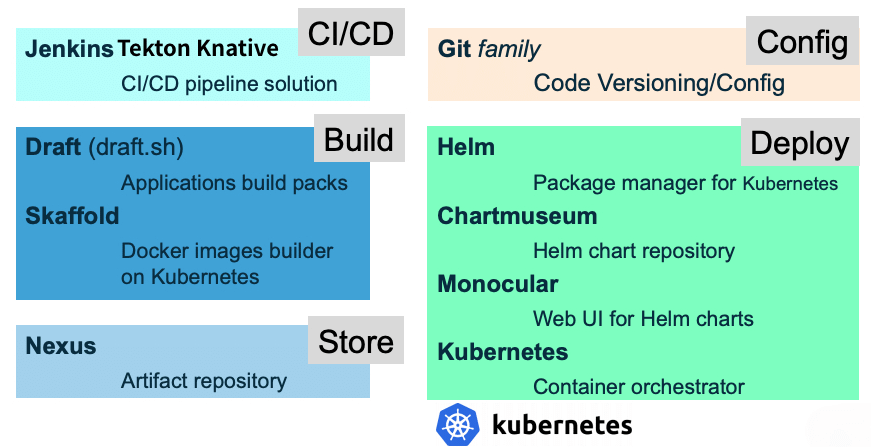
GitOps - a resource management philosophy of committing changes through Git and granting authorization through PRs.
Data storage - Git Repo. GitOps drives Jenkins X. All changes Jenkins X makes to infrastructure, configuration, and applications are recorded in a Git Repo. When a Git event occurs, Jenkins X is triggered to execute. Jenkins X only needs to watch for Webhook events; only when a Git event occurs does it dynamically create a Pod to perform the corresponding action.
Event driven - Prow/Lighthouse. Kubernetes uses Prow for ChatOps, driving the development process through label semantics. But Prow depends heavily on Github, making it hard to extend to other SCMs; to address this, the Lighthouse project was created.
Application development - Draft/Skaffold. Tools for developers to develop cloud native applications on Kubernetes. Through Draft/Skaffold, application initialization and deployment are completed, and developers can conveniently iterate on application code and validate it in a local or remote Kubernetes cluster.
Release management - Helm. A tool for managing Kubernetes applications, similar to Yum on CentOS and Apt on Ubuntu. Using Helm, applications can be deployed, upgraded, rolled back, and deleted.
Pipeline orchestration - Jenkins/Tekton/Knative. Tekton is a CICD system that defines pipelines through Kubernetes CRDs. In older versions, Jenkins could be used as the orchestration engine, but starting in March of this year, Jenkins X has switched to Tekton. Tekton is the former build-pipeline project of Knative. Knative provides the ability to process and manage tasks.
Package management repository - Nexus. Supports many mainstream software package formats, including Docker, npm, Yum, Maven, and so on.
3. Installing Jenkins X on Kubernetes
Through the jx create cluster command, Terraform can be used to create a cluster directly, managing the cluster as configuration information.
The latest Jenkins X (2.1.132) recommends using the jx boot command for installation, supporting GKE and EKS; other Kubernetes distributions need to check compatibility themselves. Here is the Jenkins X on Kubernetes compatibility table. I tried it on a self-built cluster and there were quite a few pitfalls; you can wait a bit longer, or submit a PR to the community. Below, the jx install command is used for installation.
3.1 Installation Requirements
- Kubernetes version > 1.8
| |
- Confirm that RBAC is enabled
| |
- A default Storage Class is configured
| |
- The cluster Master node needs at least 4 C of CPU
3.2 Installing jx and the Git Client
- Install the Jenkins X client
Here the 2.x version is not used; instead the last 1.x version is used. In later documents, I will continue to follow the related evolution.
| |
Check the version:
| |
- Install Git 2.x
If you use a Git 1.x version, you may encounter an error like the following:
| |
The solution is to enter the directory indicated and pull manually.
| |
A better approach is to upgrade the Git version to 2.x. Below, CentOS 7 is used as an example:
| |
3.3 Testing Whether the Cluster Meets the Requirements
After installing the jx command, you can use the following commands to check:
| |
| |
It takes roughly several tens of minutes; running the following command shows the final execution result:
| |
Finally, delete the related workloads:
| |
3.4 Installing the Jenkins X Server
The built-in service components of Jenkins X depend on Ingress, which you can install in advance according to the document Installing Ingress with Helm.
- Start the installation
| |
A series of interactions will follow:
| |
- Set up the Ingress Controller
If you use the Ingress Controller provided by Jenkins X, you need to provide an LB or manually add externalIPs. Below, externalIPs is set to the machine’s eth0 IP; after binding an EIP, resolving the domain to the EIP is enough to access the services.
| |
- View the services
| |
If you do not have a controllable public domain, during installation you can choose the domain provided by nip.io and access it by configuring hosts locally:
| |
3.6 Installing Addons
Jenkins X manages addons and applications through Helm Charts; the already integrated addons can be viewed in the jenkinx-x/jx repository. Through the jx command, the related addons can be installed very conveniently. Below is a partial list of addons.
- ambassador - Create an ambassador addon
- anchore - Create the Anchore addon for verifying container images
- environment - Create an Environment Controller to handle webhooks and promote changes from GitOps
- flagger - Create the Flagger addon for Canary deployments
- gitea - Create a Gitea addon for hosting Git repositories
- gloo - Create a Gloo and Knative Serve addon for creating serverless applications
- ingress - Create an Ingress Controller to expose services outside of your remote Staging/Production cluster
- istio - Create the Istio addon for service mesh
- kubeless - Create a kubeless addon for hosting Git repositories
- owasp-zap - Create the OWASP Zed Attack Proxy addon for dynamic security checks against running apps
- pipeline-events - Create the pipeline events addon
- prometheus - Creates a prometheus addon
- prow - Create a Prow addon
Here Prow is installed for ChatOps
| |
| |
3.5 Uninstalling Jenkins X
| |
4. Using Jenkins X
4.1 Environment Management
- View environments
| |
Jenkins X stores the basic setup in a Git Repo, and manages modifications through PRs.
- Delete an environment
| |
- Create an environment
| |
4.2 Application Development
- Create an application
| |
You can also import an application directly from online or locally
| |
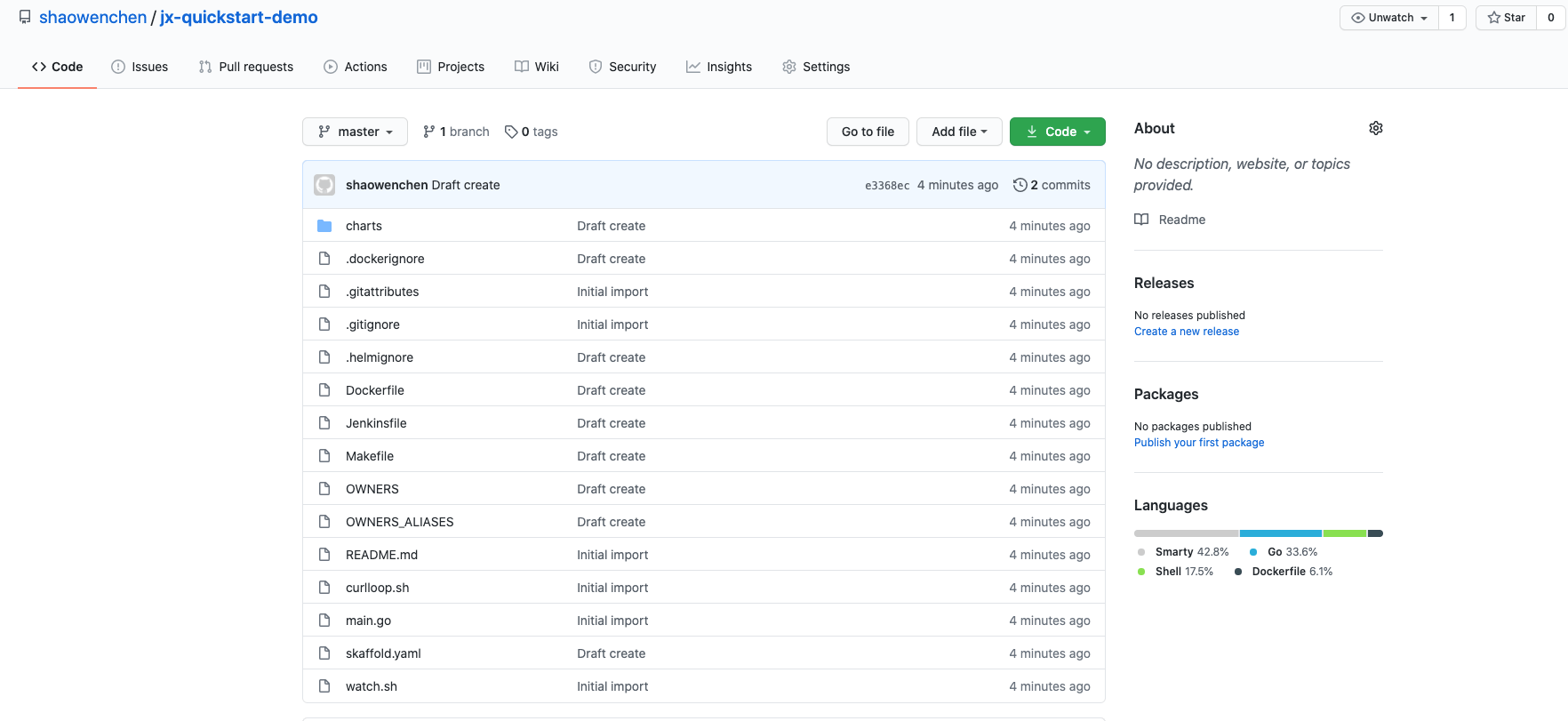
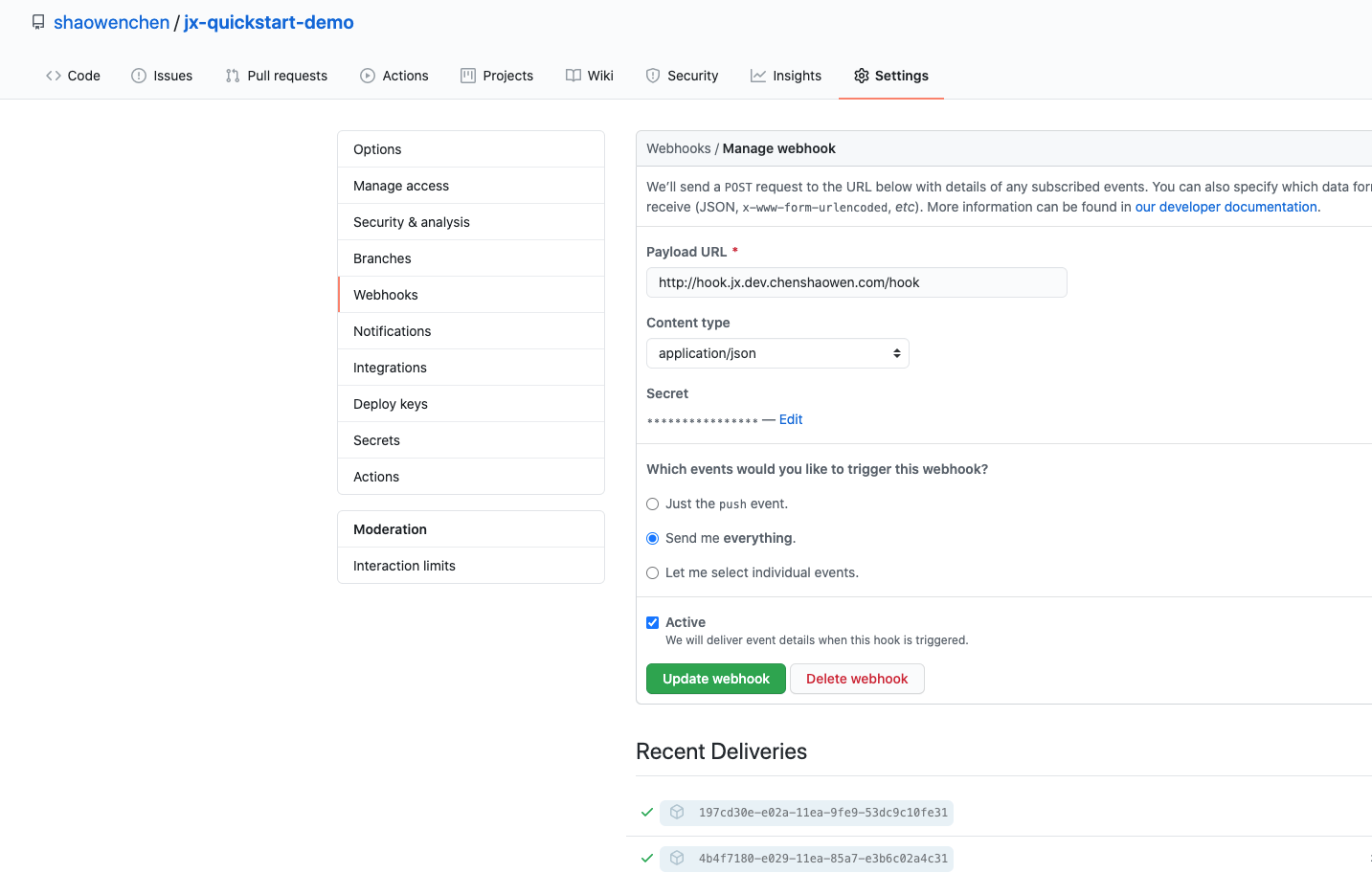
On the page you can see the initialized repository and the Webhook configuration information.