Usually, we need to perform some operation on GitHub in order to trigger a GitHub Action. This post introduces a way to trigger a GitHub Action remotely through an API call.
1. Common Ways to Trigger a GitHub Action
Here is an example GitHub Action:
| |
What is defined under the on keyword are the events that trigger the Workflow. Here are several commonly used GitHub Action events:
workflow_dispatch, manual trigger
You can add interactive parameters in inputs (optional).
| |
- push, pushing code
| |
- issues, the issues lifecycle
| |
issue_comment, issue comments
| |
- project, the project management lifecycle
| |
pull_request, the PR lifecycle
| |
These event hooks can be used to automate many workflows.
2. Triggering a GitHub Action Remotely with the API
2.1 Creating a Token
Visit https://github.com/settings/tokens/new to apply for a Token.
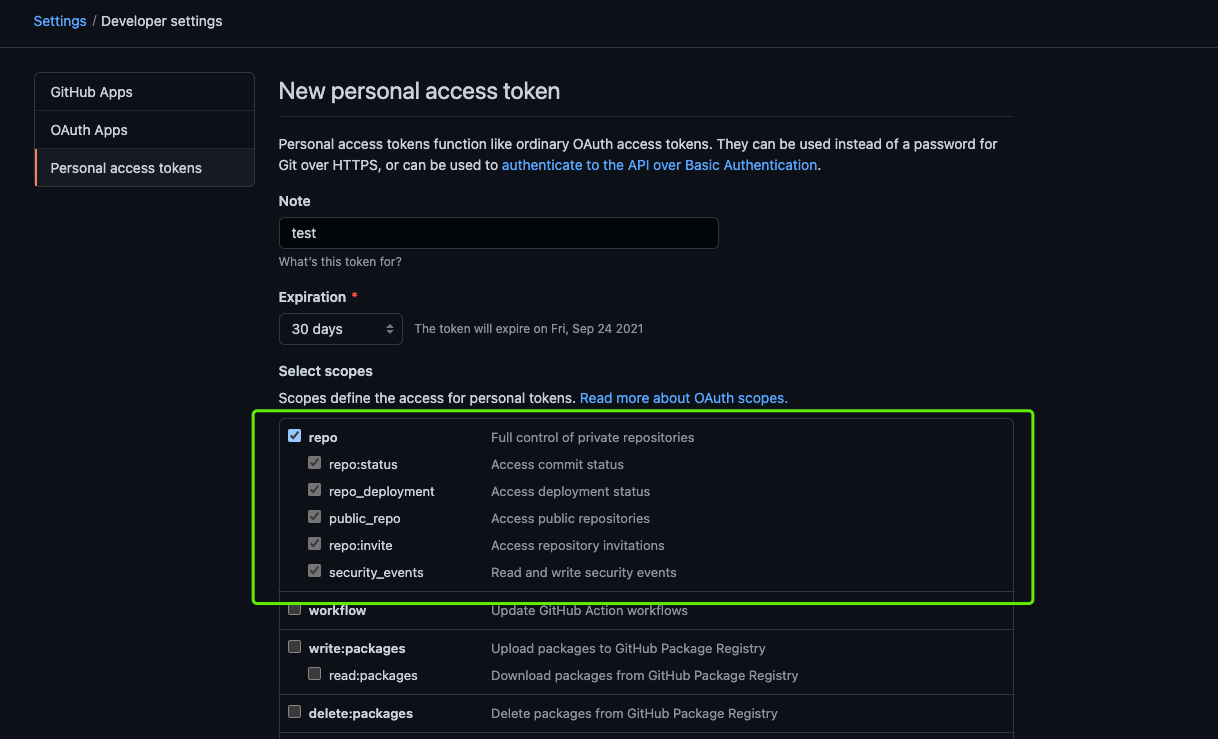
You need to check the repo permission.
2.2 Adding the Workflow
In the repository https://github.com/shaowenchen/wait-webhook-to-run, create a new file .github/workflows/worker.yml. Its contents are as follows:
| |
In the types of repository_dispatch, you can define custom event types.
2.3 Triggering the GitHub Action Remotely
Here is the API call format:
| |
Here, owner is the username, repo is the repository name, TRIGGER_TOKEN is the Token credential applied for above, and TRIGGER_EVENT is the custom event name.
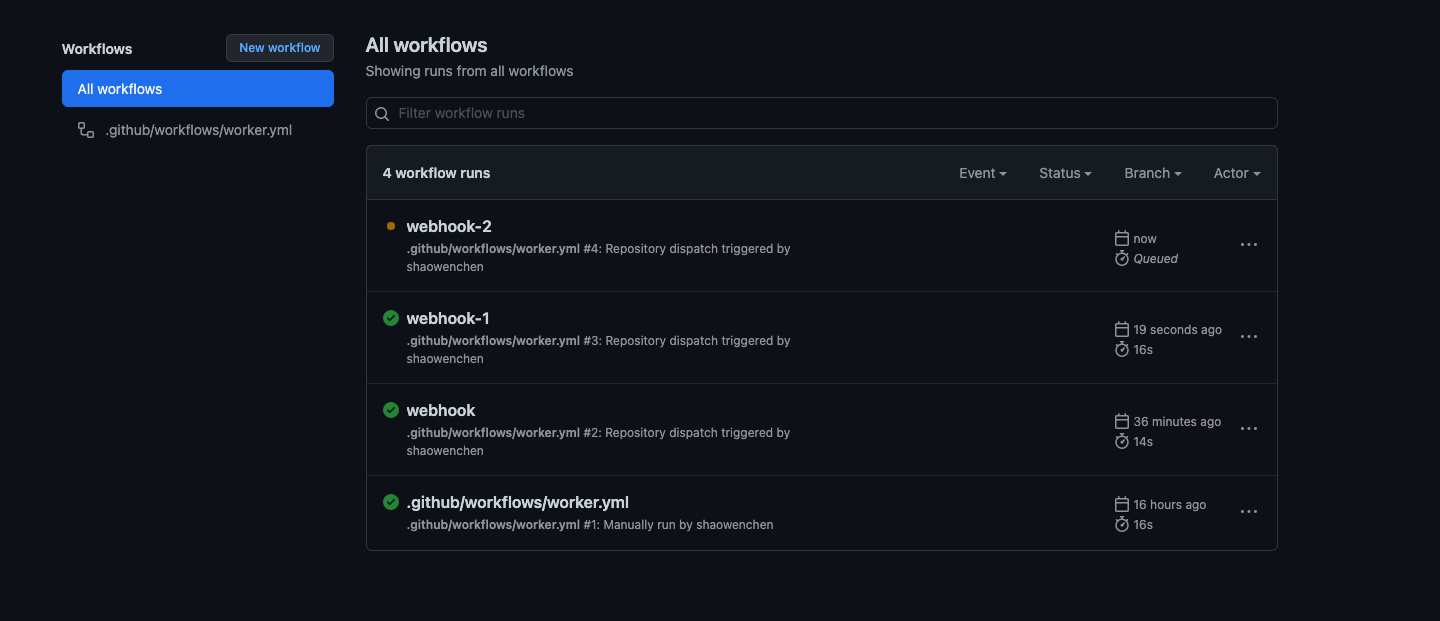
- Triggering the
webhook-1event
| |
- Triggering the
webhook-2event
| |
Checking the GitHub Action run: