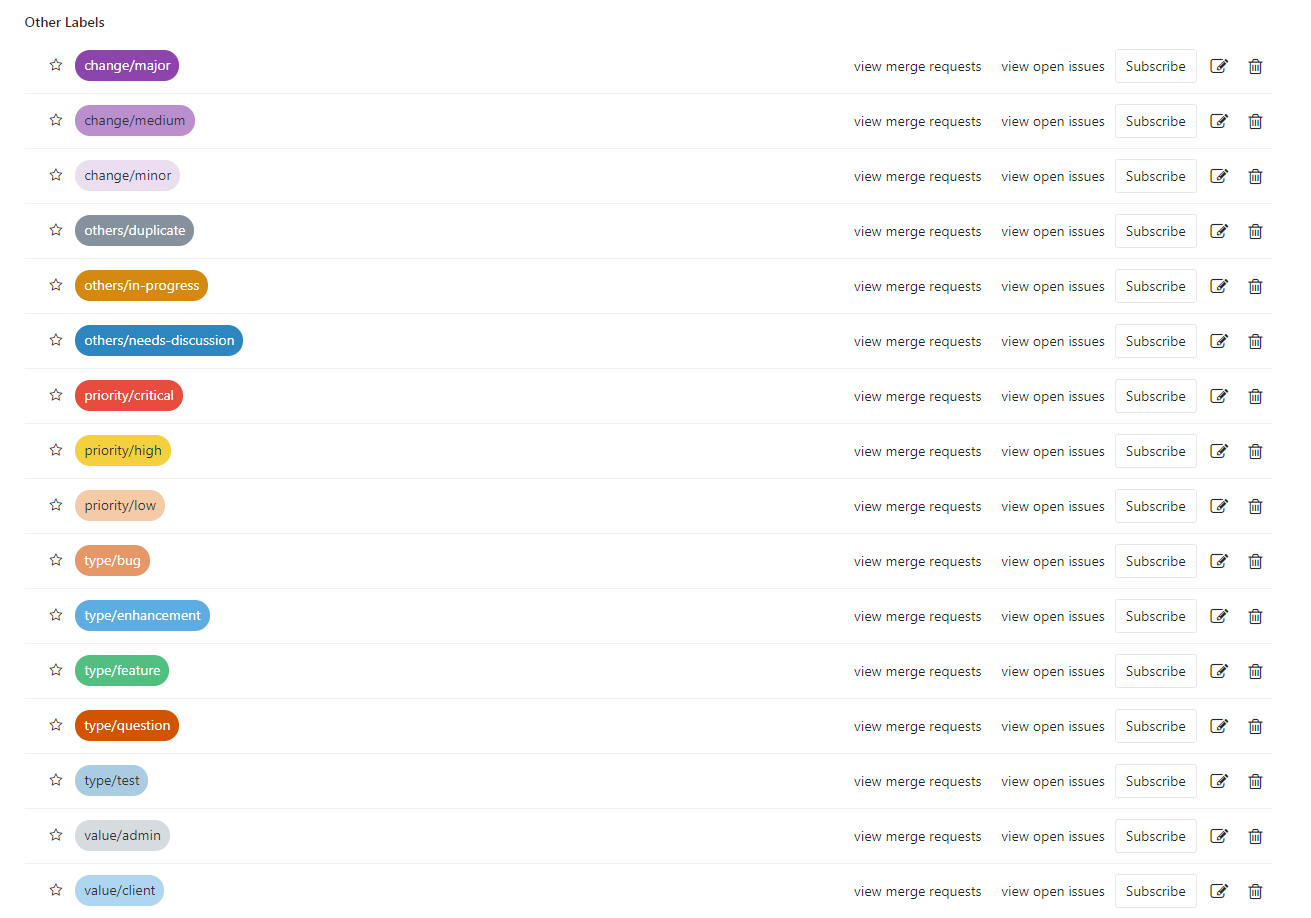
Using GitLab issues for project management is a very Dev-friendly thing. Entering issues, opening Merge Requests, creating milestones — these all advance dynamically during development. But creating a pile of Labels for every new project is a headache. This article is mainly about solving that problem.
1. GitLab Label
Before creating GitLab Labels, we first need to standardize the Label format.
GitLab Labels are mainly used for categorized management and filtered viewing of issues. A recommended usage is to
adopt the “{type}/{value}” label rather than “{value}”. Such two-dimensional labels can express more information.
1.1 Label Types
type/feature
A request for a new featuretype/enhancement
Improvements, enhancements, and refactoring of a feature.type/bug
Minor issues that do not match expectationstype/question
More serious issuestype/test
Issues related to testing
1.2 Priority: priority
Priority labels specify the priority at which an issue should be handled.
priority/critical
This issue should be fixed nowpriority/high
This issue should be resolved as soon as possiblepriority/low
This issue is not a high-priority issue and can be handled later. This label allows recording an issue without handling it immediately
1.3 Value
Value labels describe who benefits from the issue. This helps to schedule issues better.
value/client
This issue will benefit the customervalue/admin
This issue will benefit administrator users. Sometimes administrator users are not necessarily clientsvalue/developer
This issue will benefit developers
1.4 Change
Change labels give a rough estimate of the change involved.
change/minor
This issue usually takes a few hours or less.change/medium
This issue took less than a day, but it is not a quick fix.change/major
This issue involves significant changes and takes more than 1 day.
1.5 Miscellaneous
These are very important labels and should be used as needed.
- others/needs-discussion
This issue needs further discussion before it can be resolved.
We will query everything with this label as often as possible and discuss it with the relevant parties. Once we finish the discussion, we usually remove the label, but sometimes we cannot decide what we want to decide, so we leave the label there and push the item to the next meeting.
others/in-progress
This issue is in progress. This label tells the person working on the issue (the one assigned the label) and prevents others from starting to work on the same issue.others/duplicate
This issue duplicates another feature request or bug report.
2. gitlab-python
python-gitlab is a Python package that provides access to the GitLab server API. It supports GitLab’s v3 and v4 APIs and provides a CLI tool.
python-gitlab is compatible with Python 2.7 and Python 3.4 and above.
2.1 Installing python-gitlab
| |
2.2 Configuring Access
Here the configuration file is placed in the $HOME directory.
| |
python-gitlab also supports a system-level access configuration file, specified at startup. For the specific configuration, please refer to here.
| |
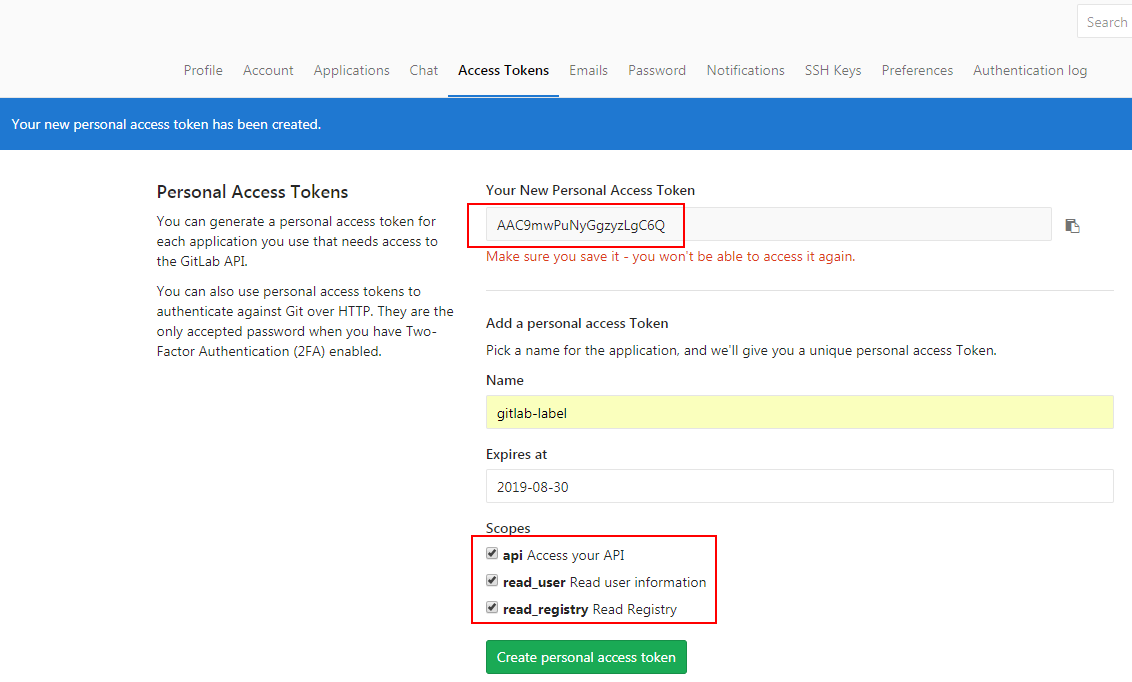
This private_token can be generated on your GitLab homepage, http://gitlab.yourdomain.com/profile/personal_access_tokens. As shown below:
2.3 Common Commands
- Get the first page of projects in the Console
| |
- Python script
To access the GitLab API in a Python script, you first need to obtain a gitlab operation instance.
| |
Here is the Python script for creating the Labels a project needs.
| |
After running it, the result looks like this: