When you install Python packages with pip, it looks up the corresponding package on the https://pypi.python.org/simple/ index by default, then downloads and installs it. But in an intranet environment, or when you need to publish some private packages to designated users, you have to build your own PyPI Server. This post mainly records the process of building a PyPI Server index with the devpi tool, along with some commonly used commands.
1. Comparison of PyPI Servers
| PyPI Server | PyPI Proxy Mirror | Local Cache | Unit Tests | System Tests | Search |
|---|---|---|---|---|---|
| devpi | Supported | Supported | ★★★★ | ★★★★★ | Web + XML RPC supported |
| DjangoPyPI | Supported | Not supported | ★ | None | Web + XML RPC supported |
| chishop | Not supported | Not supported | None | None | Not supported |
| pypiserver | Supported | Not supported | ★★★★★ | None | Not supported |
| Cheese Shop | Not supported | Not supported | ★★ | None | Web + XML RPC supported |
| localshop | Supported | Supported | ★★★★ | None | XML RPC only |
| mypypi | Not supported | Not supported | ★★ | None | Not supported |
| proxypypi | Supported | Supported | None | None | Not supported |
| Flask-Pypi-Proxy | Supported | Supported | None | None | Not supported |
2. Features Unique to devpi
2.1 Index Inheritance
Tools such as pypiserver support only two indexes: a private index and a public index. When a Python package is not found on the private index, it goes looking on the public one. devpi extends this feature: it can support multiple indexes. At the same time, a new index can inherit from a previous one, which is very useful for maintaining multi-version systems.
2.2 Cluster Deployment Support
It supports deployment on one or many servers to speed up access. It also supports monitoring the cluster’s status in real time through a json interface.
2.3 Import and Export Support
It supports exporting the server state and, when necessary, importing it back into the server to restore the server state.
2.4 Jenkins Integration
It supports setting a Jenkins trigger on an index, so that uploaded packages can be tested automatically with tox.
3. Building a devpi Server
devpi consists of three components:
- devpi-server, the core component of the devpi server, providing mirroring and caching
- devpi-web, providing the web interface and query functionality
- devpi-client, the command-line tool, providing package upload and other interactions with the server
3.1 Installing devpi
| |
3.2 Starting the devpi server Service
| |
Visit the page at http://localhost:3141:
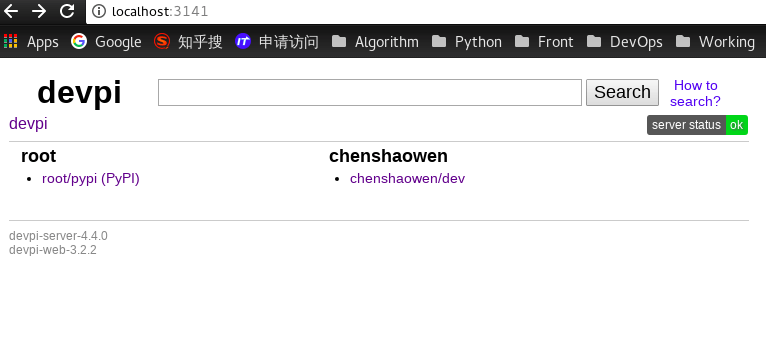
You can see that two indexes were created: one belonging to root, and one belonging to the current operating user. You can inspect the index information with a command:
| |
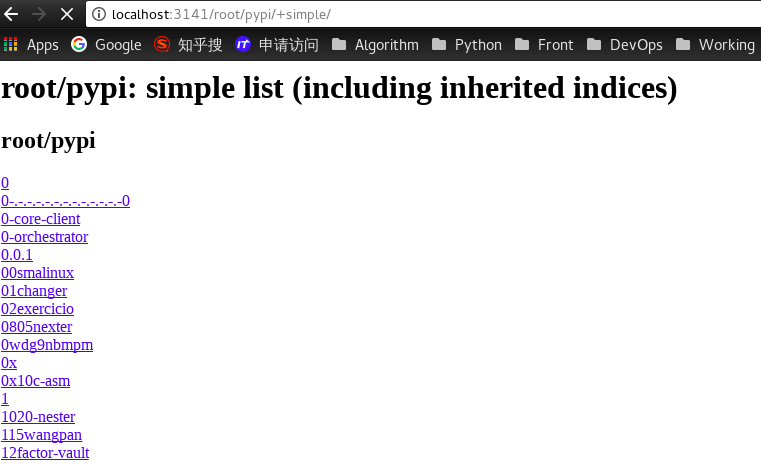
Because root’s index has mirror_url configured, it is effectively an additional PyPI index built locally, https://pypi.python.org/simple/.
The other index, chenshaowen/dev, can only gain new packages through uploads.
| |
Common devpi-server operations:
| |
3.3 Basic devpi client Operations
devpi is configured and interacted with through the client. Below are some basic interaction commands:
- devpi login root –password, log in; the password is empty on first start
- devpi user -m root password=123, change the password
- devpi logoff, log out
- devpi user -c myuser password=mypassword email=myemail@example.com, create a new user
- devpi login myuser –password=mypassword
- devpi index -c dev bases=root/pypi, create an index
- devpi use chenshaowen/dev, use an index
- devpi upload, upload a package; must be run in the directory containing setup.py
- devpi upload –with-docs, upload a package together with documentation generated by sphinx; the docs directory must be in the same directory as setup.py
- devpi index myuser/dev mirror_url = “https://pypi.doubanio.com/simple/" , when a package does not exist in the repository, download it from Douban and cache it locally (by default it is downloaded from the official index
https://pypi.python.org/simple/) - devpi push, push a package from one index to another
The devpi command lets you create indexes and manage the packages and permissions within them; for the detailed steps, refer to the official documentation.
4. Client Configuration
After running the devpi server on the server, you still need to expose it through an Nginx reverse proxy. For the detailed configuration, refer to the official documentation. Here we assume Nginx has already been configured with the domain devpi.example.com:
Create a ~/.pip/pip.conf file locally with the following content:
| |
This points pip’s default installation index at the devpi server.
