Paid integration service available at 200 RMB/year; technical support is also available at 200 RMB per session, capped at 1 hour. Follow the official account to get contact details.
1. Information You Need to Provide
Go to https://mp.weixin.qq.com/ and open 【Settings and Development】->【Basic Settings】in the left-hand menu, where you will find the information below.
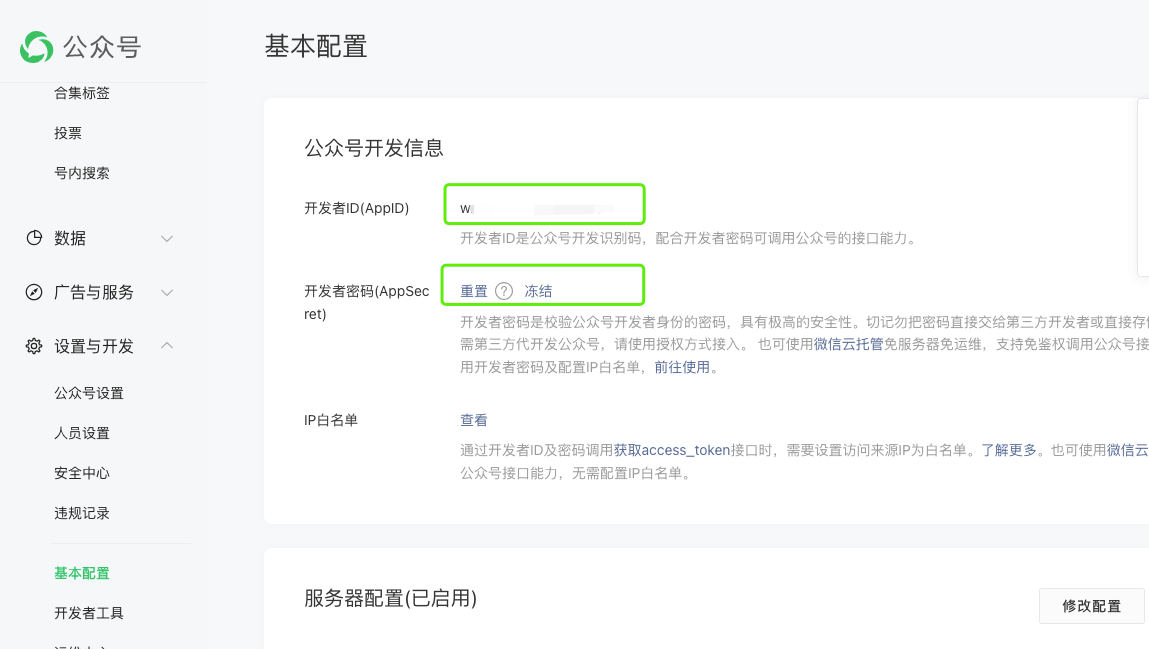
- AppID
The developer ID, which can be viewed directly in plain text.
- AppSecret
The developer password; you need to click 【Reset】before you can obtain it.
2. Integrating the Official Account
2.1 Parameter Reference
- URL
Something like https://api.chenshaowen.com/v1/mp
- Token
3 to 32 characters long, something like lg36YKM8YENbGMGhzWde1mjItkRZ0Z
I generate it with the script below:
| |
- EncodingAESKey
43 characters long, something like XFfydEWkz1Eu4pjBZilgJyZ9nDaul6ctftYxeR0Qv1b
I generate it with the script below:
| |
IP whitelist [required for service accounts, not for subscription accounts]
1.1.1.1
2.2.2.2
In a format like this, one IP address per line.
2.2 Modifying the Parameters
Go to https://mp.weixin.qq.com/ and open 【Settings and Development】->【Basic Settings】in the left-hand menu, then click 【Modify Configuration】.
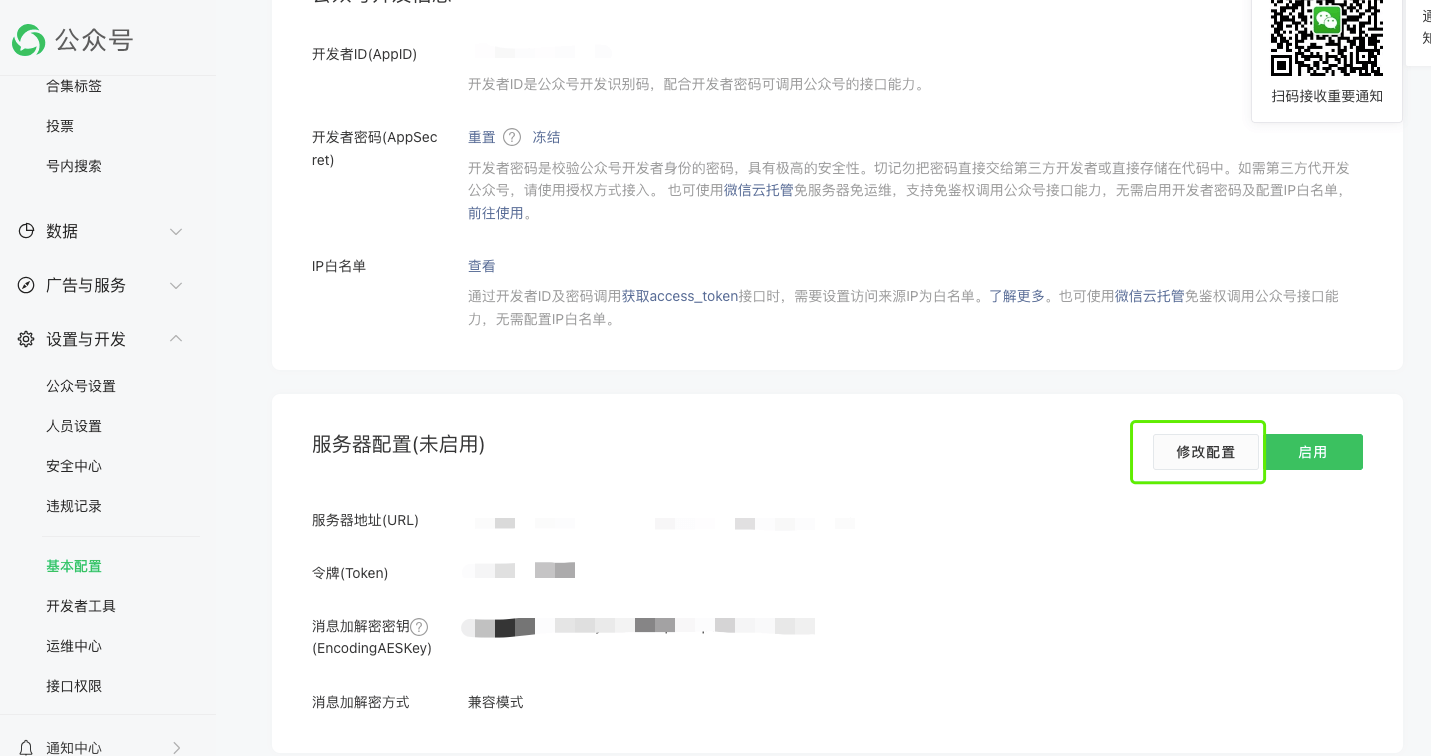
You will enter the 【Basic Configuration】/【Fill in Server Configuration】page.
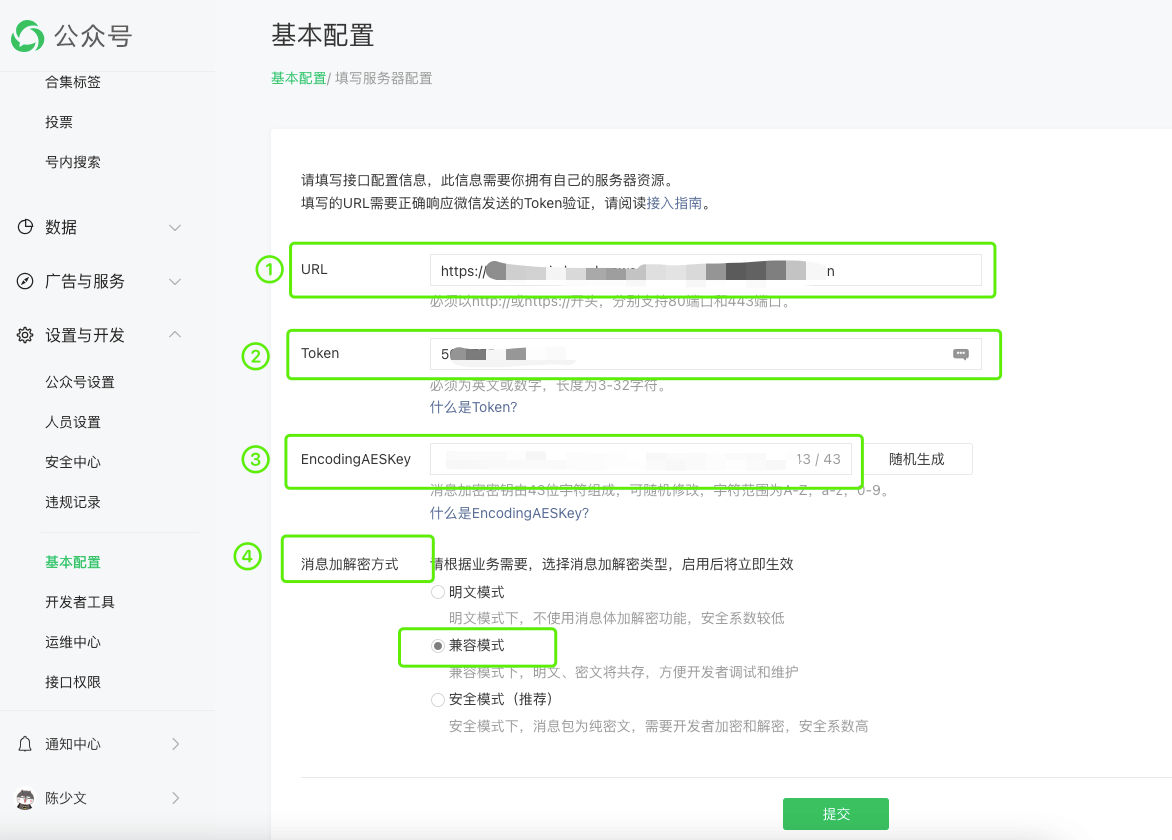
Step one, fill in the URL; see the explanation above for details.
Step two, fill in the Token; see the explanation above for details.
Step three, fill in the EncodingAESKey; see the explanation above for details.
Step four, set the message encryption/decryption method to 【Compatible Mode】.
Finally, click the 【Submit】button.
2.3 Enabling the Server Configuration
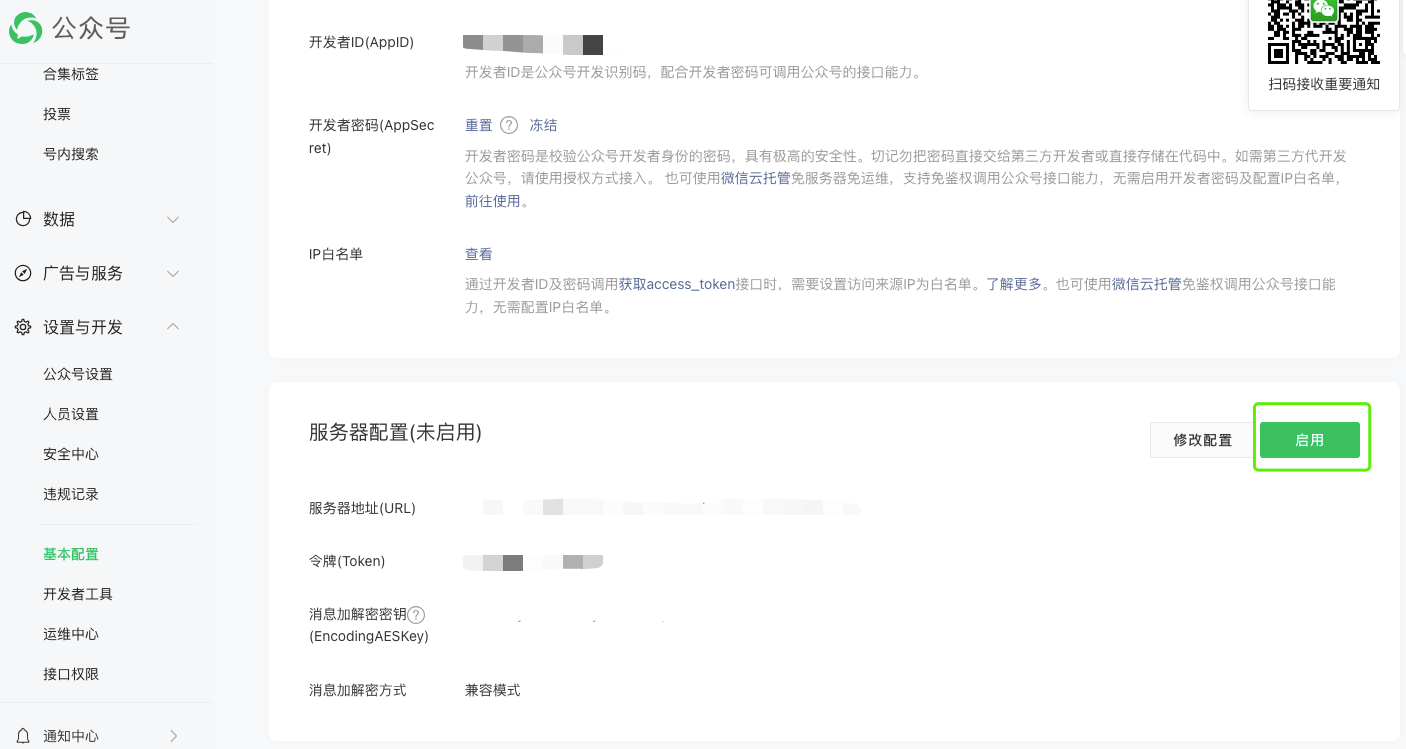
As shown above, click the 【Enable】button to enable the server configuration.
2.4 Security Configuration for 【Service Accounts】
Go to https://mp.weixin.qq.com/ and open 【Settings and Development】->【Security Center】in the left-hand menu, then click 【View】under 【IP Whitelist】.
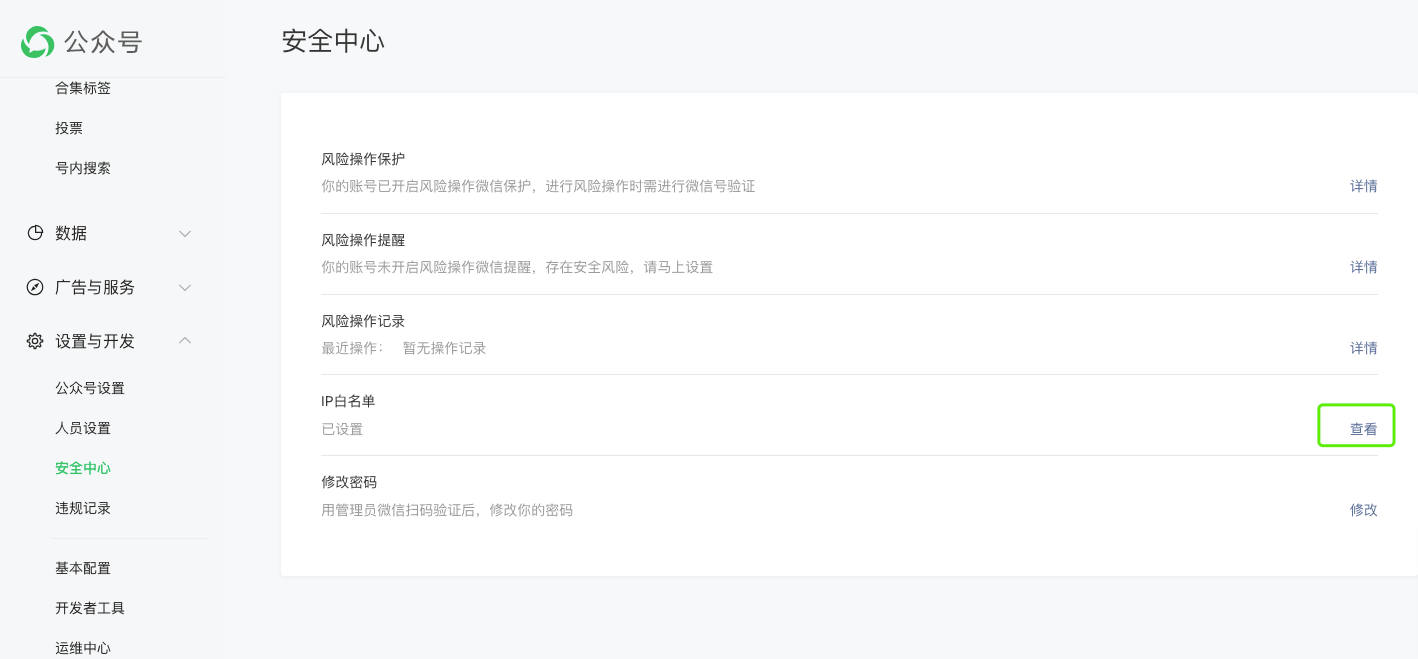
You enter the IP whitelist editing page; click Modify.
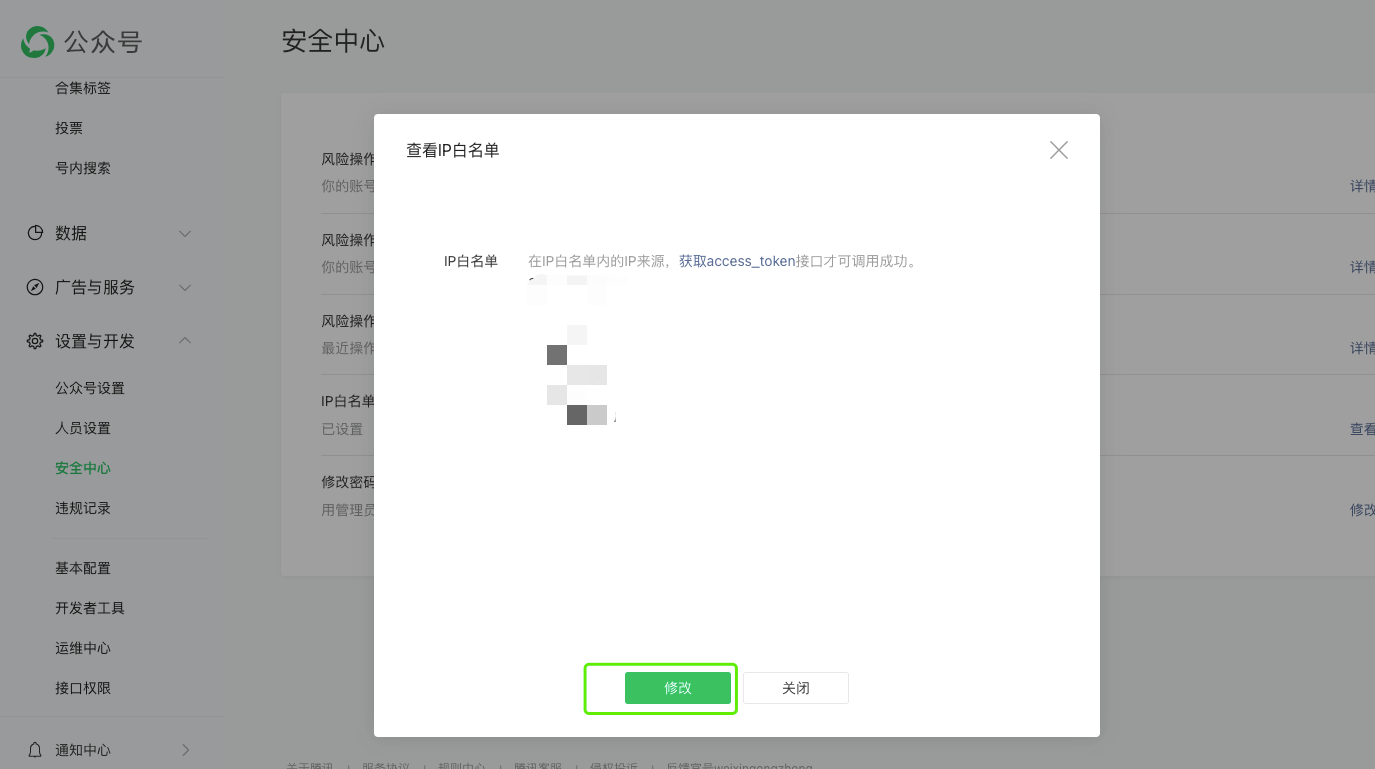
Enter the IP whitelist from above here, one IP address per line, then click the 【Confirm Modification】button to save your changes.
2.5 Testing the Official Account
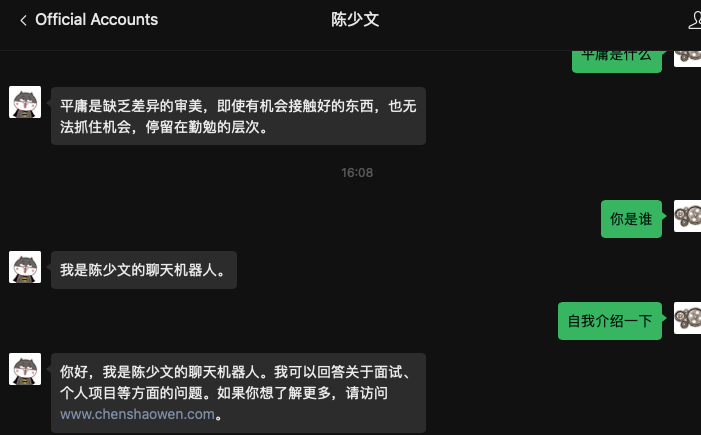
Just chat with the GPT service in the official account. The GPT here has a knowledge base, and in this test scenario the knowledge base has already been loaded with every blog post.
3. Integrating WeChat
3.1 Installing Docker
Please go to https://docs.docker.com/engine/install/ and install Docker by following the official documentation.
3.2 Parameter Reference
OPEN_AI_API_KEY
Something like lg36YKM8YENbGMGhzWde1mjItkRZ0Z, the token used to call the GPT service.
OPEN_AI_API_BASE
Something like https://api.chenshaowen.com/v1/wx, the URL used to call the GPT service.
SINGLE_CHAT_PREFIX
A format like [“bot”, “@bot”]; only messages starting with bot or @bot are processed. When it is [""], all messages are processed.
SINGLE_CHAT_REPLY_PREFIX
A format like “[bot]”; every reply message generated by GPT is prefixed with this.
GROUP_CHAT_PREFIX
A format like [“bot”, “@bot”]; only messages starting with bot or @bot are processed.
GROUP_NAME_WHITE_LIST
A format like [“相亲相爱一家人”]; a message is processed only when the group name is in the whitelist. When it is [“ALL_GROUP”], all groups are processed.
3.3 Configuring the Parameters in env.txt
- Create a new local file named env.txt
| |
Alternatively, simply create an env.txt text file by hand.
- Copy the following content into the env.txt file
| |
3.4 Starting the Service
| |
Before long it prints a block of information like this:
| |
Scan the QR code with WeChat and the GPT service is integrated into WeChat; at this point WeChat on the PC is forcibly logged out.
3.5 Testing
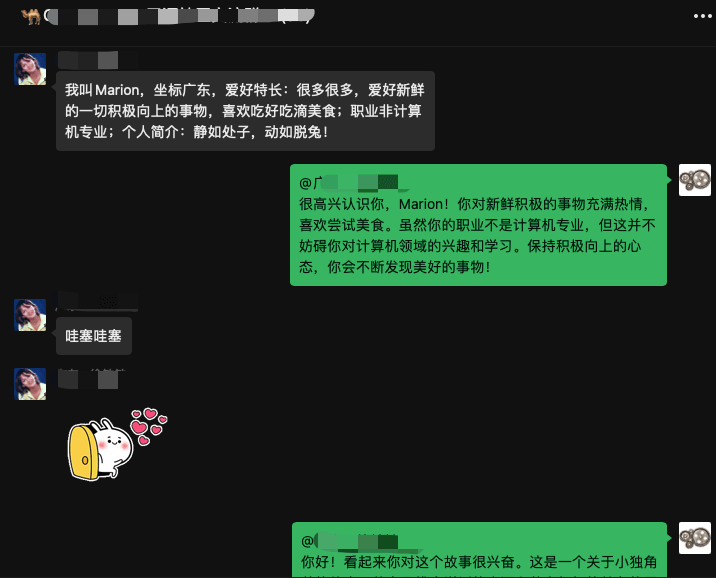
In this test scenario, WeChat automatically responds to every message.
