1. Github Container Registry
On September 1, GitHub announced that Github Container Registry had entered public beta, offering a free, unlimited-capacity Docker image registry service during the testing period.
No more worrying about docker.io wiping images out of the blue. How nice, how sweet!
GitHub is using hosted code repositories as its entry point and gradually covering the entire R&D toolchain to build a one-stop DevOps platform. Project management has Issues and Projects, package management has Packages, CI has Actions, knowledge management has Wiki — the coverage keeps widening.
Next up should be the CD part. Offering a container hosting service would be a good choice. @GitHub
2. Pushing Your First Image
Let’s try pushing an image now.
2.1 Creating a Login Token
Pushing an image directly with your GitHub username and password gives an error:
| |
Github Container registry requires a token created on the https://github.com/settings/tokens/new page to be used as the password before you can push images.
Open the link above, check write:packages and read:packages, and repo will be selected automatically. Create the token.
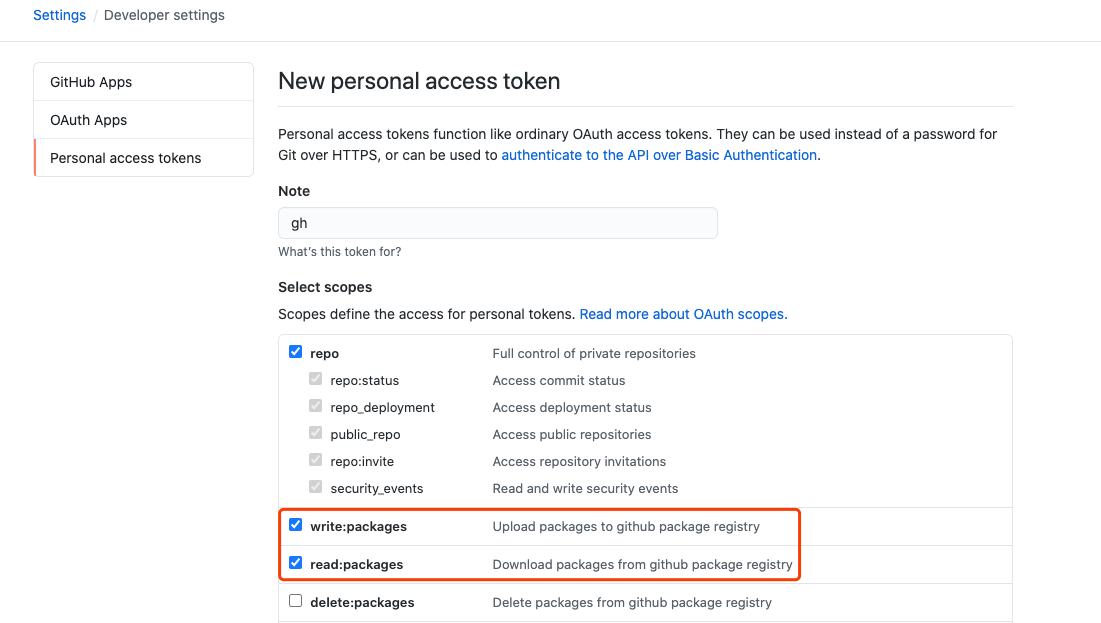
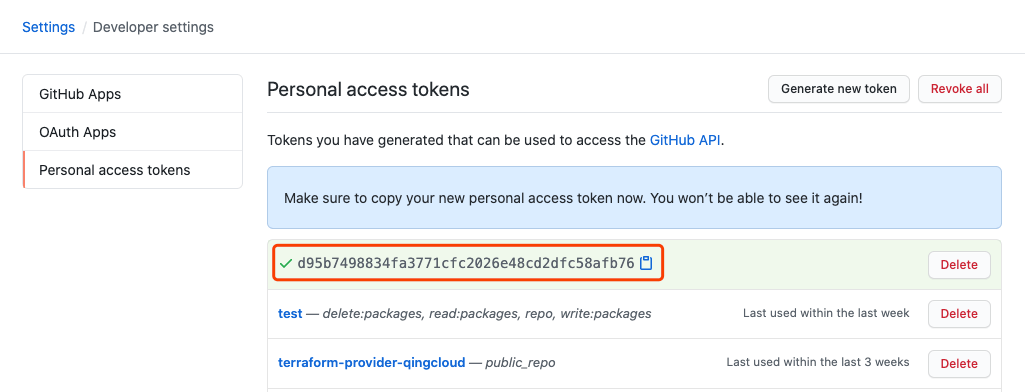
Below, XXX is used to refer to the token value here.
2.2 Pushing the Image
- Log in
| |
- Create a Tag
List the images
| |
Create a tag
| |
- Push
| |
That completes the image push. But the image is not pullable by everyone. Let’s look at image visibility management next.
2.3 Visibility Management
After the image is pushed, you can see the image list under the packages tab on your personal homepage.
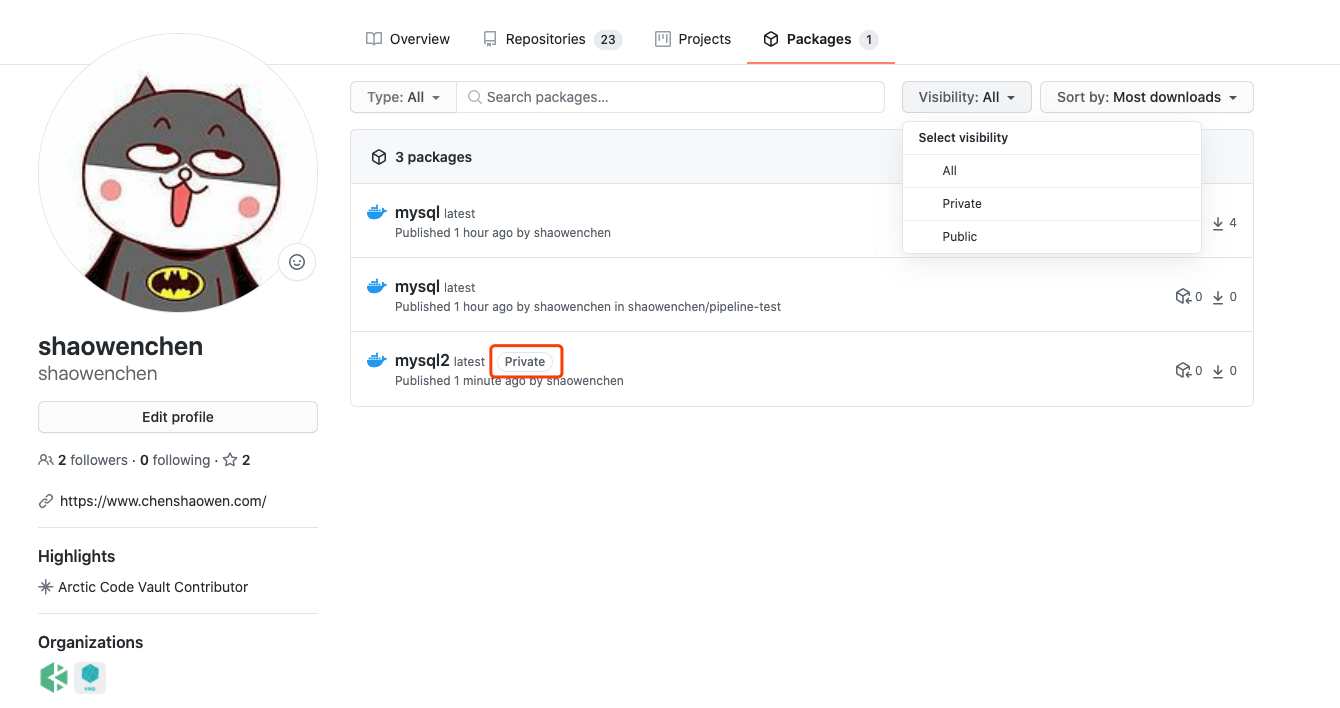
Images are pushed as Private by default, and only authorized accounts can pull them. Public images, by contrast, can be pulled anonymously with no restrictions.
- Private
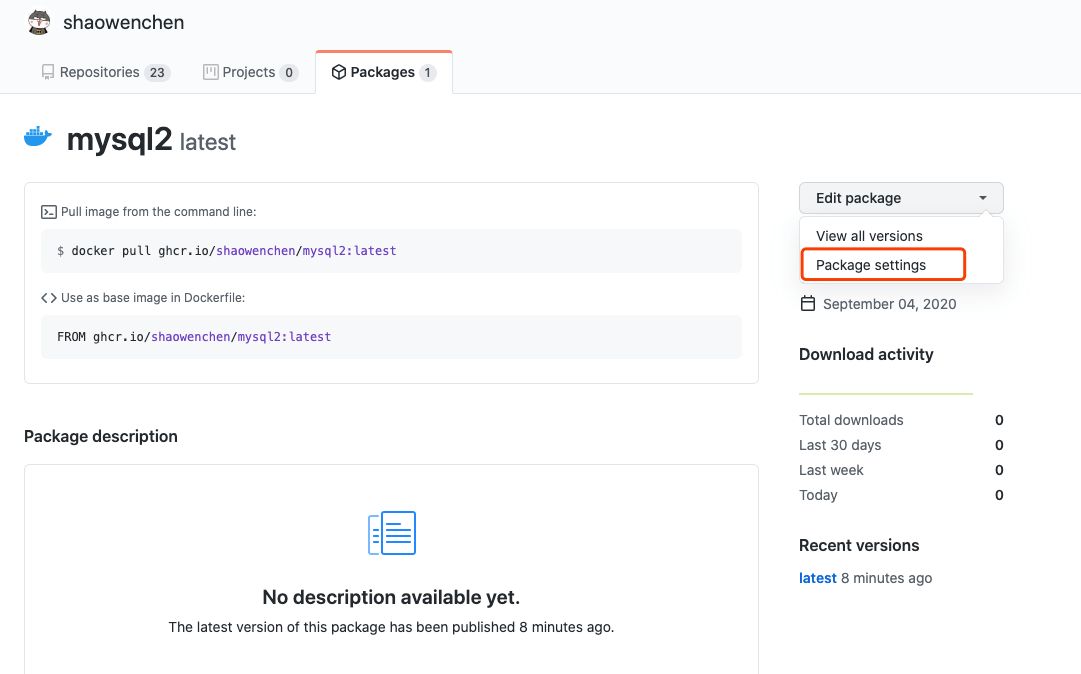
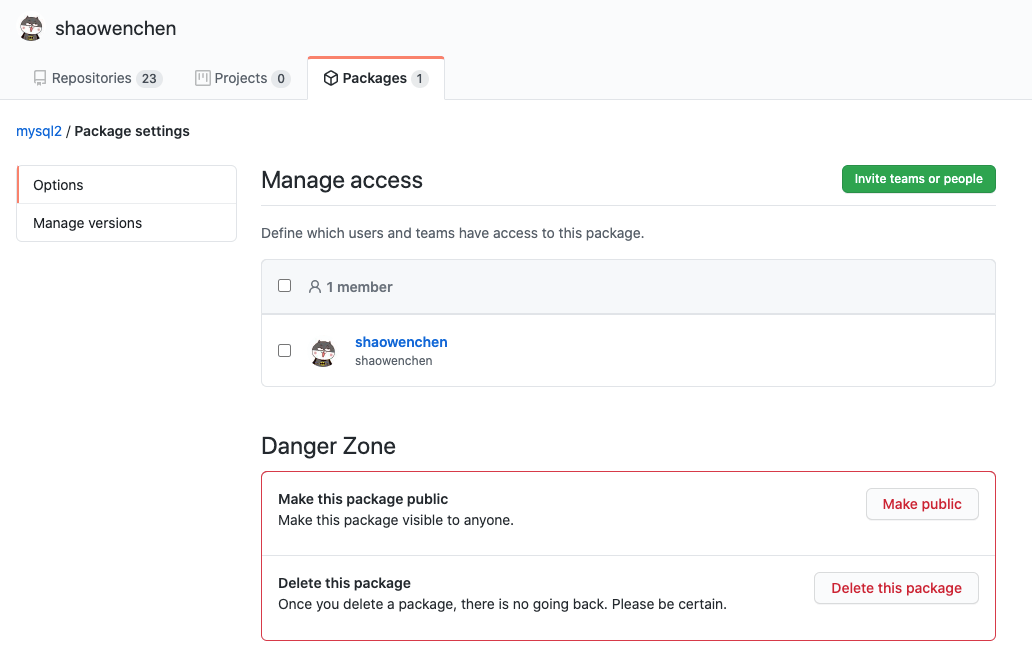
On the Packages settings page of a Private image, you can change the Private image to Public, and you can also manage authorization via Manage Access.
- Public
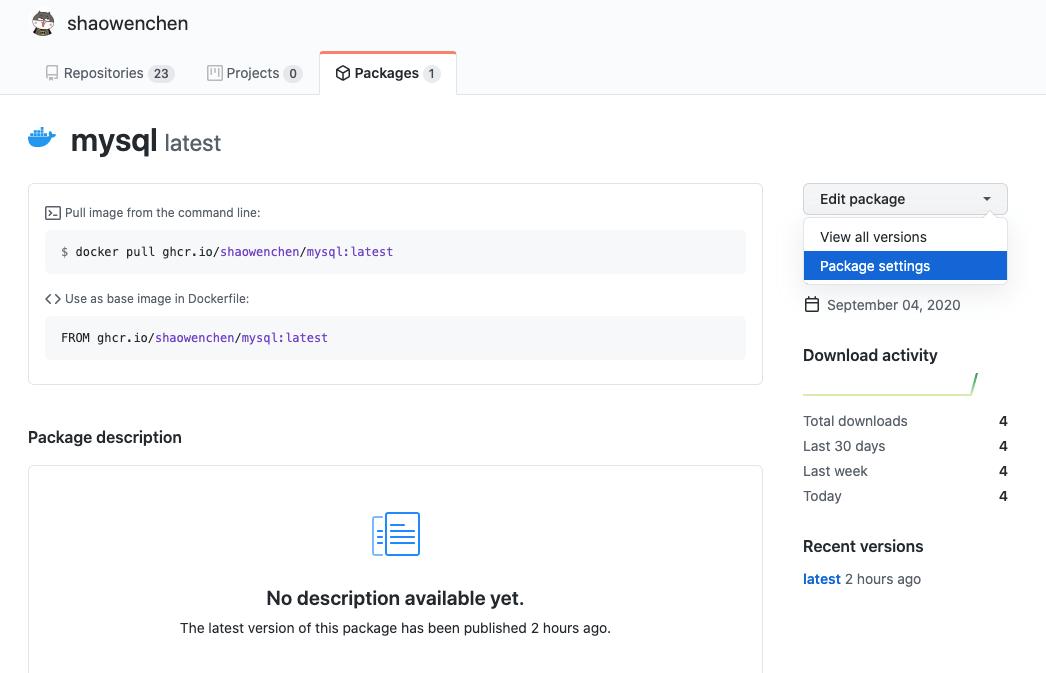
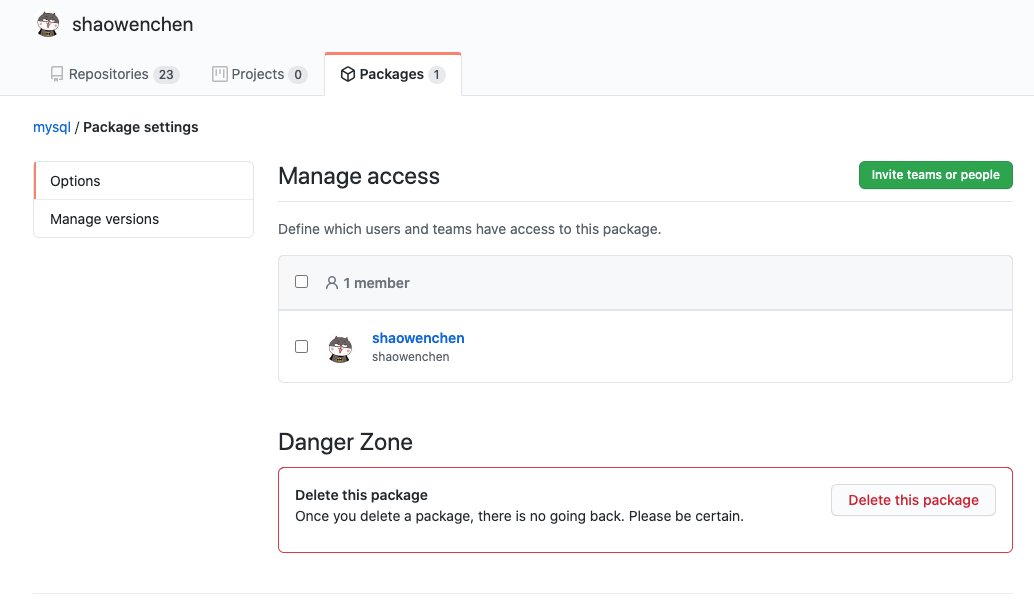
Note that on the Packages settings page of a Public image, you cannot change the image’s visibility — you can only delete the image.
3. Differences from docker.pkg.github.com
ghcr.io is similar to docker.pkg.github.com: both provide an image registry service and use the same authentication method. But there are some differences:
- Different dimension
ghcr.io targets the account dimension — it is a service provided with the account as the basic object. docker.pkg.github.com, on the other hand, targets the repository dimension — it is a service provided with the repository as the basic object.
- Different management granularity
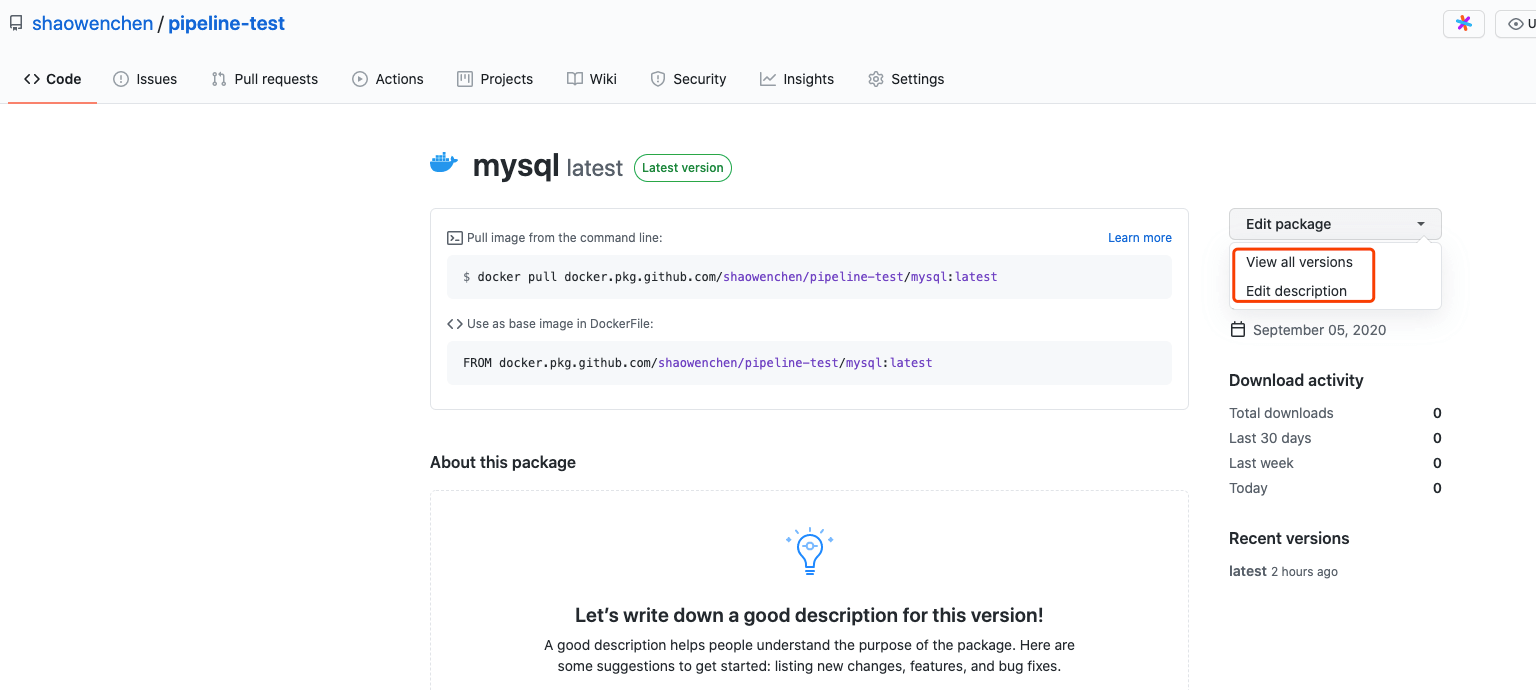
Images in docker.pkg.github.com cannot be deleted directly; you can only delete them indirectly by deleting the repository.
In ghcr.io, by contrast, images can be fully managed directly.
- Different image format
Compare the image formats of the two:
| |
| |
The docker.pkg.github.com image format looks like docker.pkg.github.com/shaowenchen/pipeline-test/mysql, carrying the repository name in the name. The ghcr.io/shaowenchen/mysql provided by ghcr.io, by contrast, is more consistent with the naming conventions of other image registries.
