1. Frontend Automated Build Tools
When dealing with frontend scenarios, you write CSS with Less, HTML with Jade, modularize with Browserify, and add MD5 hashes to resources for non-overwriting deployments. If all this work were done purely by hand, the efficiency would be extremely low. A frontend automated build tool can configure this repetitive work once and then execute it over and over, greatly improving development efficiency.
A frontend automated build tool mainly provides the following characteristic features:
- Version control
- Lint JS
- Image merging
- Compress and rename CSS
- Compress and rename JS
- Compile LESS, SASS
2. Common Frontend Automated Build Tools
2.1 Grunt
Grunt, a Node.js-based plugin tool, is itself an executor, and a large amount of functionality lives in plugins managed by NPM. In particular, the core plugins whose names begin with grunt-contrib- cover most of the core functionality, such as handlebars, jade, less, compass, jshint, jasmine, clean, concat, minify, copy, uglify, watch, minify, uglify, and so on. Grunt can be understood as a set of tasks, for example merging several JS files (concat), compressing JS (min), testing JS (qunit), and so on.
2.2 Gulp
Gulp, a Node.js-based plugin tool, is mainly a project started to address Grunt’s shortcomings. Because it borrows the pipe idea of the Unix operating system, where the output of one stage directly becomes the input of the next, operations become very simple. Compared with Grunt’s frequent I/O operations, Gulp can finish build work faster and more conveniently.
Gulp has the following advantages:
- With gulp.js, your build script is code, not a configuration file;
- Scripts are written using the standard library (node.js standard library);
- Plugins are all simple and each is responsible for doing just one thing — basically a function of about 20 lines;
- Tasks are executed with maximum concurrency;
- Input/output (I/O) is stream-based.
2.3 Yeoman
Yeoman is a frontend build tool led by Google; its purpose is to establish a complete workflow for a new project, letting developers focus on solving problems instead of worrying about unnecessary small things. Yeoman provides a generator system, and a generator is a plugin. Yeoman offers three tools: a scaffolding tool (yo), a build tool (grunt), and a package manager (bower). These three tools are developed independently, but they need to be used together to achieve our more efficient workflow pattern.
There is also Baidu’s FIS3, Webpack, Rollup.js
3. Gulp Installation and Configuration
Gulp is a tool built on Nodejs. First you need to install Nodejs and the NPM package manager.
3.1 Installing gulp
| |
Use the gulp -v command to check the Gulp version number. Every time you build a new project, you need to start from this step and install it separately once more, keeping each project independent.
3.2 Getting Started Building a Project with gulp
Generate package.json
| |
3.3 Common gulp Plugins
| |
Other plugins
gulp-load-plugins //automatically load file dependencies from package.json
gulp-imagemin //compress images
gulp-minify-css //compress css
gulp-ruby-sass //sass
gulp-concat //file concatenation
gulp-rename //file renaming
png-sprite //png merging
gulp-htmlmin //compress html
gulp-clean //empty a folder
browser-sync //auto-refresh the browser when a file changes
gulp-shell //run shell commands
gulp-ssh //operate on a remote machine
run-sequence //run tasks in sequence
Note: –save is for libraries the production environment depends on, –save-dev is for libraries the development environment depends on. You only need to install the libraries you actually use. After the packages are installed, gulp will automatically add the packages’ version information to the package.json file.
3.4 Gulp Task Configuration: gulpfile.js
gulp is an executor of tasks; each task needs to be written into gulpfile.js before Gulp can execute it automatically. Create a gulpfile.js file in the root directory; you can also refer to the official documentation:
| |
The project’s directory structure:
| |
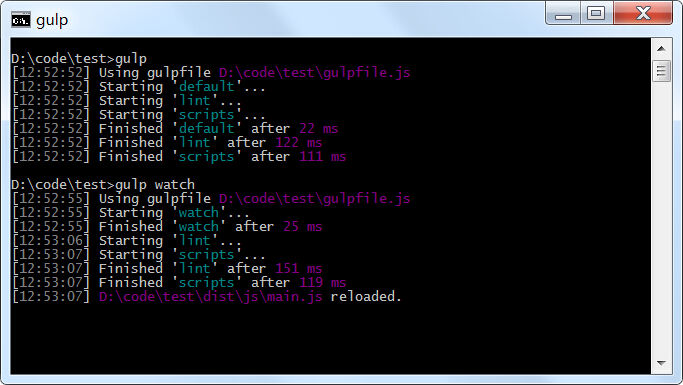
In the project’s root directory, run the gulp command to execute the task and complete the compilation.
| |
Having to run the gulp command once for every change is rather troublesome; just use the gulp watch command to watch, and it will automatically execute the specified task when a change occurs.
| |