1. Enabling Docker’s experimental Feature
First, enable Docker’s experimental feature, so the commands below are available.
Edit vim ~/.docker/config.json and add the following:
| |
Note that this is not the /etc/docker/daemon.json file, and Docker does not need to be restarted.
2. Docker Images
Starting with Docker 1.10 and Registry 2.3, Docker introduced the manifest to describe image metadata.
2.1 How a Dockerfile Becomes an Image
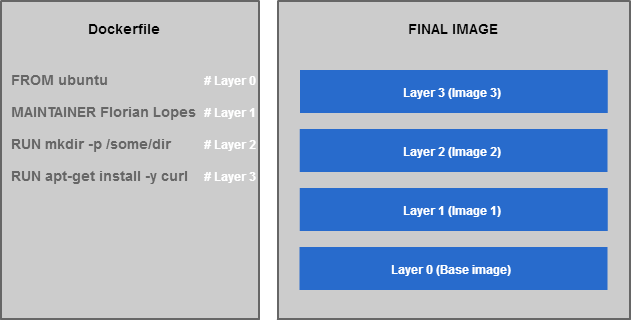
As shown above, every command line in a Dockerfile is associated with a layer when the image is built. A layer is a simple wrapper around an image layer. When these image layers are stored they are reused — that is, when multiple images use the same image layer, only one copy is stored. There are some conceptual details here that we can ignore for now.
2.2 How Docker and Registry Transfer Images
Image metadata includes information such as size, digest, and layers.
When Docker and a Registry push or pull an image, they first transfer the manifest. Only when an image layer does not already exist in the current environment is it transferred over the network; otherwise the local image layer is reused directly.
2.3 The manifest File Structure
Inspect the manifest of an image directly.
- Inspect the manifest
| |
Example output (JSON):
| |
- Inspect a multi-arch manifest
Through the manifest.list mediaType, multiple images can be combined into one. Under different architecture and os conditions, Docker automatically pulls the image that fits the current environment.
| |
Example output (JSON):
| |
3. Common Ways to Organize Multi-Arch Images
The images that different OSes and CPUs can run differ. At the OS level, images mainly fall into Windows and Linux-like images. At the CPU level, there are mainly amd64, arm, ppc64le, s390x and other architectures. amd64 is x86-64, and is usually the default architecture, so amd64 and linux do not need to be specified explicitly.
3.1 Distinguishing Architectures by namespace
Format namespaces-{ARCH}-{OS}/image:tag
- amd64
| |
| |
3.2 Distinguishing Architectures by image name
Format namespaces/image-{ARCH}-{OS}:tag
- amd64
| |
- arm
| |
3.3 Distinguishing Architectures by tag name
Format namespaces/image:tag-{ARCH}-{OS}
- amd64
| |
- arm
| |
4. Managing Multi-Arch Images with manifest list
A manifest list is a list of image manifests, used to hold image information for different architectures. Put simply, it creates a new entry point for pulling images and associates images of different architectures with it, without generating any new image layers.
- First, push the images
| |
Otherwise, the next step fails with no such manifest: docker.io/shaowenchen/coredns:coredns-amd64
- Create the multi-arch manifest list
| |
- [Optional] Update the information for the relevant architecture
| |
- Inspect the manifest list
| |
Example output (JSON):
| |
- Push to DockerHub
| |
- Check the pushed image on the DockerHub page
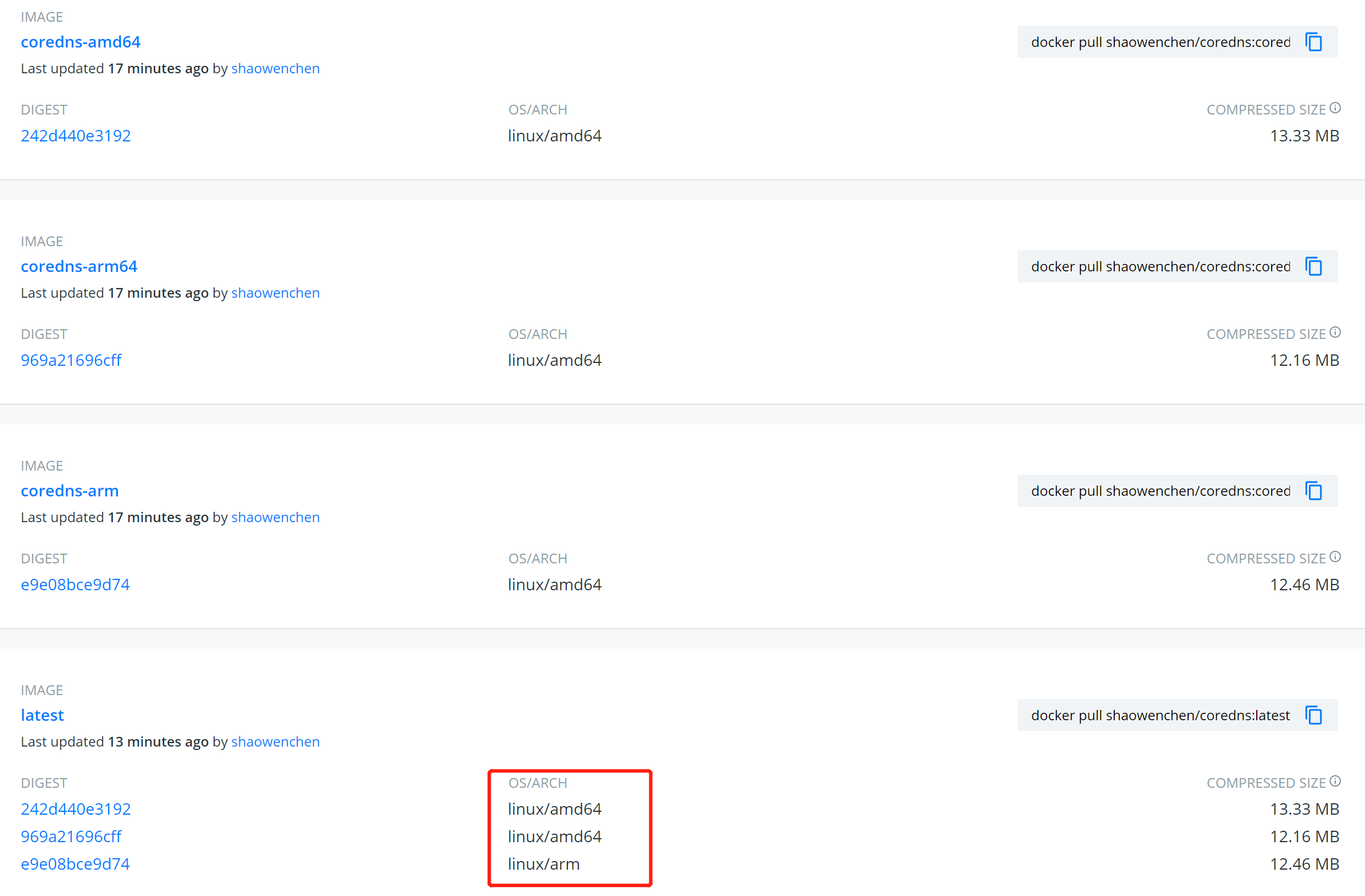
On any architecture, the same single command pulls the image:
| |
This brings great convenience to deployment — there is no need to append architecture and os information to the image. The same deployment program can be used across architectures.
