1. Introduction to Burpsuite
Burp Suite is an integrated platform for attacking web applications. It contains many tools and designs many interfaces for those tools, in order to speed up the process of attacking an application.
All the tools share one powerful, extensible framework that can handle and display HTTP messages, persistence, authentication, proxying, logging, and alerts.
- Proxy — an intercepting HTTP/S proxy server that acts as a man-in-the-middle between the browser and the target application, letting you intercept, view, and modify the raw data stream in both directions.
- Spider — an application-aware web crawler that can fully enumerate an application’s content and functionality.
- Scanner [Professional edition only] — an advanced tool that, once run, automatically discovers security vulnerabilities in web applications.
- Intruder — a customizable, highly configurable tool for carrying out automated attacks against web applications, such as enumerating identifiers, gathering useful data, and using fuzzing techniques to probe for routine vulnerabilities.
- Repeater — a tool for manually resending individual HTTP requests and analyzing the application’s responses.
- Sequencer — a tool for analyzing the randomness of those unpredictable application session tokens and important data items.
- Decoder — a tool for performing manual or intelligent decoding and encoding of application data.
- Comparer — a practical tool that usually produces a visual “diff” of two pieces of data derived from some related requests and responses.
2. Configuring Burpsuite
Because Burpsuite is developed in Java, it needs a JRE to run. Download and install the JDK from Oracle; after installation you also need to add environment variables.
| |
The official Burpsuite site — once you have downloaded it locally, you can run it directly.
Go through the default configuration options in order: [Temporary project] -> [Use Burp defaults]. You arrive at the following screen:
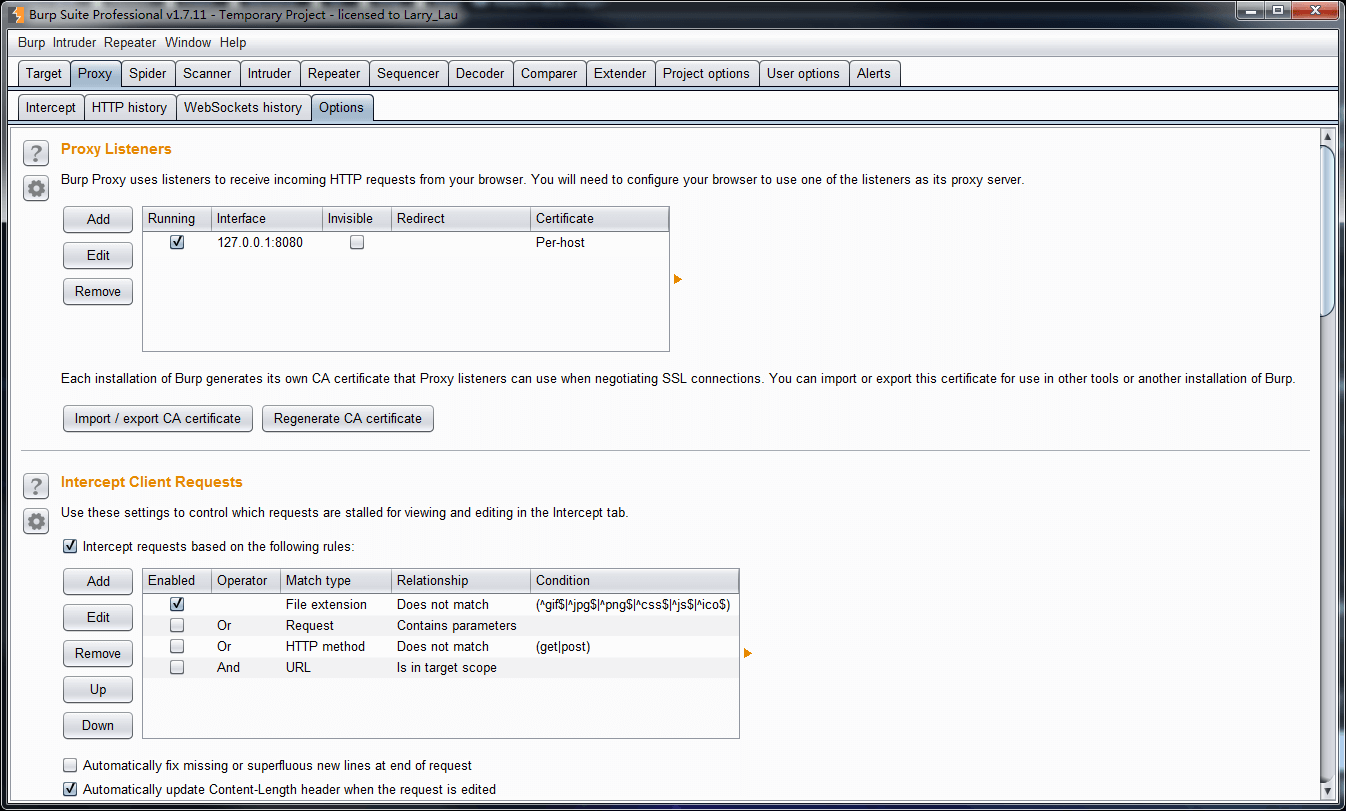
Click [Proxy] -> [Options] to see the proxy interface Burp provides, by default 127.0.0.1:8080.
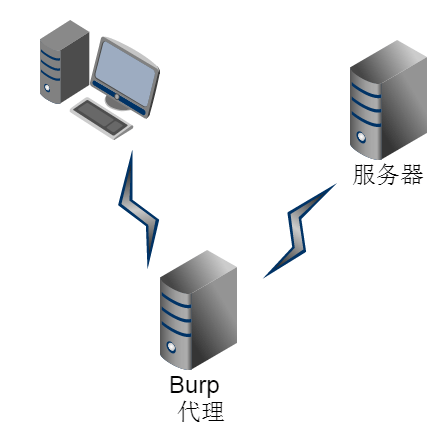
burp works by acting as a proxy between the client and the server, so that it can modify and control the connection. That is why debugging locally requires setting a proxy in the browser, in order to modify the connection requests. If you use the Chrome browser, just install the switchyomega extension; if you use FireFox, you can use the FoxyProxy extension. If you use IE, you can simply use 127.0.0.1:800 as the proxy — the only purpose of the extension is to make switching proxies convenient.
In switchyomega, [create a new scenario mode], set the http proxy, proxy server 127.0.0.1, port 8080.
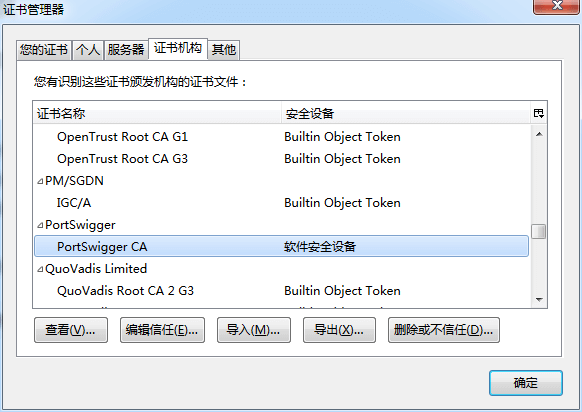
Then visit http://burp/, click download CA Certificate, and install the certificate under [Trusted Root Certification Authorities]. If you do not install the certificate Burp provides, then when you use the Burp proxy to access an https request you will see the words [Your connection is not secure]. From this you can see that an https connection can resist man-in-the-middle attacks. After installation, look inside the certificates and you will find the PortSwigger certificate.
3. Using Burpsuite
3.1 The Principle of Unauthorized Access
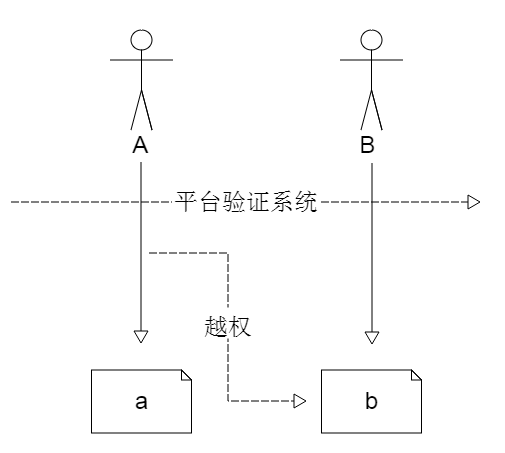
Unauthorized access describes accessing and operating on business you are not authorized for. As in the figure above, person A only has permission for business a and person B only has permission for business b; if by some means person A accesses business b, that is judged to be unauthorized access. There is a precondition here: both A and B are able to pass the platform’s authentication system, and the isolation exists only at the business level. If permissions are not deliberately verified, then in general it is very easy to perform unauthorized access by using certain tools to modify the request parameters.
Because when a request is initiated, information such as the tokenID verified by the platform is sent along with it and passes through the platform’s authentication system, whereas unauthorized access to a business can be accomplished simply by modifying the url route and the request parameters.
3.2 Burpsuite in Practice
- First you need to switch the browser proxy to burp
- In BurpSuite, open [proxy] -> [intercept] -> [intercept is on] in order
- Visit the URL in the browser
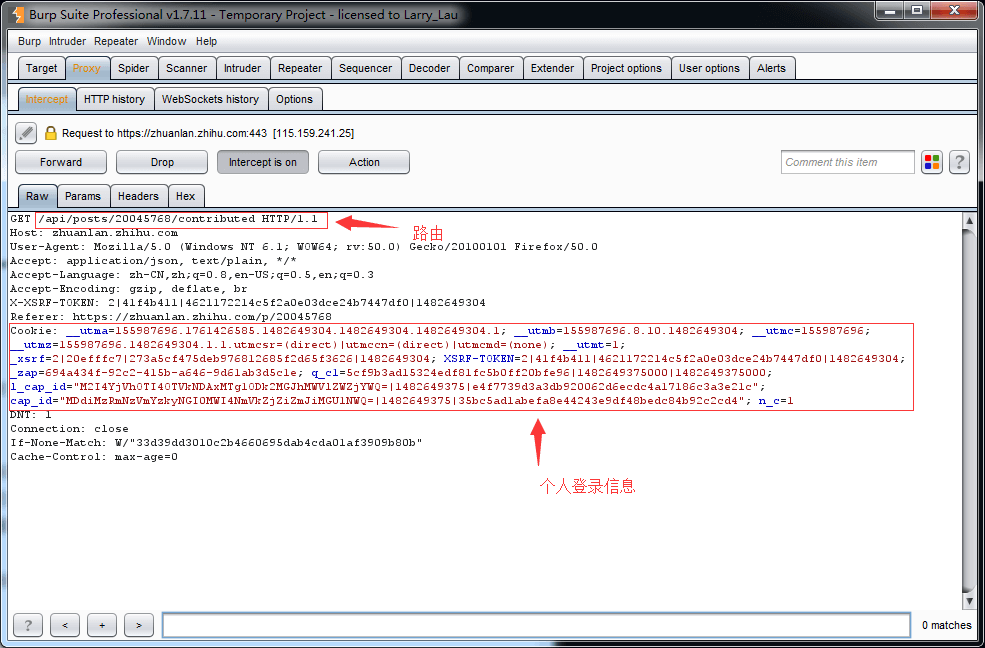
- BurpSuite intercepts the request — modify the request headers.
Here /api/posts/20045768/contributed is the route being accessed; you can see that the route contains 20045768, usually the article’s ID number, and by modifying this number you can access the content of other articles.
There is also the personal login information in the cookie: if someone else obtains this information of yours, they can use it to forge a login.
On the [Params] tab you can modify request parameters freely
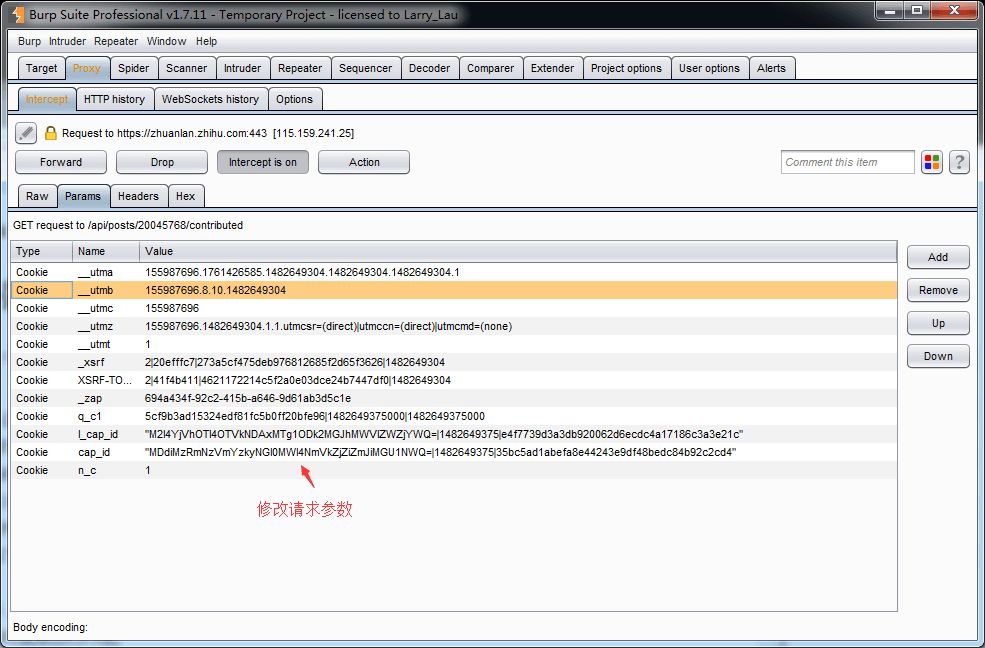
- [Forward], to release the modified request and wait for the server to return a result
