Elastic scaling mainly has three dimensions:
- HPA, which automatically scales the number of Pods based on utilization
- VPA, which automatically sets a Pod’s Request and Limit based on historical data
- CA, which automatically scales the number of Nodes based on usage
This post focuses on the node scaling part.
1. The autoscaler Autoscaling Component
autoscaler is a project maintained by the Kubernetes community. The autoscaler component already provides scaling for VPA and CA. Mainstream vendors such as EKS, CCE, ACK, and TKE all rely on this component for CA elastic scaling. I could not find official data, but based on feedback from conversations with colleagues, it generally takes about 2-3 minutes to complete a CA scale-out.
1.1 VPA Vertical Scaling
Similar to HPA, you need to create a VPA object for the Deployment.
| |
Both VPA and HPA depend on Metrics-server to obtain monitoring metric data. The autoscaler’s VPA has several built-in recommenders for resource settings, and it can also constrain resource settings.
It is worth noting that the resource values set by VPA may exceed the constraints of the namespace’s limit ranges.
Also, do not use VPA and HPA together. The two approaches conflict: horizontal scaling of the Pod count and vertical scaling of Pod Limits may be triggered at the same time.
1.2 CA Node Scaling
Trigger conditions:
- Scale-out: nodes cannot satisfy Pod Request requirements, leaving Pods in Pending state
- Scale-in: nodes are under low load, and the Pods on them can be moved to other nodes
Supported vendors:
- alicloud
- aws
- azure
- baiducloud
- gce
- huaweicloud
- linode
- tencentcloud
- …
Many vendors provide a Provider for the component. AutoScaler uses periodic checks to trigger the vendor’s scaling interface.
In addition, CA cannot be used at the same time as a vendor’s Node vertical scaling. Horizontal and vertical scaling need to find a balance point before they can work together.
2. Elastic Scaling of Vendor-Managed Clusters
EKS, CCE, ACK, and TKE all use the autoscaler component combined with their own IaaS services to achieve node elastic scaling, without exception.
Because they all use the autoscaler component underneath, this is also reflected at the product level. Take EKS as an example, as shown below:
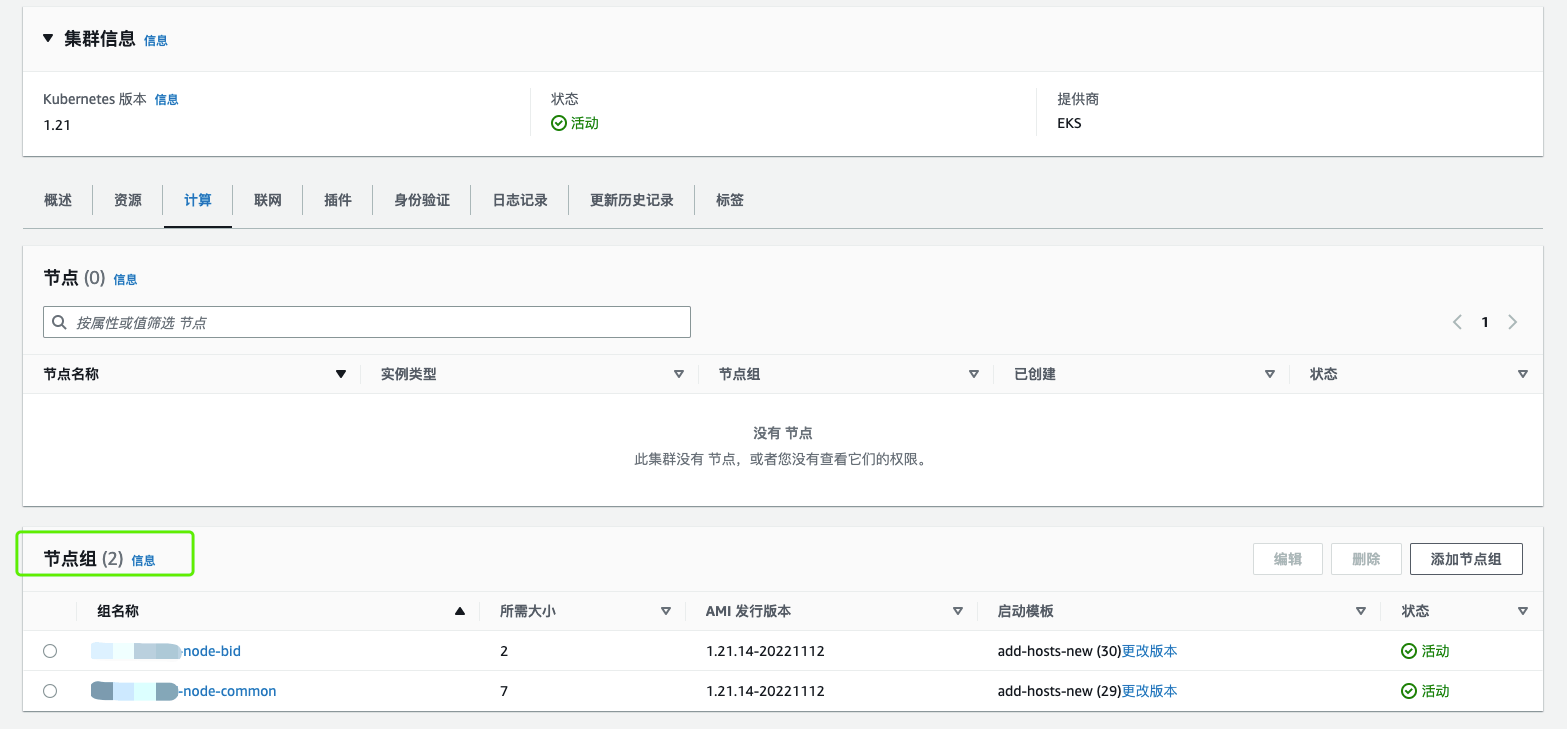
An EKS cluster has several node groups, and each node group forms a unit of elastic scaling. As shown below, a node group has at least 1 node and at most 7 nodes:
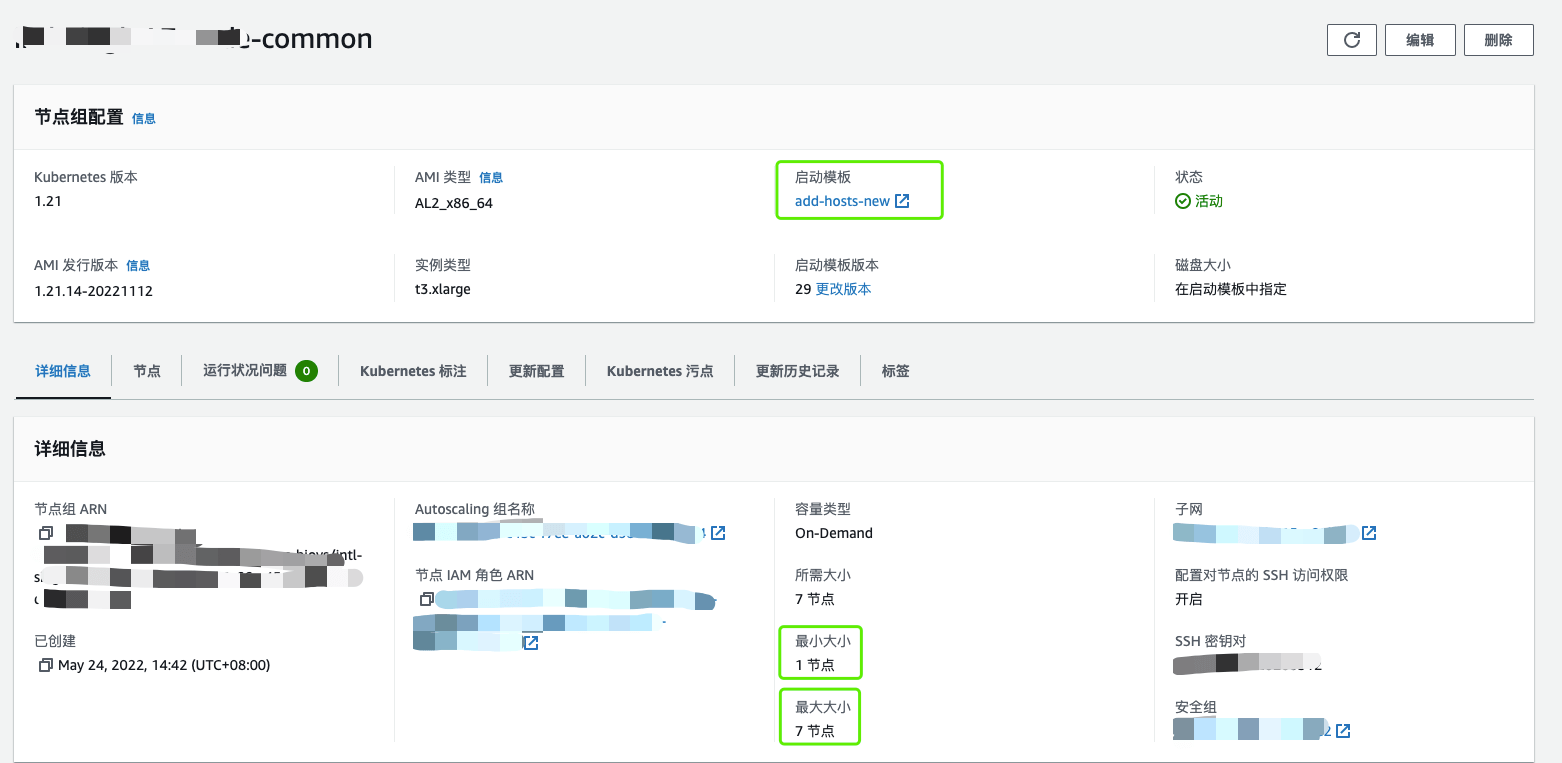
EKS node elasticity is per node group: nodes in the same node group share the same machine configuration, taints, labels, and host launch template. When EKS decides a node scale-out is needed, it scales out within the maximum number of nodes allowed for the node group. This also ensures that the newly scaled-out nodes already carry the correct taints and labels and can be used directly by the Kubernetes scheduler.
In addition, the concept of a node group can be packaged as a super node at both the product and usage level. As long as the upper limit on node count is large enough, a single node group can provide an enormous pool of compute and memory resources.
3. Node Reserve Strategies
Depending on how much you rely on the cloud vendor, clusters can be divided into three categories:
- Fully managed: you cannot directly manage any host in the cluster; you can only use it
- Semi-managed: you cannot manage the master nodes; the cloud vendor maintains the control plane
- Unmanaged: a cluster you deploy yourself on the cloud vendor’s IaaS, under full autonomous control
For fully managed clusters, the cloud vendor provides scaling capabilities. The following mainly discusses semi-managed and unmanaged clusters.
3.1 Cold Standby
When a new node is needed, request a brand-new machine and initialize its configuration.
Advantages:
- Low cost: request new nodes on demand
- Good adaptability: cluster version is not a concern, and dependencies are installed on demand
- Simple operation: use the capabilities provided by the installation tool, and a complete scale-out usually succeeds smoothly
- No need to worry about availability zones, firewalls, and similar issues
Disadvantages:
- Slow: usually more than 10 minutes, and if the dependency source is slow, it can take even longer
- Hard to standardize: the clusters you maintain were not installed with a single tool, or you need to wrap Kubeadm yourself
3.2 Hot Standby
Create a hot resource pool and keep a certain number of resources in it. When host resources are needed, add them directly to the cluster.
Advantages:
- Fast
Disadvantages:
- High cost: you need reserve nodes for every cluster version — 1.16, 1.20, 1.21, and so on
- The hot standby pool is complex: nodes in different IDCs, Regions, and AZs may not have network or firewall connectivity, which complicates the pool
3.3 Semi-Hot Standby
Create a regionalized hot standby pool: boot the machines and install only basic dependency packages such as containerd, chrony, and conntrack, but do not install cluster-version-dependent dependencies such as Kubelet. At the same time, open up the firewall from the reserve region to the resource pool in advance, and you also need a controller to maintain the number of hosts in the hot standby pool.
Pros:
- A compromise between cost and efficiency
Cons:
- The firewall ends up fairly open, which may introduce security issues. If you account for security, the cost goes up again
