1. What Problem Argo CD Solves
1.1 Starting from GitOps
GitOps originated from a blog post published by Weaveworks in 2017: GitOps - Operations by Pull Request. In it, Alexis introduced a deployment approach that treats Git as the single source of truth.
In GitOps practice, we need to define software infrastructure in a Git repository for management. That software infrastructure includes infrastructure such as IaaS and Kubernetes, as well as the applications themselves. Anyone can modify the software infrastructure by submitting a Pull Request, and that modification is then applied by an automated program.
This approach lets everyone focus on developing new features instead of getting bogged down in tedious operational work such as installation, changes, and migration. At the same time, the whole process has a complete operational record and permission approval management.
1.2 Argo CD Can Put GitOps into Practice
Argo CD is a GitOps continuous deployment tool built on Kubernetes as its infrastructure. Below is the architecture diagram from the Argo CD community:
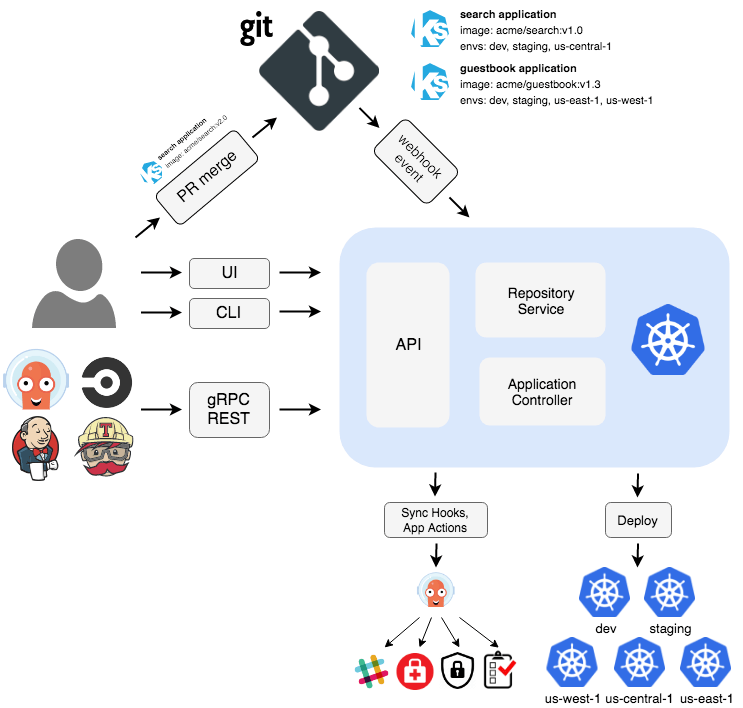
- Argo CD pulls the application’s configuration from a Git Repo and deploys it into a Kubernetes cluster.
- When someone adds a feature, they submit a Pull Request to the Git Repo to modify the application’s deployment configuration and wait for it to be merged.
- After the Pull Request is merged, a Webhook triggers Argo CD to perform the update.
- The application is updated and a notification is sent.
It is easy to understand: automate the operations process and deploy continuously.
1.3 Powerful and Easily Extensible Argo CD
For ordinary Kubernetes operations scenarios, the functionality described above is sufficient. But for complex scenarios involving multiple clouds, multiple platforms, and multiple middleware components, more needs to be considered.
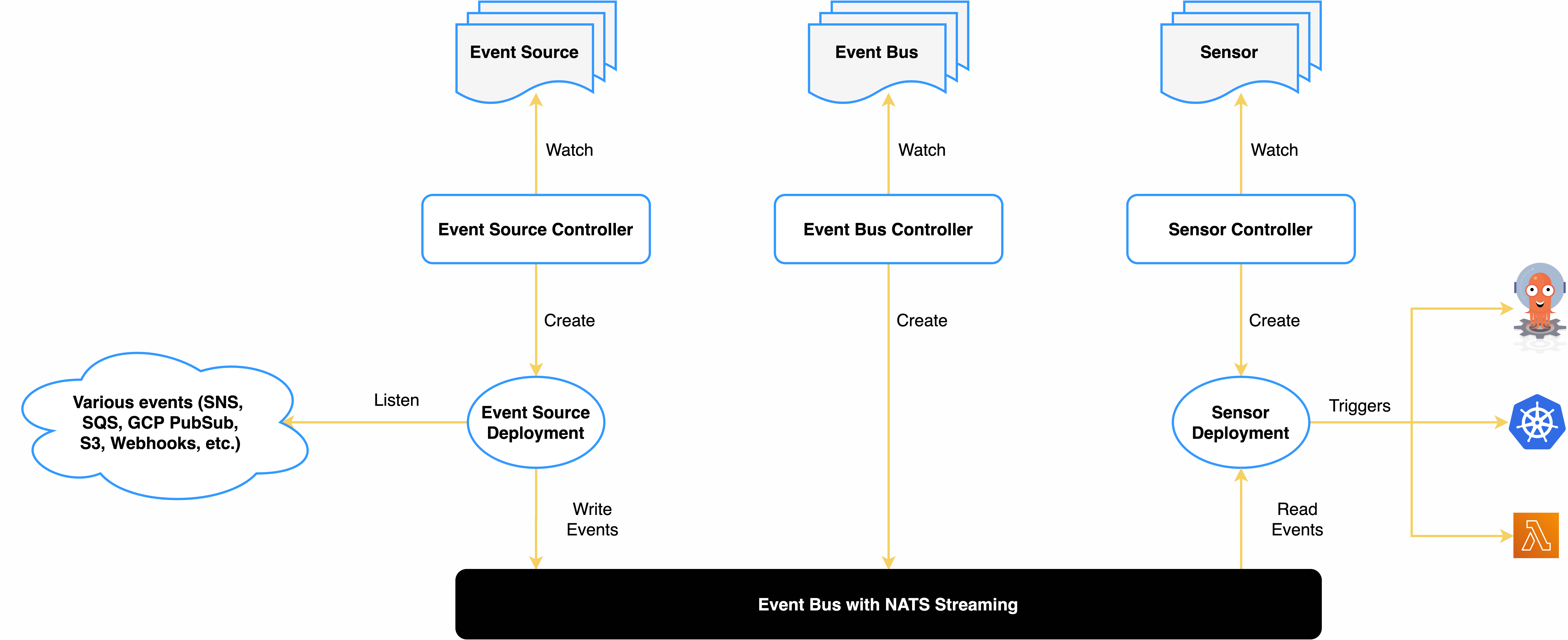
In Argo CD’s processing logic, four components are defined:
- Event Source, which connects to various event messages
- Sensor, which converts messages into triggered actions
- Eventbus, a message subscription and routing system
- Trigger, which triggers actual external actions
For operations staff, the main things to understand are two points:
What events can Argo CD handle? AMQP, AWS SNS, AWS SQS, Cron Schedules, GCP PubSub, GitHub, GitLab, HDFS, File Based Events, Kafka, Minio, NATS, MQTT, K8s Resources, Slack, NetApp StorageGrid, Webhooks, Stripe, NSQ, Emitter, Redis, Azure Events Hub
What actions can Argo CD handle and execute? Argo Workflows, Standard K8s Objects, HTTP Requests, AWS Lambda, NATS Messages, Kafka Messages, Slack Notifications, Argo Rollouts CR, Custom / Build Your Own Triggers, Apache OpenWhisk
2. Deploying Argo CD on Kubernetes
- Create a namespace and deploy Argo CD
Here we choose the latest version released at the time: 1.8.3
| |
The Argo CD community also provides an HA deployment mode; kubectl apply -n argocd -f https://raw.githubusercontent.com/argoproj/argo-cd/v1.8.3/manifests/ha/install.yaml is used for production environments.
- Change the service to type NodePort for easier access
| |
- Check the services
| |
- Check the admin account password
| |
Here the admin password is the Pod’s name: argocd-server-7d597d9bcd-6nzct .
- Log in to the Argo CD UI page by opening http://{HOST_IP}:31808
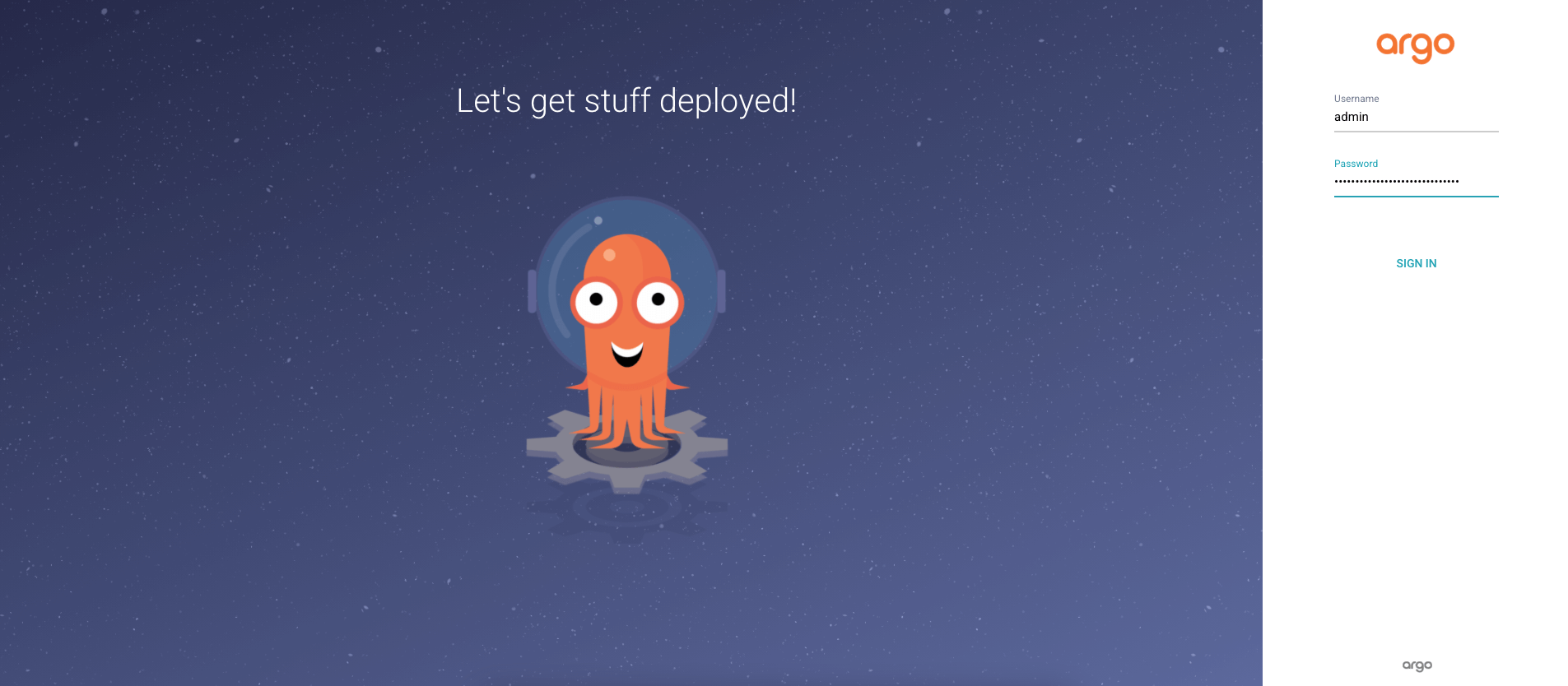
Log in with the account admin and the password argocd-server-7d597d9bcd-6nzct.
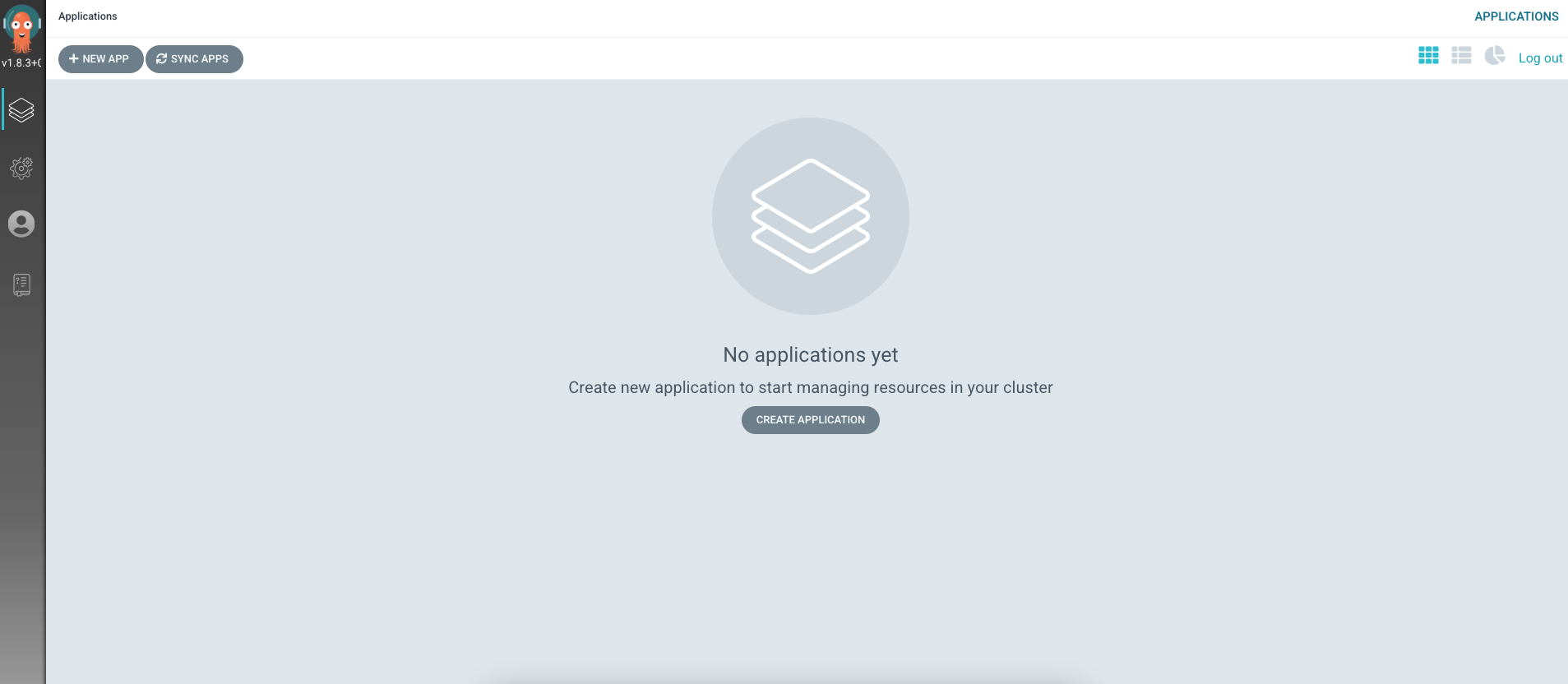
3. Installing the CLI Tool
- Download the CLI command-line tool
Here we install it on Linux as an example:
| |
- Log in to the Argo CD deployed on the Kubernetes cluster
Replace HOST_IP with the host’s IP address and use the CLI to log in to the cluster.
| |
- Update the admin password for easier login next time
| |
This changes the admin password to password.
4. Creating an Application with the CLI
- Create an application
You can create an application through the UI, but to let you quickly try Argo CD by copy and paste, here we create it with the CLI tool.
| |
Parameter description:
- repo, specifies the Git repository
- path, specifies the relative path of the deployment files in the Git repository
- dest-server, the cluster's access address
- dest-namespace, which namespace to deploy to
Under the https://github.com/argoproj/argocd-example-apps/tree/master/guestbook directory there is a yaml declaration of one deployment and one service.
- View the created service in the page
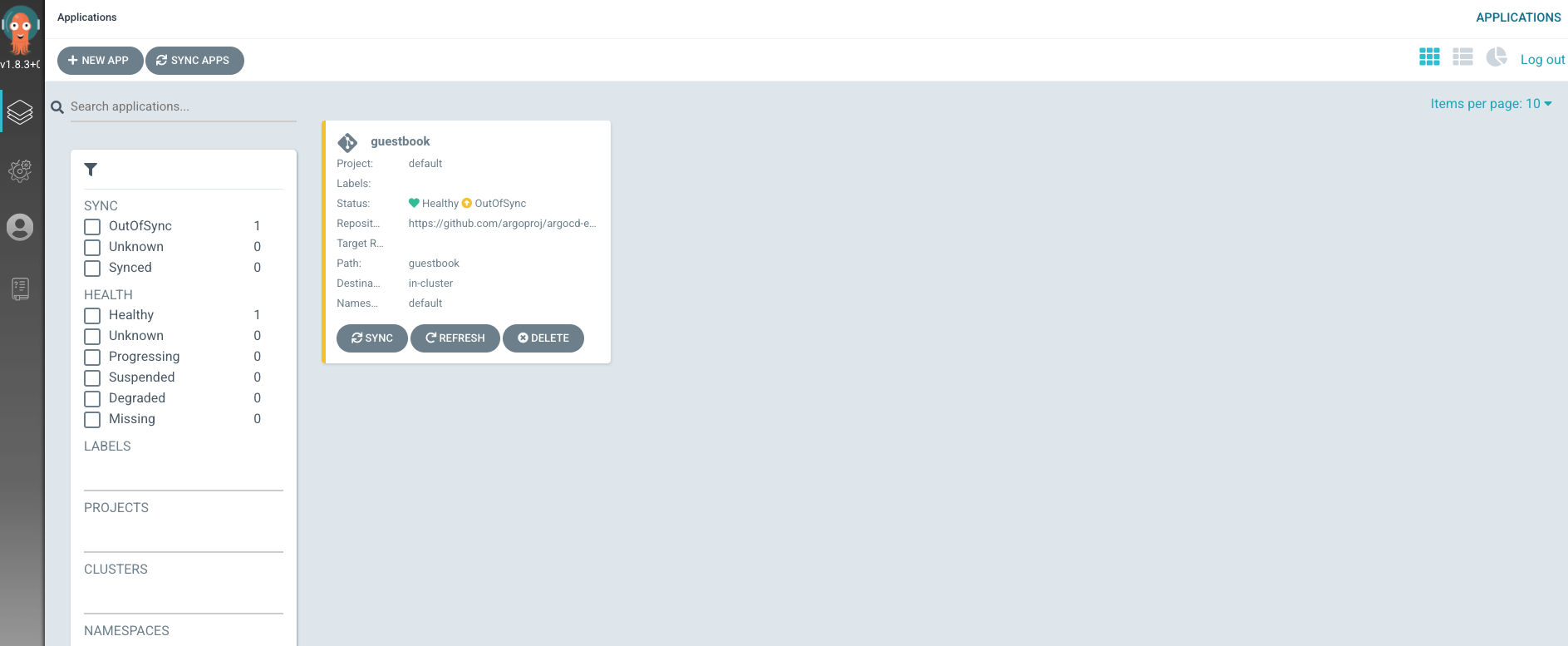
Wait a while and view the details; you can see the application’s topology diagram.
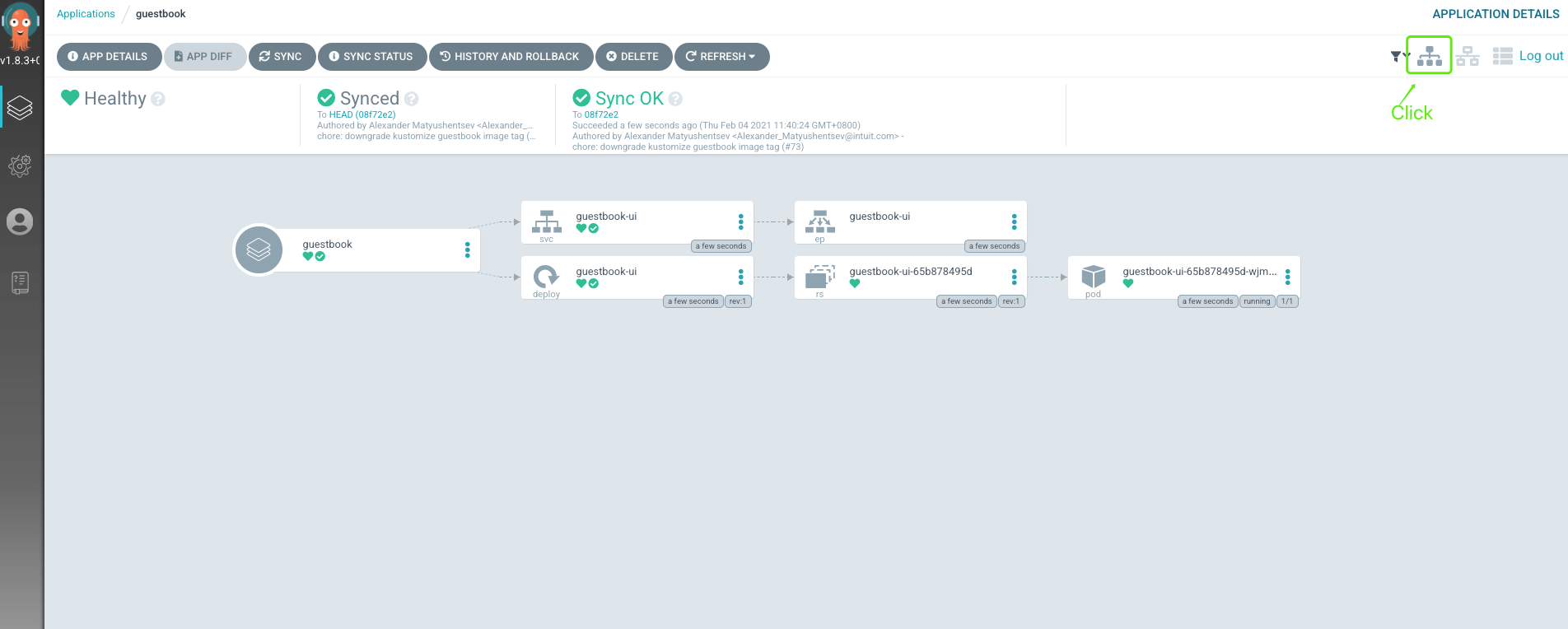
- View the created service with kubectl
| |
- Delete the application and clean up the environment
| |
Not only is the application deleted from Argo CD’s records, the related workloads are also deleted in Kubernetes.
5. Summary
This article mainly introduced Argo CD’s very basic functionality and demonstrated it by creating an application.
In fact, Argo CD’s capabilities go far beyond this. For example, after modifying the Git Repo, the changes can be synced to Kubernetes for an update; after modifying the image, an update is triggered automatically. As can be seen from the architecture diagram above, Event Source and Trigger can satisfy many automated deployment needs.
On the other hand, when updating Kubernetes, Argo CD also supports Kustomize, Helm, Ksonnet, Yaml, Json, and custom extended resource description methods, which is very convenient to use.
